fabienc58729083
Participant
July 30, 2017
Answered

Color Picker - where to insert a color code?

  • July 30, 2017
  • 2 replies
  • 13618 views

Today i had the surprise to see that the color code field has disappeared from my photoshop color picker window.

Cher can i insert something like #FFBF00 please?

This topic has been closed for replies.
Correct answer fabienc58729083

Thank you for your answer. This is the color picker i use to use.

Just for information, this is the color picker i had before i found the solution :
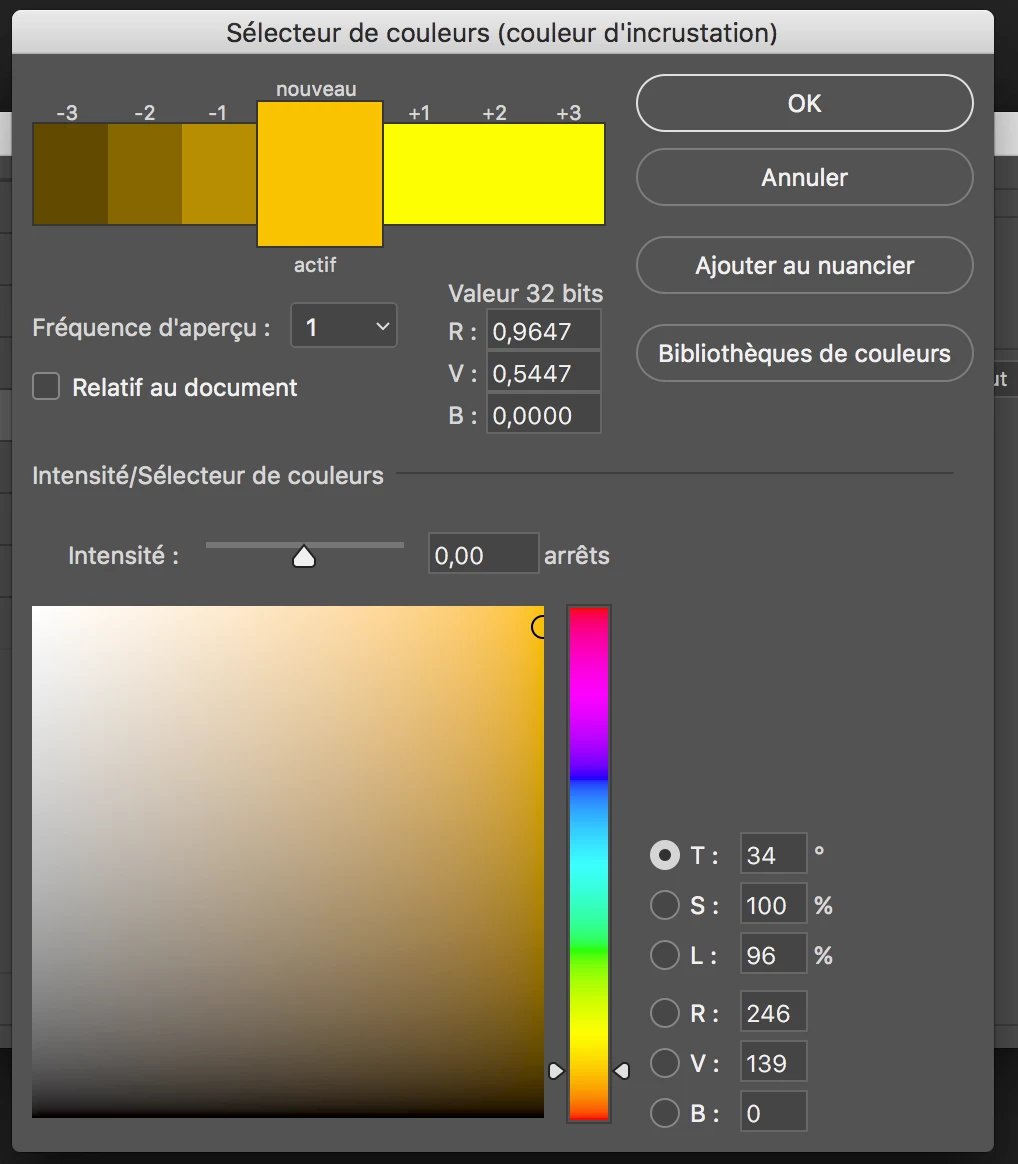
I have found that my .psd was in 32 BITS mode. So i have changed it to 16bits and now everything is fine with my color picker.

Thank you

2 replies

Participant
April 23, 2024

background: #30E8BF; /* fallback for old browsers */
background: -webkit-linear-gradient(to bottom, #FF8235, #30E8BF); /* Chrome 10-25, Safari 5.1-6 */
background: linear-gradient(to bottom, #FF8235, #30E8BF); /* W3C, IE 10+/ Edge, Firefox 16+, Chrome 26+, Opera 12+, Safari 7+ */+


#gjsuu


davescm
Community Expert
Community Expert
July 30, 2017

A couple of comments :

You colour picker should look like this :

If it does not go to Preferences > General and make sure that the colour picker is set to Adobe

Now an extra note of warning. When you enter a colour as Hex Values - those values will only give the same colour as the specified colour when you are working in the same colour space (i.e. your document has exactly the same colour profile as used when the numbers were specified). The same hex numbers with different profiles will give different colors.

Dave

fabienc58729083
fabienc58729083AuthorCorrect answer
Participant
July 30, 2017

Thank you for your answer. This is the color picker i use to use.

Just for information, this is the color picker i had before i found the solution :

I have found that my .psd was in 32 BITS mode. So i have changed it to 16bits and now everything is fine with my color picker.

Thank you