
Known Participant
February 7, 2019
Question

Color Themes and Color swatches with adobe cloud

  • February 7, 2019
  • 1 reply
  • 502 views

Hi all,

how are we?

I'm trying to share/collaborate color themes/swatches.

what i really what is swatches.

if a colleague of mind created a color pallet using Adobe Color CC (the web one) then shares it with why does it appear in photoshop like this
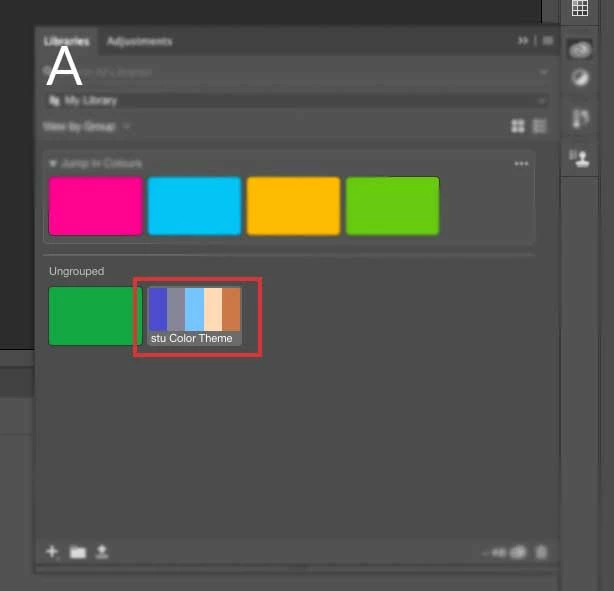
This is useless to me as i cannot name the colours individually, nor does it function like this (which i shared from within photoshop)
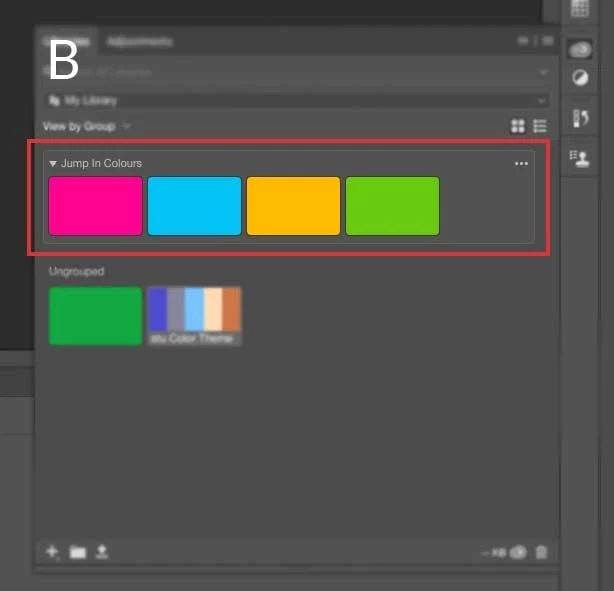
why are colors shares in different formats? it very very unhelpful.

how do i share colors like the second image, i.e used any adobe app (photoshop, dreamweaver, illustrator) or the adobe color website to share a swatch NOT a theme.

also the whole sharing process it ridiculous.

thank you for your time

any help would be great

This topic has been closed for replies.

1 reply

kglad
Community Expert
Community Expert
February 7, 2019
joanH
Inspiring
February 7, 2019

Hi kglad, Do we suggest things like this? Pantone - I learn a lot just going to the site and watching color trends there. Or, is this about an app?

pantone@web.pantone.com

Regards, JH

Gandhi4Author
Known Participant
February 7, 2019

its an issue with the ability to share colour swatches between users, via the "collaborate" option under libraries in all adobe software.

you can also share colours from the Adobe color CC.

(Adobe Color CC )


but not all colour swatches share in the same way. see my original post ^^^

i am just confused and frustrated by the weird way in which the colours are shared.

what am i doing wrong? or is this just the way it is??