

Colorize black and white photos in seconds

Colorizing old photos just got a lot easier!
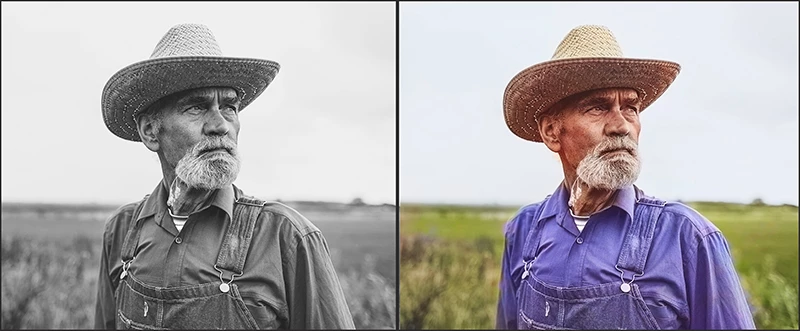
Do you want to colorize an old black and white photo with one click? The Colorize Neural Filters feature in Photoshop uses the power of Adobe Sensei to quickly colorize your photos. If you want different colors than the ones selected, you can simply select areas and pick alternate colors.
❶ Choose Filter > Neural Filters from the main Photoshop menu
❷ Download the Colorize filter from the cloud (if you see a cloud icon by the filter name)
❸ Enable the filter and adjust the sliders
❹ Modify the colors (optional)
❺ Select an Output option and save
That's all there is to it! To learn more, see Use Neural Filters to colorize photos quickly
and check out this video: How to Colorize Photos in Photoshop - #PHOMO.


 AdChoices