

SMDeFelice
Participant
May 23, 2026
Question

Colors more saturated in web posting than in PSD and on my computer?
  • May 23, 2026
  • 1 reply
  • 8 views

Hi there! I'm having trouble trying to solve this problem concerning color correction.

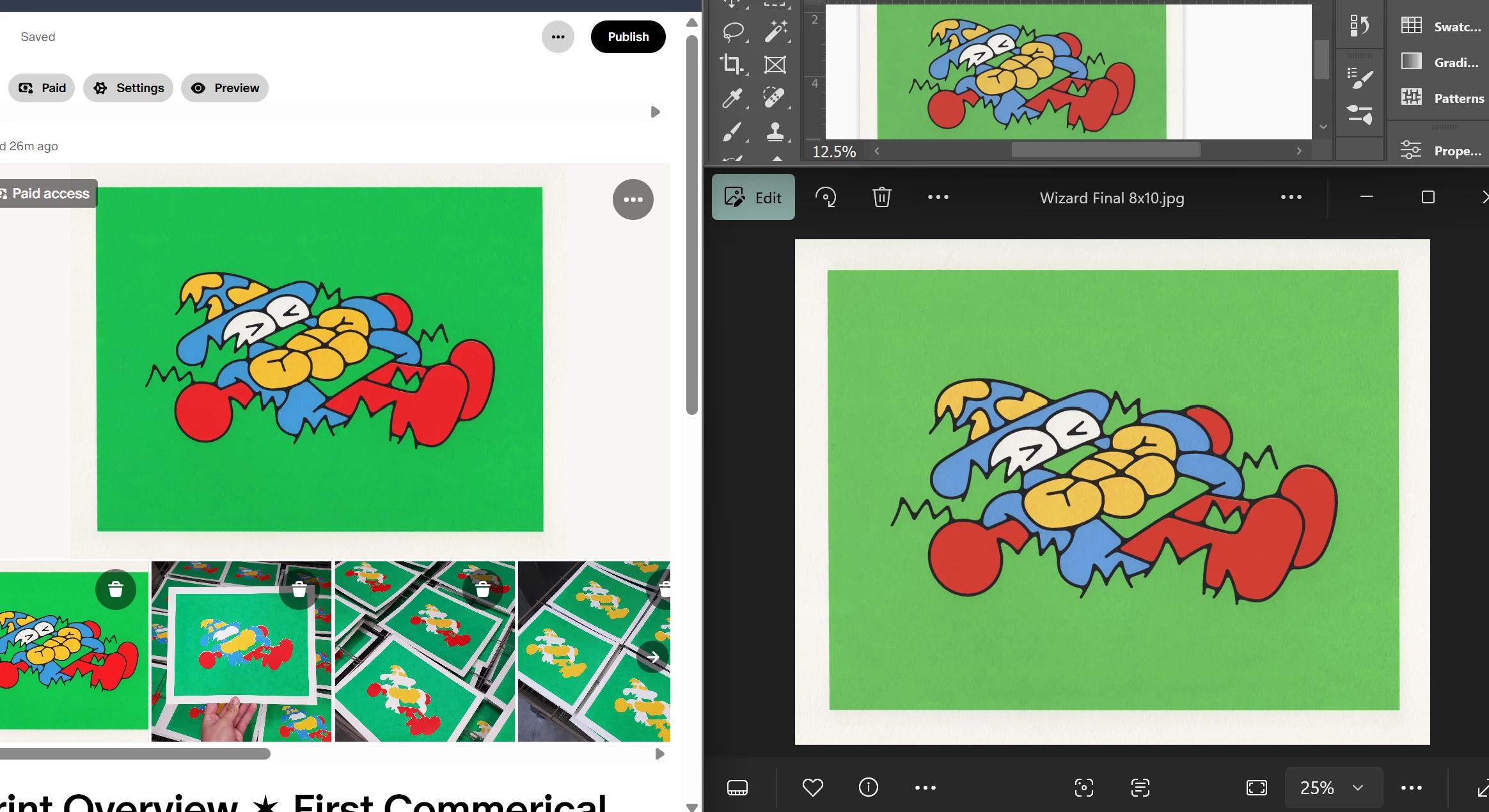
  • The image on the top right is in Photoshop and shows color corrected, accurate colors.
  • The image on bottom right shows the exported JPEG in my computer photo viewer.
  • The image on the LEFT is the upload to social media (Patreon).

When I go to share this exported JPEG on email or social media, it becomes OVERLY saturated. What is happening, and how do I make them align?

I am using these color settings in PSD:
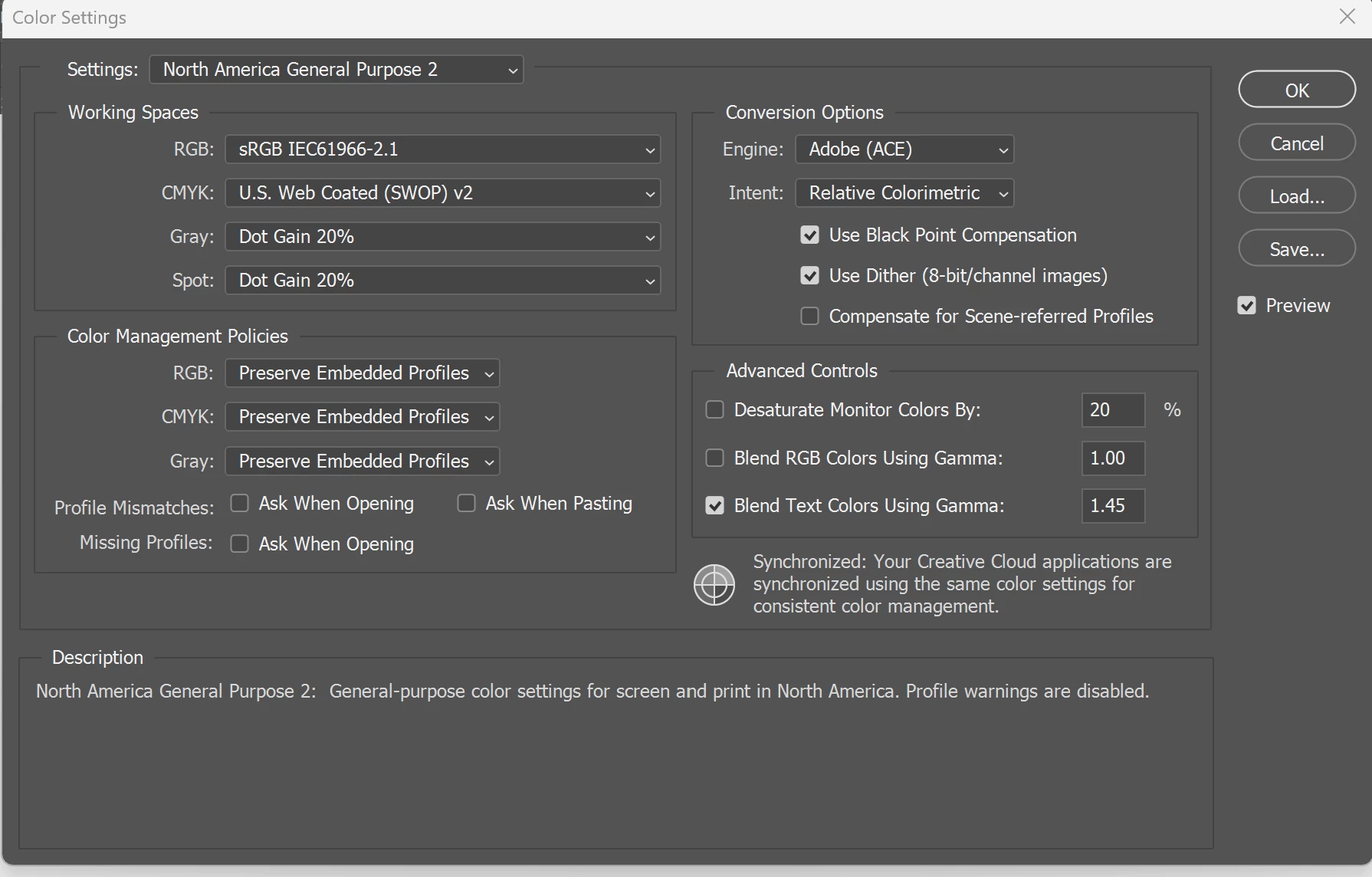
Any help is appreciated!

    1 reply

    D Fosse
    Community Expert
    Community Expert
    May 23, 2026

    1 - Make sure the sRGB profile is embedded in the file. This is a separate checkbox in both Export and Save For Web. Photoshop Color Settings does not affect this.

    2 - Use a web browser that supports color management and check that color management is working properly. Chrome and Edge both appear to be rather buggy here and it sometimes works, sometimes not. Firefox is much more stable and reliable.


    Even so, many websites strip the color profile from images. Not much you can do about that.


    As for image viewers, Windows Photos is fully color managed and will display identically to Photoshop. But a lot of other photo viewers are not.


    The bottom line is that for web, all you can do is convert to sRGB and embed the profile. Done. That defines the colors unambiguously and ends your responsibility. If things are set up correctly on the receiving end, it will display correctly. If it’s not, there’s not much you can do.