

Answered
Colour change advice
Hi
I am trying to change the colour of the pink in this image to gold and struggling to get a good effect.
Ok. It wont let me upload the image, so here is a link to the image
Any one got any advice?
Mark

Hi
I am trying to change the colour of the pink in this image to gold and struggling to get a good effect.
Ok. It wont let me upload the image, so here is a link to the image
Any one got any advice?
Mark
Already have an account? Login
Enter your E-mail address. We'll send you an e-mail with instructions to reset your password.

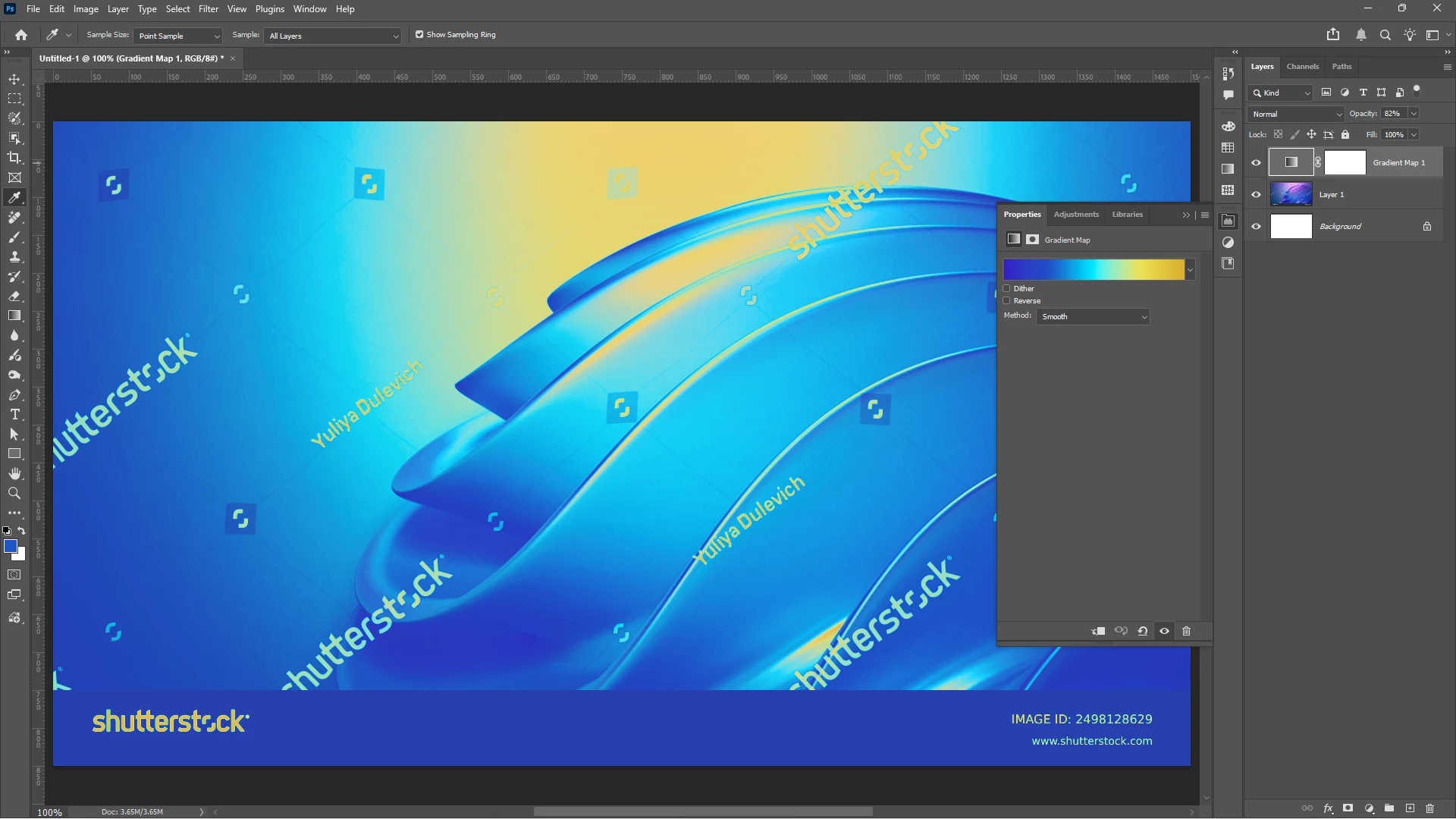 You could use a Hue/Saturation Adjustment Layer, but I think you could control the specific color change a little better with a Gradient Map Adjustment Layer. With a Gradient Map, you can remap the colors in an image where the darker colors are replaced by the ones on the left side of the ramp and the lighter colors with those on the right. I made the gradient go from a purplish-blue to blue to cyan to yellow to gold. To prevent the yellow from going green, I dropped the Opacity of the Adjustment Layer so that the effect wasn't as strong.
 AdChoices