Participating Frequently
October 12, 2023
Answered

Colour panel style changed

  • October 12, 2023
  • 1 reply
  • 791 views

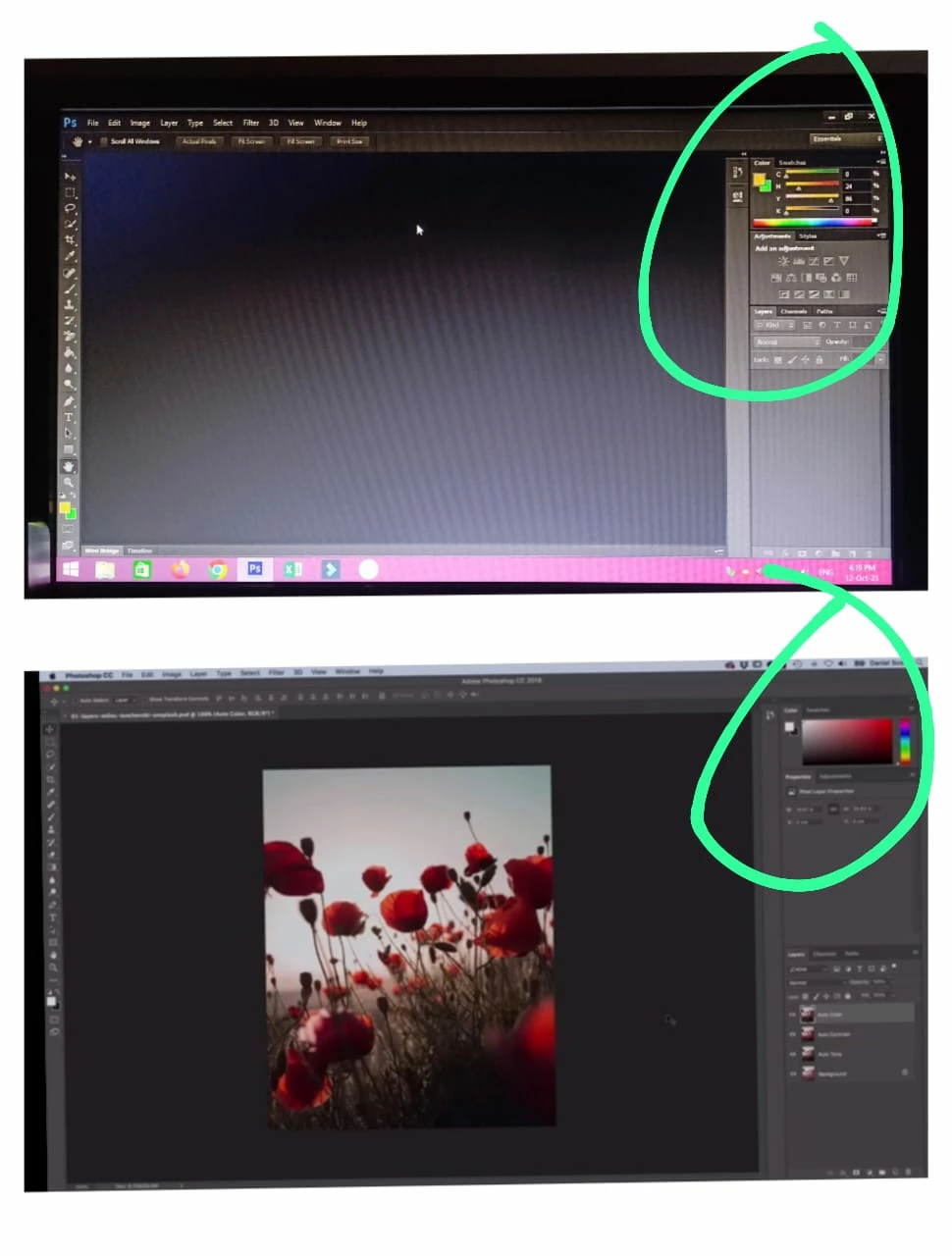
Iam watching a YouTube video about Photoshop tutorial he said to reset to essential at that time my colour panel style is changed now it is hard to under stand how can I set it old style iam adding screenshot of both above one is current style I need down one it is the real one 
This topic has been closed for replies.
Correct answer Ged_Traynor

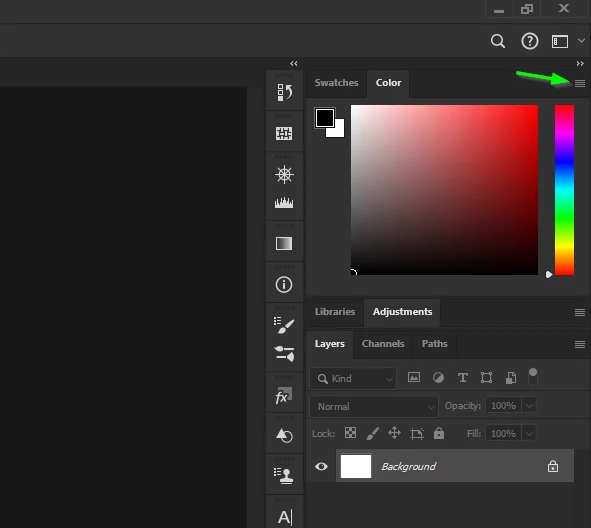
Just click where the arrow is pointing too

1 reply

Ged_Traynor
Community Expert
Community Expert
October 12, 2023

@Siyad32876772e6h8 you can change it from the flyout menu by clicking where the arrow is pointing

Participating Frequently
October 12, 2023
How to select that flyout
Ged_Traynor
Community Expert
Ged_TraynorCommunity ExpertCorrect answer
Community Expert
October 12, 2023

Just click where the arrow is pointing too