



Answered
Combining multiple images into a single image using a script
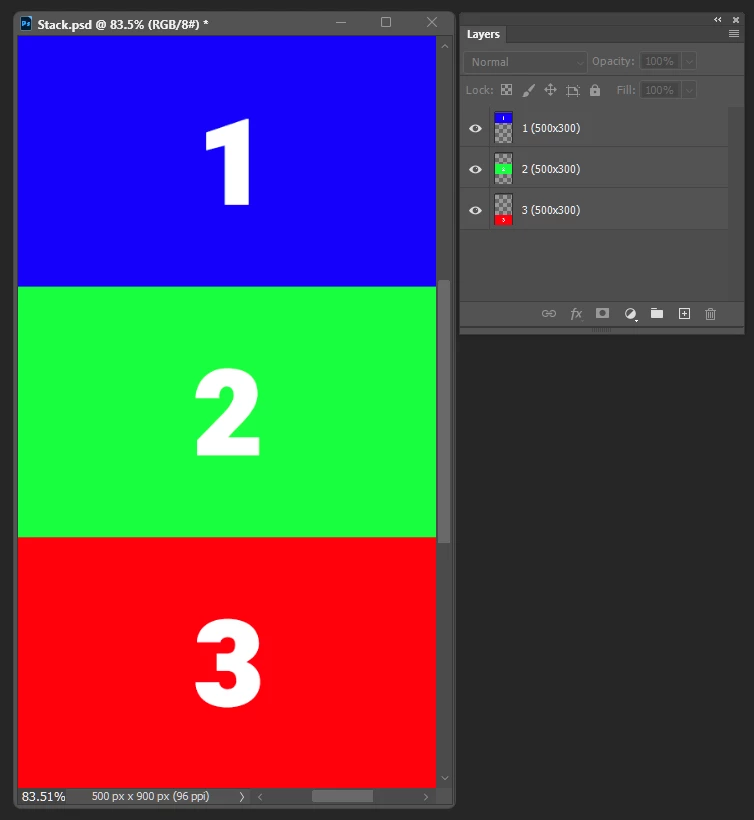
I want to combine three images (each 300 px by 500 px) into a single long portrait image, keeping their original dimensions intact. The goal is to automatically align them vertically, one below the other, as though they are stitched together.
While "Load Files into Stack" allows me to import them as a single file without altering their size, I still have to manually enlarge the canvas and align the images myself. When I have just three images, it's easy to manage them, but it becomes frustrating when I have 20 images to deal with.
On the other hand, "Contact Sheet" somewhat accomplishes this task, but it requires me to calculate the total height and ends up changing the original size while also leaving gaps between the images.
 AdChoices