fernandojota
Known Participant
May 17, 2026
Question

¿Cómo cambio una imagen de portada en mi portfolio?

  • May 17, 2026
  • 2 replies
  • 15 views

En mi web https://fernandojval.myportfolio.com quiero cambiar la imagen de portada de la galería “_zona mirada” y que no coincida con la que se ve cuando abres la web.  Quiero que aparezca la foto de lluvia nocturna, en vez de la ropa tendida.

En la web _zona mirada tengo una cuadrícula de fotos. 

Llevo mucho tiempo dando vueltas por los menús de la web y no lo encuentro.

Saludos.
 

    2 replies

    Nancy OShea
    Community Expert
    Community Expert
    May 18, 2026

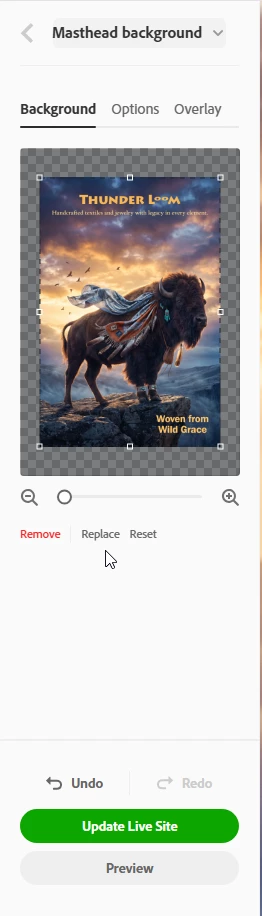
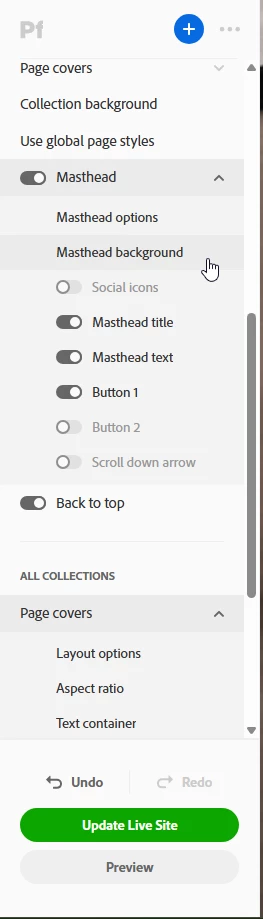
    You can edit the Masthead Background or the Cover Image. Your choice.


    Edit Cover Image:  

    https://help.myportfolio.com/hc/articles/360037000974-Editing-a-Cover-Image


    Edit Masthead Background: 

    https://help.myportfolio.com/hc/articles/360037908934-Adding-a-Masthead-background


    For future questions, bookmark Portfolio’s Knowledgebase

    https://help.myportfolio.com/hc/


    Hope that helps.


    Nancy O'Shea— Product User & Community Expert
    J E L
    Community Expert
    Community Expert
    May 17, 2026

    Hi ​@fernandojota, try this:

    Hover over the current cover image.

    Click the pencil icon that appears on the left or top-left corner of the cover image (masthead options)

    Then, click on masthead background.

    Then replace.