

Participant
December 9, 2025
Answered

Como utilizar a janela de color antiga no photoshop 2025?

  • December 9, 2025
  • 3 replies
  • 256 views

Alguém sabe como alterar essa nova janela de COLOR para a versão antiga no PS 2025? Assim esta dando muito mais trabalho para a edição rápida:
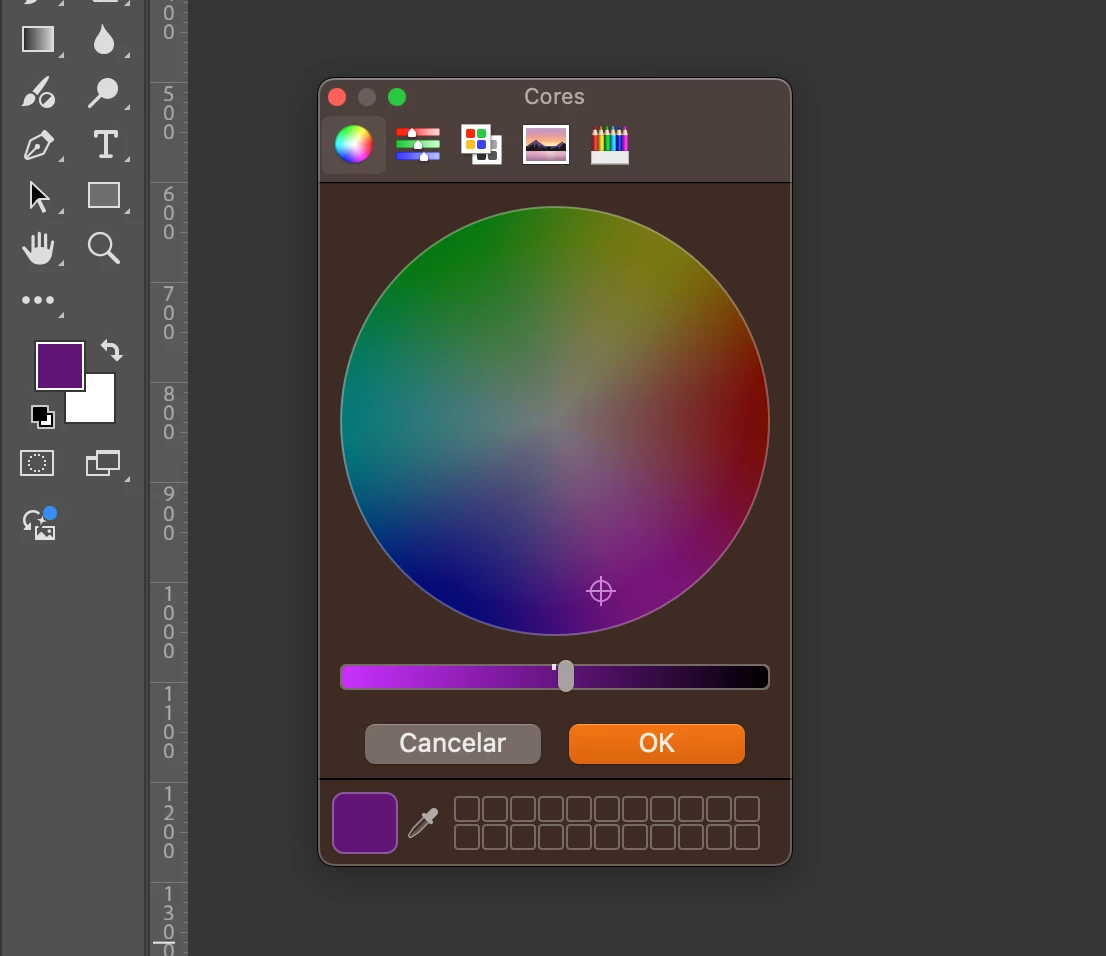

 

hudson_2907_0-1765297542192.png


Correct answer Jeff Arola

Go to Photoshop 2026>Settings>General and change the Color Picker to Adobe.

3 replies

Jeff Arola
Community Expert
Jeff ArolaCommunity ExpertCorrect answer
Community Expert
December 9, 2025

Go to Photoshop 2026>Settings>General and change the Color Picker to Adobe.

Participant
December 9, 2025

Muito obrigado!!!

Community Manager
December 9, 2025

Hi @hudson_2907, welcome to the community!
We haven’t been able to reproduce this on our end, it looks like it might be using the system’s color picker. Could you share a screenshot or a screen recording of your entire desktop while selecting Photoshop’s color picker? That would really help us understand what’s happening.
Thanks so much!
Alek

*(If you mention me with an @, like @Aleke, I’ll get a notification and can respond faster.)*
Participant
December 9, 2025
MarekMularczyk
Community Expert
Community Expert
December 9, 2025

I imagine it would be the 5 icons you have on the top of the window where you can change to different versions of the Colour panel


Adobe Community ExpertAdobe Certified Professional
