


Known Participant
November 14, 2023
Question

Complex backgrounds removal/selection issue

  • November 14, 2023
  • 2 replies
  • 192 views

Hello everyone,
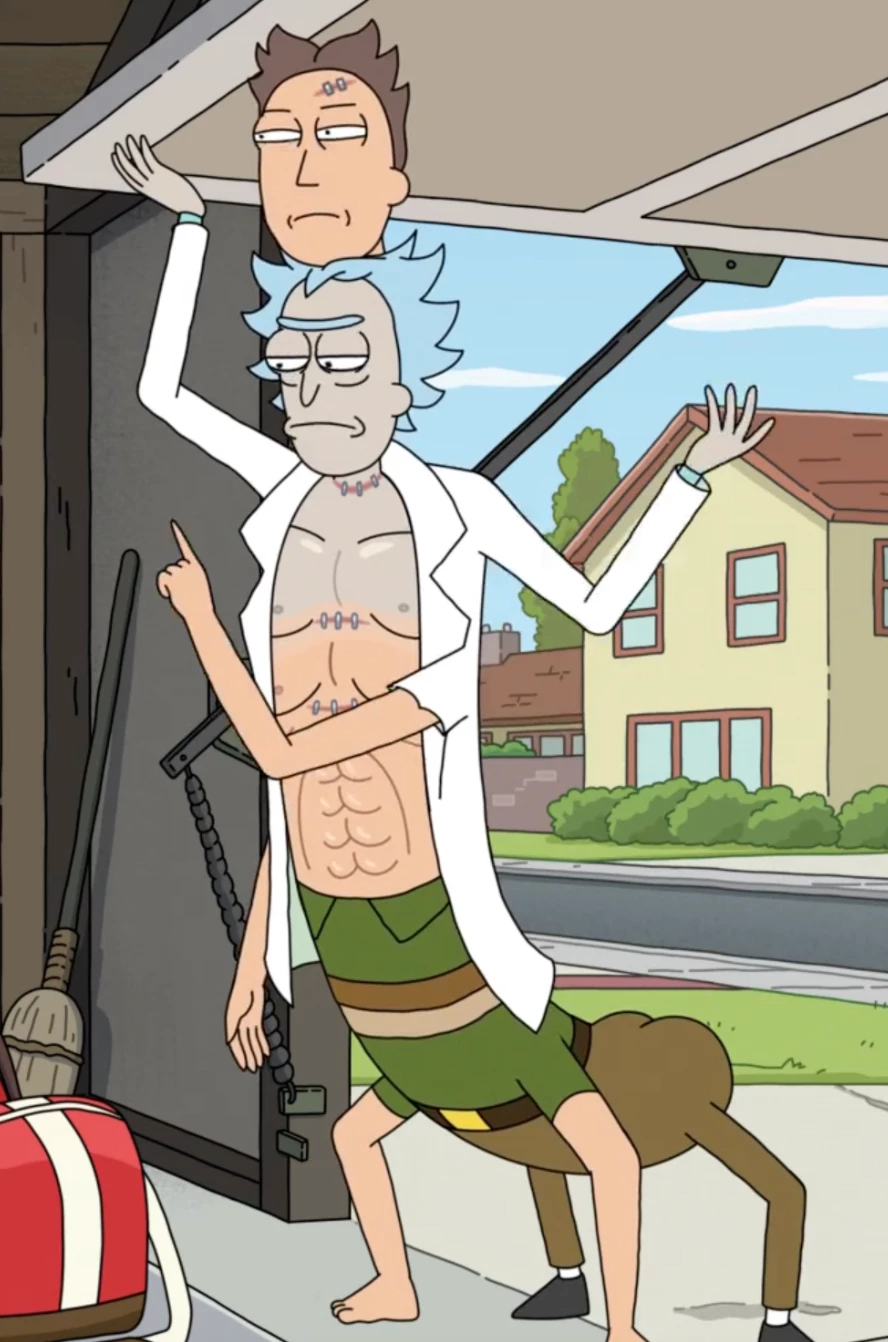
I'm using Ps 2024, Mac M1. I fear I'm losing my skills in Ps. I've been trying to remove the background of this character. But haven't had much success. I've QST, 'Remove background' button, 'select and mask', blending options etc but none seem to work. 
If you were to remove the background perfectly leaving nothing but the character. How would you have done it?
Please help
Much thanks
This topic has been closed for replies.

2 replies

Trevor.Dennis
Community Expert
Community Expert
November 14, 2023

The whole point of tools like Remove Background is that they use Ai to work out what to keep and what to mask.  So it would identify a human shape or a building, for instance, and I have never seen a human that looked like that (so far).  


I would do pretty much what Kevin suggested, and select color blocks, but in this case I would delete rather than mask because it is going to be much quicker.

Kevin Stohlmeyer
Community Expert
Community Expert
November 14, 2023

With a drawing (copyrighted btw) this complex, you could spend more time trying to find an automatic/one button solution for a drawing (not a photograph) to remove the background.

Just go old-school and start selecting with the Quick Select tool. You have an advantage that the Jerrick figure is outlined in black giving you a solid frame to exclude.