


Known Participant
July 19, 2018
Question

Complex wallpaper repeat pattern on photoshop

  • July 19, 2018
  • 2 replies
  • 2672 views

Hi all,

I am wanting to create a repeat pattern for a wallpaper design with the pattern below on photoshop.
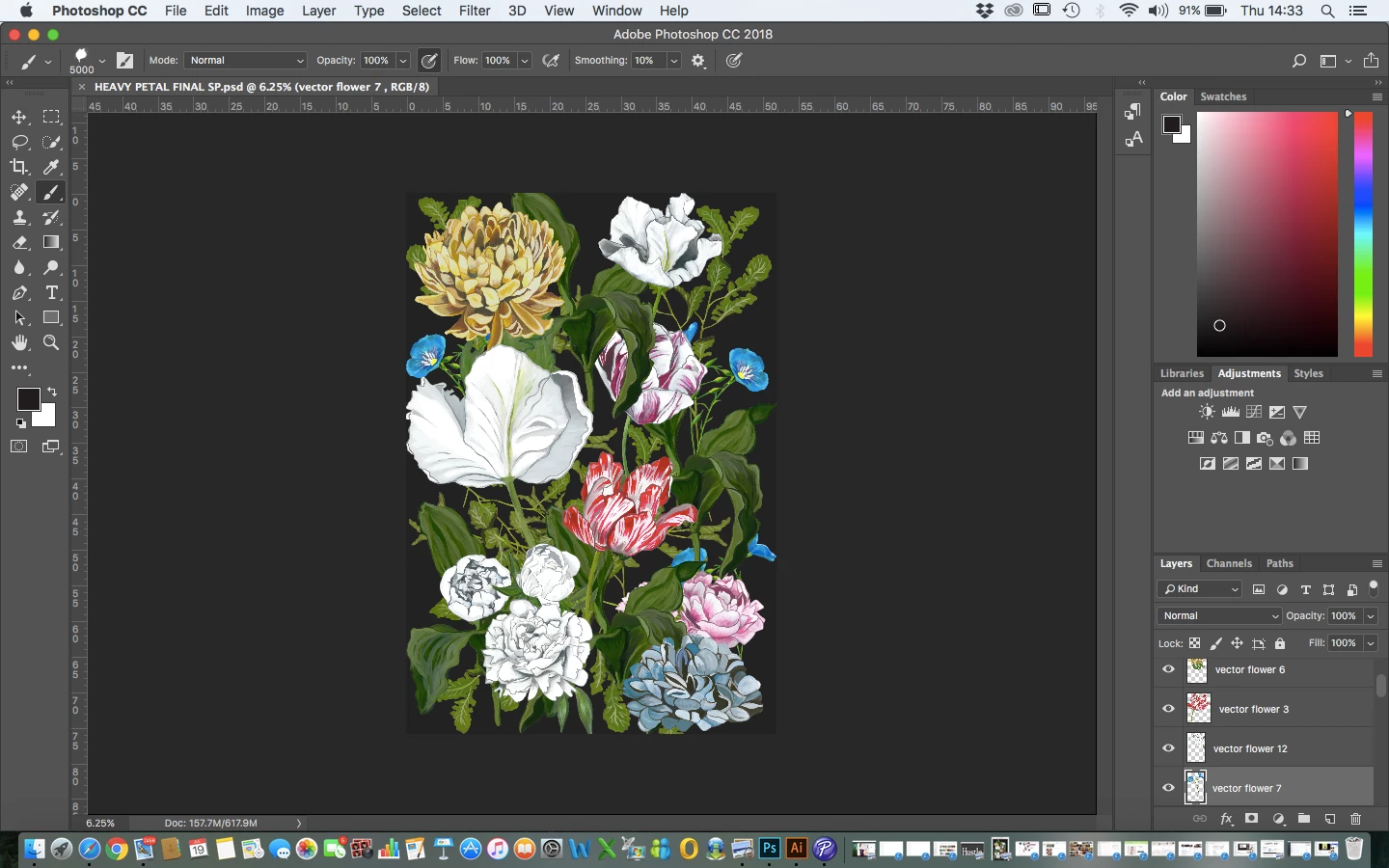
On all the tutorials the background seems to start as a square not sure if this matters but my background measurements are 52cm width by 76cm length which is the length of the pattern down before it repeats again and the width of the wallpaper across.

Basically, I am wanting to create a repeat pattern so the flowers don't appear so regimented and the repeat doesn't look so grid-like and the pattern just intertwines without any obvious repeat.

Is there a way to do this on photoshop?

Many thanks

R

    2 replies

    c.pfaffenbichler
    Community Expert
    Community Expert
    September 19, 2025

    First of all a noticable repeat might be unavoidable. 

    Aside from that: Are you intending to actually print wallpaper (or something else) with 520mm or 760mm width or is this for digital use? 


    If you just want to avoid black/white/… borders please check out View > Pattern Preview (as mentioned by @Vince Sloan ). 

    https://helpx.adobe.com/photoshop/using/pattern-preview.html

    Using Smart Objects it can help work easily across the Canvas edges. 

    Ged_Traynor
    Community Expert
    Community Expert
    September 19, 2025

    @c.pfaffenbichler not sure if you noticed, but this thread is from 2018

    c.pfaffenbichler
    Community Expert
    Community Expert
    September 19, 2025

    Thank you for the heads-up, I hadn’t noticed the date!

    No idea how the thread washed up close enough to the top for me to even notice it. 

    WILDCAT54
    Inspiring
    July 19, 2018

    First off, I HIGHLY recommend doing this in Illustrator.

    Looking at your layer panel it would appear that the images were brought in from a vector based program, which is great. Use that to your advantage.

    Take a look at this tutorial - https://design.tutsplus.com/tutorials/create-a-seamless-fantasy-floral-pattern-in-adobe-photoshop--cms-24519

    There is a way to do this in Photoshop, but I would recommend starting with the whole design on canvas. It appears there are some leafs and flowers cut off in places.

    One you have the whole design, combine the layers (select all layers, then press CTRL+E to merge). Then select EDIT > DEFINE PATTERN and give it a name.

    You will not be able to create a new document, use a shape or a fill on a new layer and add a pattern effect.