
November 24, 2025
Answered

Content Aware Fill not working

  • November 24, 2025
  • 1 reply
  • 230 views

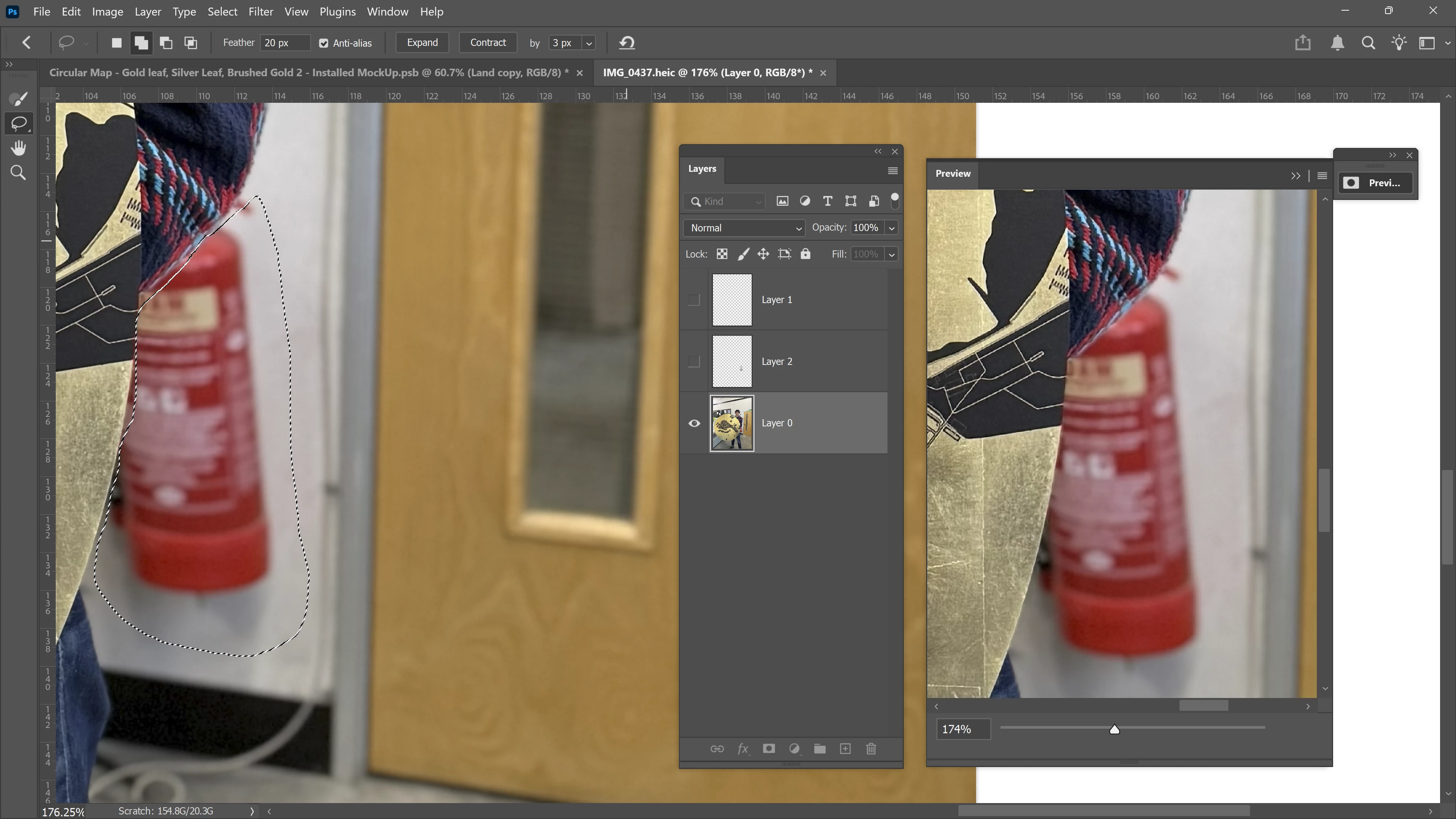
For some reason my 'Content Aware Fill' on Photoshop has stopped working. Since updating to the latest version (27.1) I haven't been able to use it. I have attached a screenshot of what I am trying to lose, but it doesn't seem to appear in the preview pop-up or when I press enter. I am using a windows pc on the latest microsoft operating system. Any help would be greatly appreciated. 
 

Correct answer Aleke

Hi @oliver sard, welcome to the community!
Is this happening with just this file or with all files? When you get a chance, please make sure your GPU drivers are up to date. It might also help to reset your Photoshop preferences. Just a heads-up: resetting will remove any custom brushes, workspaces, and other settings, so be sure to back those up first.
You can find the steps here:
https://adobe.ly/49DP0my
Thanks!
Alek

1 reply

AlekeCommunity ManagerCorrect answer
Community Manager
November 24, 2025

Hi @oliver sard, welcome to the community!
Is this happening with just this file or with all files? When you get a chance, please make sure your GPU drivers are up to date. It might also help to reset your Photoshop preferences. Just a heads-up: resetting will remove any custom brushes, workspaces, and other settings, so be sure to back those up first.
You can find the steps here:
https://adobe.ly/49DP0my
Thanks!
Alek

*(If you mention me with an @, like @Aleke, I’ll get a notification and can respond faster.)*
November 24, 2025

Hi Alek, yes that has fixed the issue. Thank you!