


Content Changes in Photoshop layers
I have encountered an issue where the content in a Photoshop layer changes to that of another layer, even after the latter is updated. The goal was to create what appears to be a series of photographs, I initially created a white background layer, then another layer with the image. Once I had the look I wanted I would duplicate the image layer (renaming it), then bring in a new image using "Replace Contents..." on the new layer. I did this multiple times with success, but later noticed that some of the image contents were now incorrect in certain layers. When I corrected this using "Replace Contents..." again, the image updated in multiple layers.
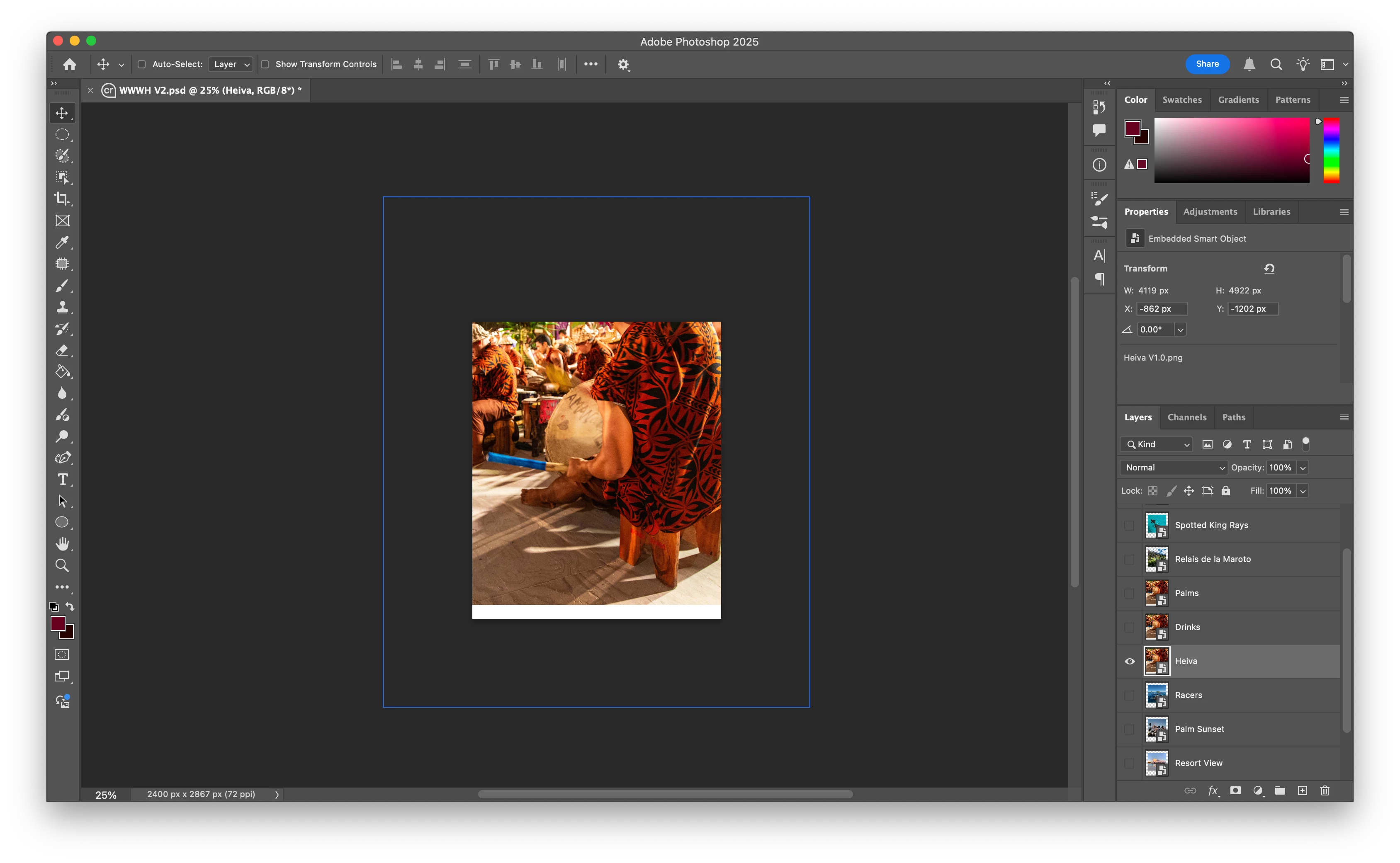
Note in the image above that the Palms, Drinks, and Hevia layers have the same image content. This is not what I wanted.
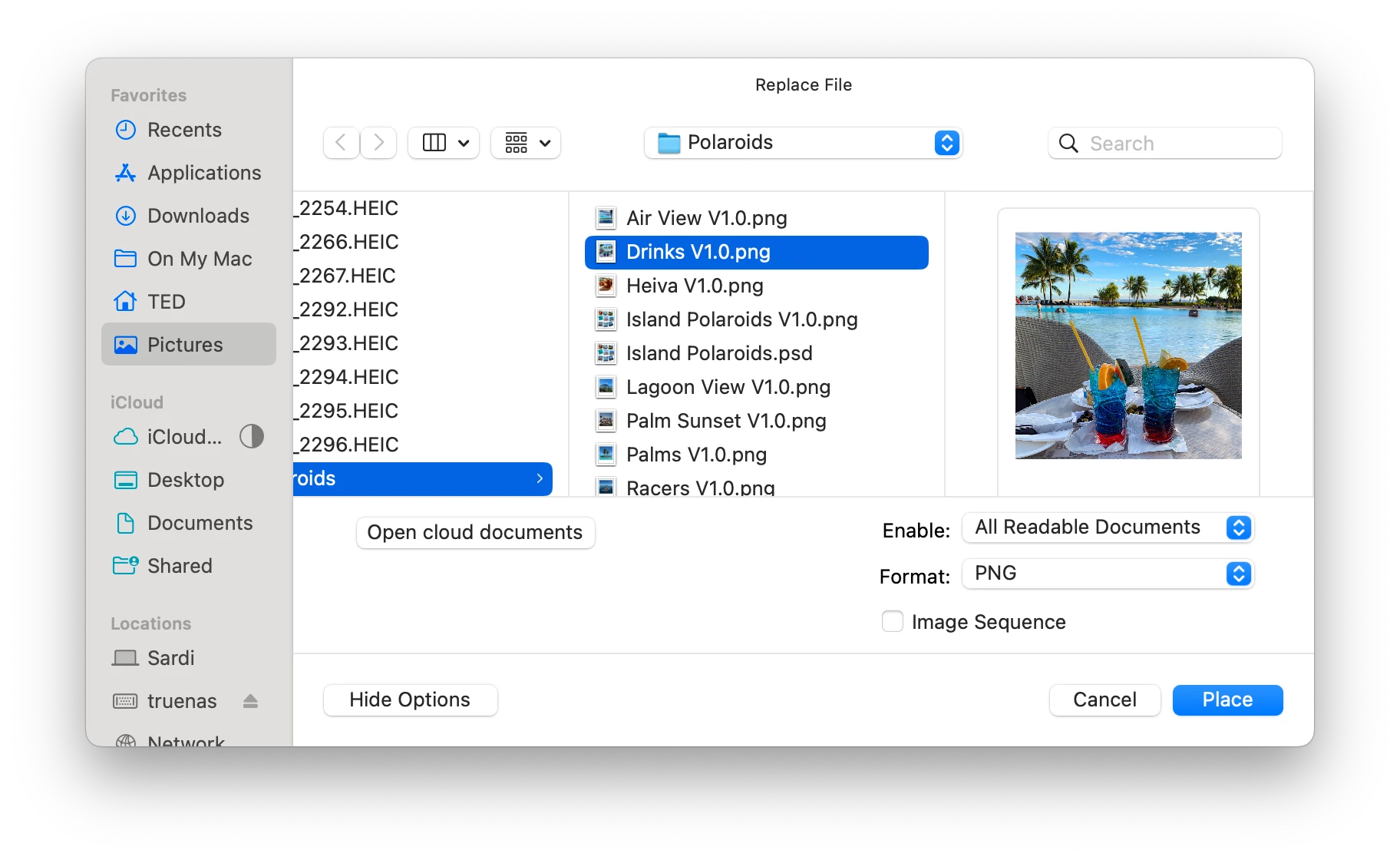
I selected the Drinks layer, then selected "Replace Contents..." selecting this image.
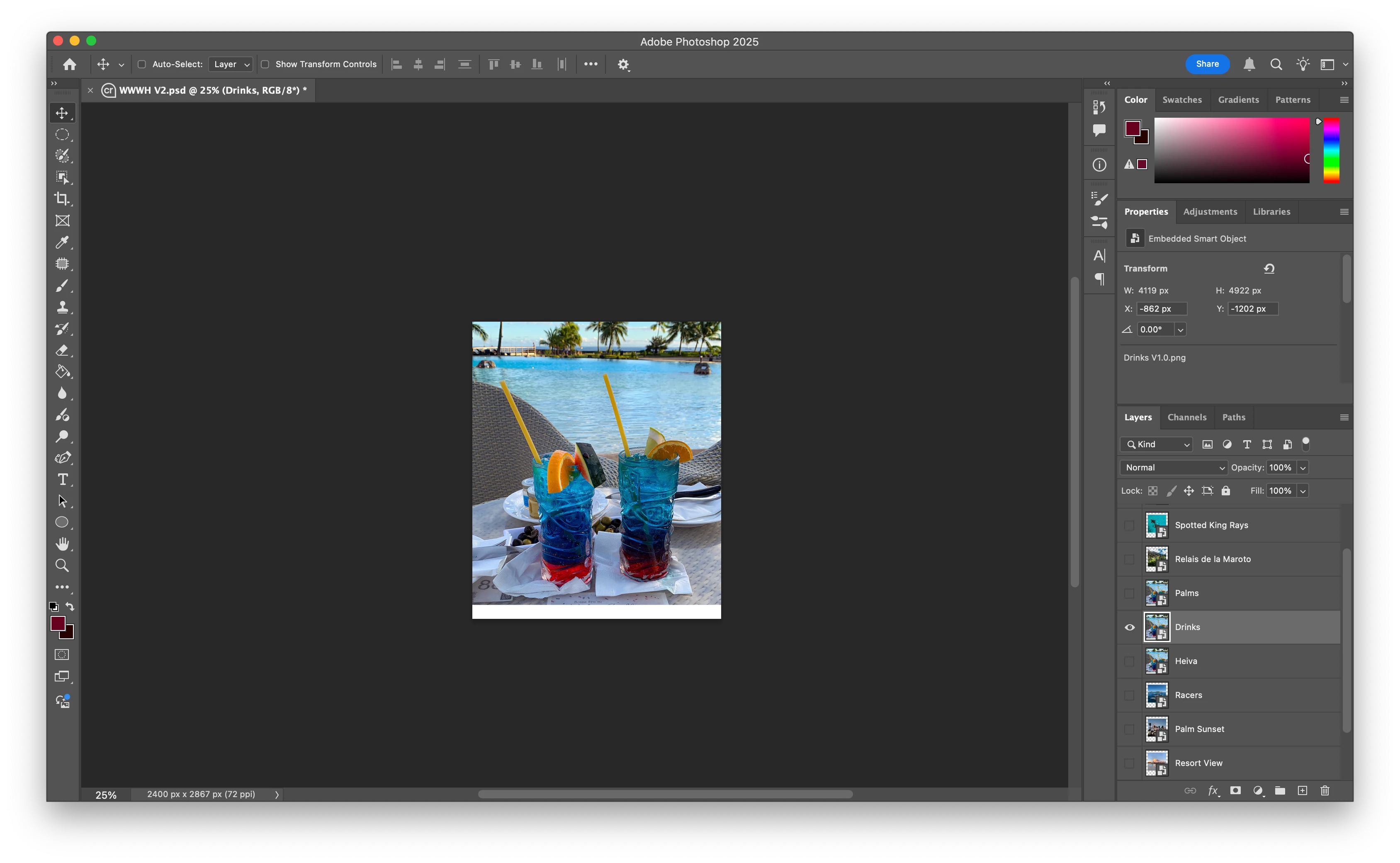
After pressing Place, this is what I received. Note that the Palms and Hevia layers now have the same image as the Drinks layer.

 AdChoices