
Question
Content Credentials: LinkedIn connected account metadata are not saved while exporting a file
- Photoshop version: 24.5.0
- OS: MacOS Ventura 13.4.1
Preconditions
- Adobe account has 4 valid socials connected:
- Behance
- LinkedIn
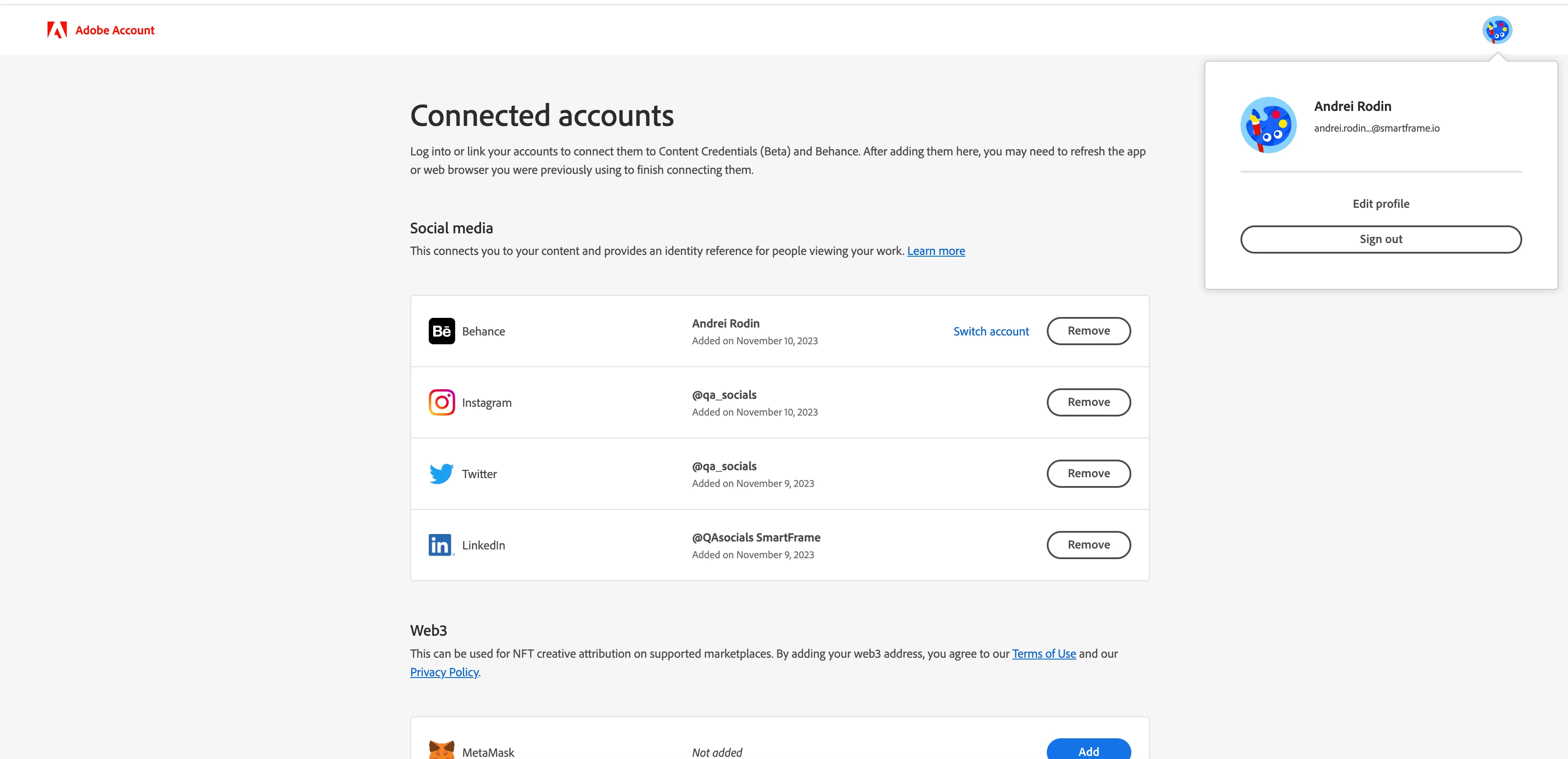
2. A test file is prepared:
- valid file format: JPG or PNG
- doesn't contain any Content Credentials metadata
Steps to reproduce
- Log in to PhotoShop (desktop) using the Account from the Preconditions.
- Open the test file from the preconditions.
- Enable Content Credentials.
- Perform at least 1 editing action (add some text etc.) to add some new Content Credentials history to the file.
- Click Export -> Export As, and save the file in some valid way (selecting JPG or PNG format, and saving Content Credentials in the file or on the Content Credentials cloud) with a new name (for example file#1_edit).
- Upload the new file (file#1_edit) to the Verify site: https://contentcredentials.org/verify
- Revise the "Social media accounts" section.
Expected result: the LinkedIn data are displayed, as Behance's, Instagram's, and Twitter's ones.
Actual result: there's no LinkedIn data, only Behance's, Instagram's, and Twitter's. 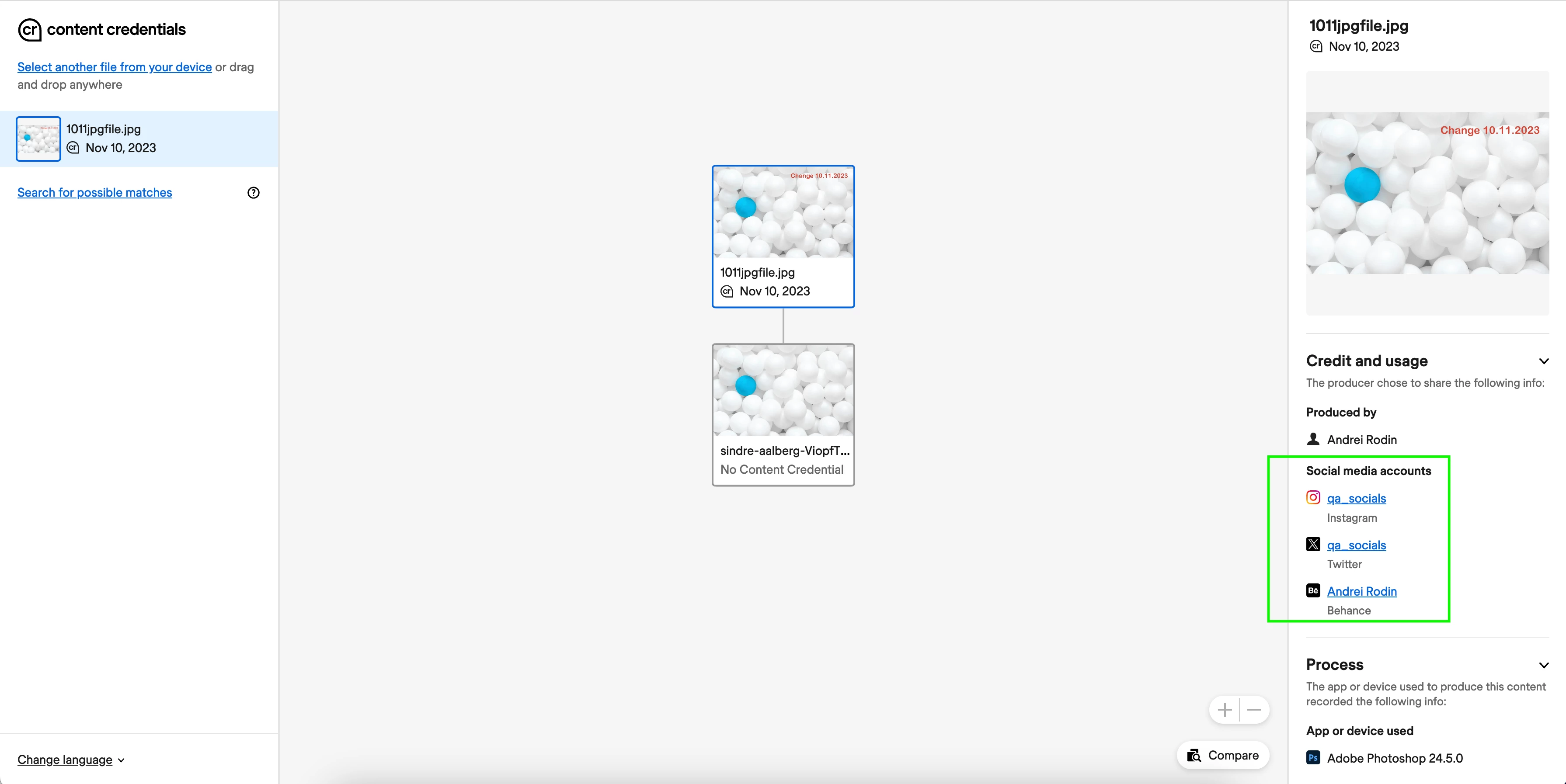


 AdChoices