

Participating Frequently
March 9, 2012
Question

Convert original image to sharp Line art?

  • March 9, 2012
  • 4 replies
  • 72562 views

Dear All,

I have a image i want to convert orginal image to sharp lineart how can i do photoshop CS3 please help me.

one reference image is attached
    This topic has been closed for replies.

    4 replies

    Participant
    January 31, 2013

    As others have said I dont think you will be able to convert the image you have posted to look like the result you want from the other image you posted, the detail in the original is just to high. I use the method described below for doing my line art in Photoshop and it works well but you seem to want to reduce your image to a much simplier representation. I have used this site before, it used to be free but now I think you only get a couple of free credits when you join, convert a photo to line drawing, quite simple to use and you can select to remove noise which might reduce the complexity of the original image.

    In Photoshop try:

    Duplicate original layer

    Change top layer color mode to color dodge

    Invert top layer

    Apply Gaussian blur (choose low pixel radius for less detail so reducing image complexity)

    Add adjustment layer and set saturation to be -100

    Retouch anywhere with brush tool to complete

    PECourtejoie
    Community Expert
    Community Expert
    March 9, 2012

    You need to simplify the image before you try to find its edges, or trace it. I would convert the background to a layer, smart object it, and run a blur filter to remove details, then run the edge finding, or tracing it.

    manojb05Author
    Participating Frequently
    March 9, 2012

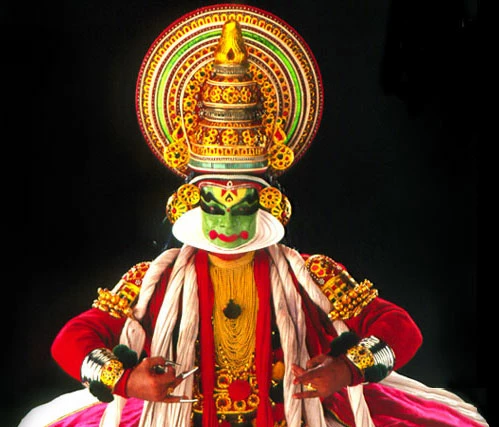
    thanks markerline & c.pfaffenbichler i am making brochure that brochure we used a line art image for a particular dance in different state, client send a highres JPG file. but i am  try that in photoshop but i dont get good result as similar to noel post, if anybody know how can i convert to sharp line art

    Mylenium
    Legend
    March 9, 2012

    As the others already said - no chance of doing this in PS. It needs to be traced in Illustrator.

    Mylenium

    Noel Carboni
    Legend
    March 9, 2012

    Beyond simple functions that produce only limited results, like the Filter - Stylize - Find Edges function, I don't think what you want is a trivial request.

    I have heard of "auto tracing" features in other programs or in 3rd party plug-ins, but I've not personally seen anything that will just give you results much beyond what Find Edges and a little Curves manipulation can do.

    -Noel

    manojb05Author
    Participating Frequently
    March 9, 2012

    thanks for your prompt reply Noel the entire picture lines are disturbed, i am attached one line art image for your reference, if any chance we can convert the image in same quality please help this

    c.pfaffenbichler
    Community Expert
    Community Expert
    March 9, 2012

    if any chance we can convert the image in same quality please help this

    Personally I currently see no realistic option for achieving such a result automatically.

    I would recommend Illustrator – Object > Live Trace may provide a starting point, but I guess a lot of manual improvements/tracing may be necessary.
