The are several want to copy layer between Document the easiest way IMO is the target, Select, Drag and Drop method with both documents open in Photoshop.
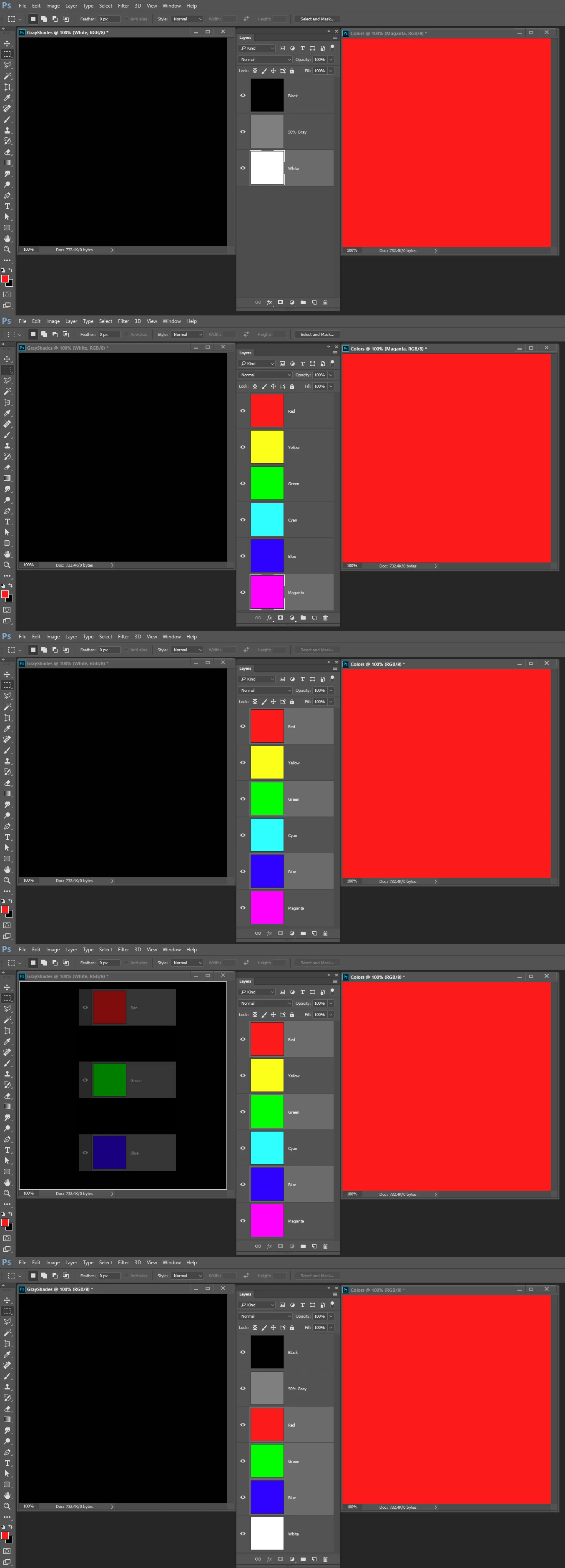
Here I create two 500px by 500px documents. In one I create three gray color layers in the other 6 Primary colors layers.
Let say I want to copy the Red Green and Blue layers from the Colors document to layers above the white layer in the GrayShades document.
I would target the White layer in the GrayShades document. Then target the red layer in the colors document. Hold the CTRL key and add the Green and Blue layers to the Targeted layers by clicking on the layers in the Layers palette. Finally I hold the Shift key down and drag the three layers from the Layers Palette and drop the onto the GrayShades Document.

 AdChoices