
Question
Could not complete Liquify command.
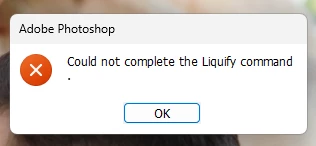
Hello. I am encountering the following annoying error in Photoshop. I open a few photos and start working. While editing, liquify works properly for a few times, but after a while it starts to give this error. I have tried all the options related to the graphics card in photoshop preferences. Only when I completely disable the graphics card can I fix it without closing photoshop. Other than that I have to close and open photoshop. I opened this topic because I cannot send an error report to Adobe about the solution to the problem. If there are friends who know the solution, I would like them to help. I wrote my system information in the text file attached to the file.


 AdChoices