
Participating Frequently
Nov 15, 2024 3:20 PM UTC
Question

Could Not Complete Liquify Command because of a "disk error" in Photoshop v26.0, Window
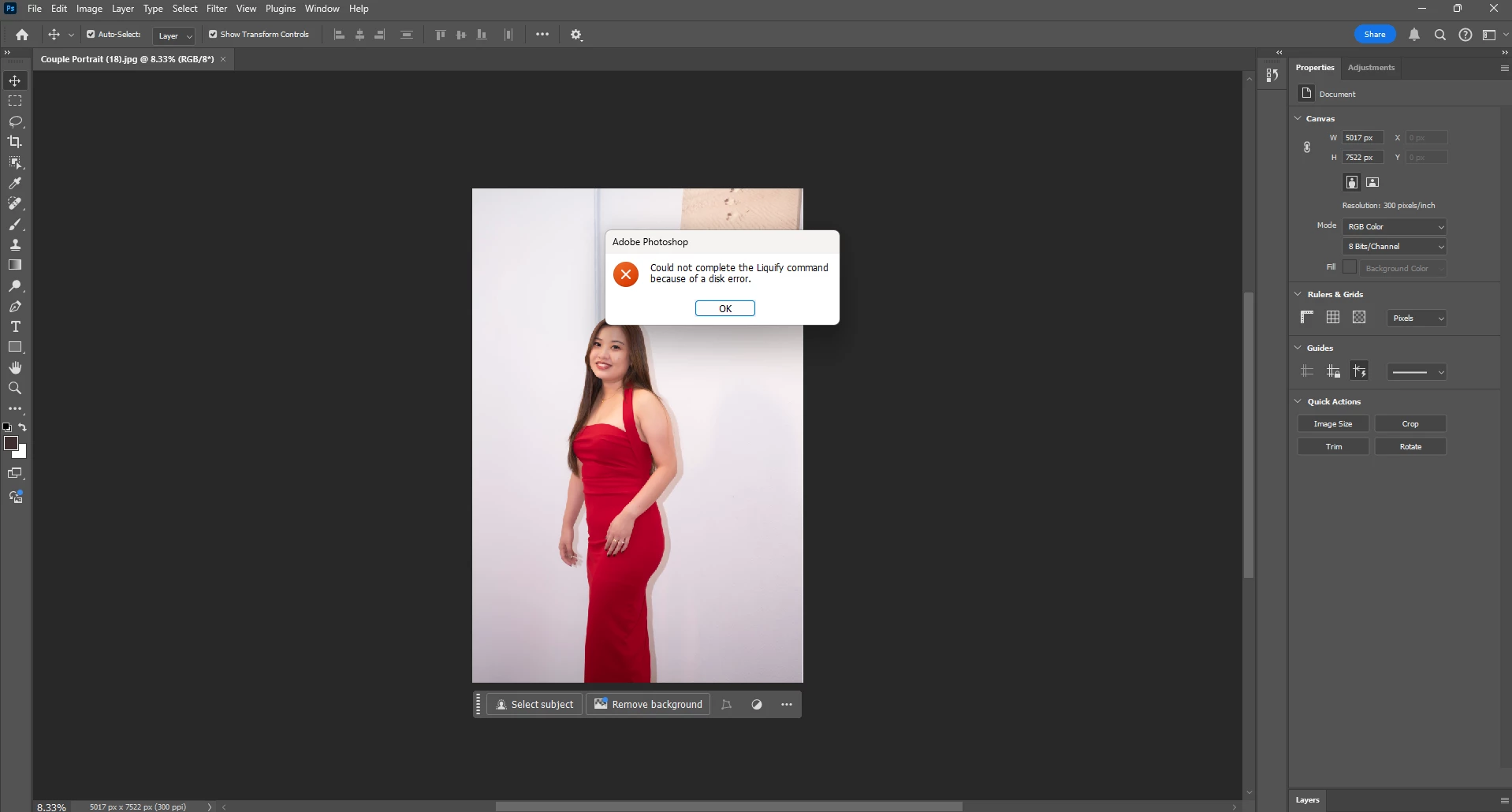
I just update the photoshop to version 26, and i face the liquify error again

I try to remove all preference, restore to default, uninstall and reinstall again still the same


Hi Adobe Team, can help? 

Last time version 24 already have this issue, now update to versio 26 have this issue again

And now this error unable to solved

Really need your help to sole this bug, my job always need to rely on Liquify command

Please help, please T.T

18 replies

Participant
Sep 16, 2025 6:47 PM UTC

Having this issue on version 26.10

I've been editing for two days - no changes to anything at all on my system.

82 images edited, most use Liquify.

Image 83, with zero other changes in my workflow, drivers, etc, and now I get this message and zero of the recomendations here have resolved it.

Translate
Participant
Aug 7, 2025 1:35 AM UTC

Hey.

i am not an Adobe Employee and i have to say this,the Adobe company kind of really sucks.

this happens to me a lot,so i just go to edit,then preferences then performance then go to the Graphics Processor settings and turn off the Use Graphics processor and restart the computer.

the liquify will start working again but it just wouldn't have face detection 

you will have to do that manually 

Translate
Inspiring
Aug 7, 2025 11:38 AM UTC

Im not really a role model user by any means or Adobe employee but I have to say this, users like you kind of really sucks. Putting literally zero effort to do any kind of reasearch into your own issues...

This subject/issue was mentioned here on forums very recently and the solution is to set "Remove Tool" to "More stable" in preferences, you are welcome!

Translate
Inspiring
Feb 18, 2025 3:49 PM UTC

I have the same problem since more than a year, but the difference is that it occurs every 3-5 edited photos. When this error comes up, I have to restart Photoshop and I can retouch another 3-5 photos untill problem comes again. What's more, when liquify stops working, there is also problem with other filters, like lens blur. It doesn't work too untill restarting Photoshop.

Translate
PECourtejoie
Community Expert
Community Expert
Feb 18, 2025 4:56 PM UTC
Inspiring
Feb 20, 2025 8:27 AM UTC

It's D3D12

Translate
Sameer K - Alumni
Community Manager
Community Manager
Nov 15, 2024 3:25 PM UTC

Hey, @Zuga. Welcome to the Photoshop Community. I'll need more info to help you figure this out. Please share the system info from Photoshop Help > System info > Copy & paste into a text document > upload & attach here.


Press & hold the ALT key when you go to Filter > Liquify & check if the issue exists. 


Let me know how it goes. Thanks!
Sameer K

(Use '@mention' to tag me when you reply)

Translate
ZugaAuthor
Participating Frequently
Nov 20, 2024 1:39 AM UTC

Hi Sameer K, i had upload the Text Doc here


Also i tried Press & hold the ALT key when you go to Filter > Liquify, it able to go in Liquify but unable to use soem tools especially face Tools


Please help

Translate
Sameer K - Alumni
Community Manager
Community Manager
Nov 21, 2024 4:55 PM UTC

Thanks for sharing the System Info. The GPU drivers on your machine are 10 months old. Please update the GPU drivers on your machine and check how it goes. 


Thanks! 

Sameer K

Translate