

Participant
September 25, 2025
Question

Could someone help me?

  • September 25, 2025
  • 2 replies
  • 98 views

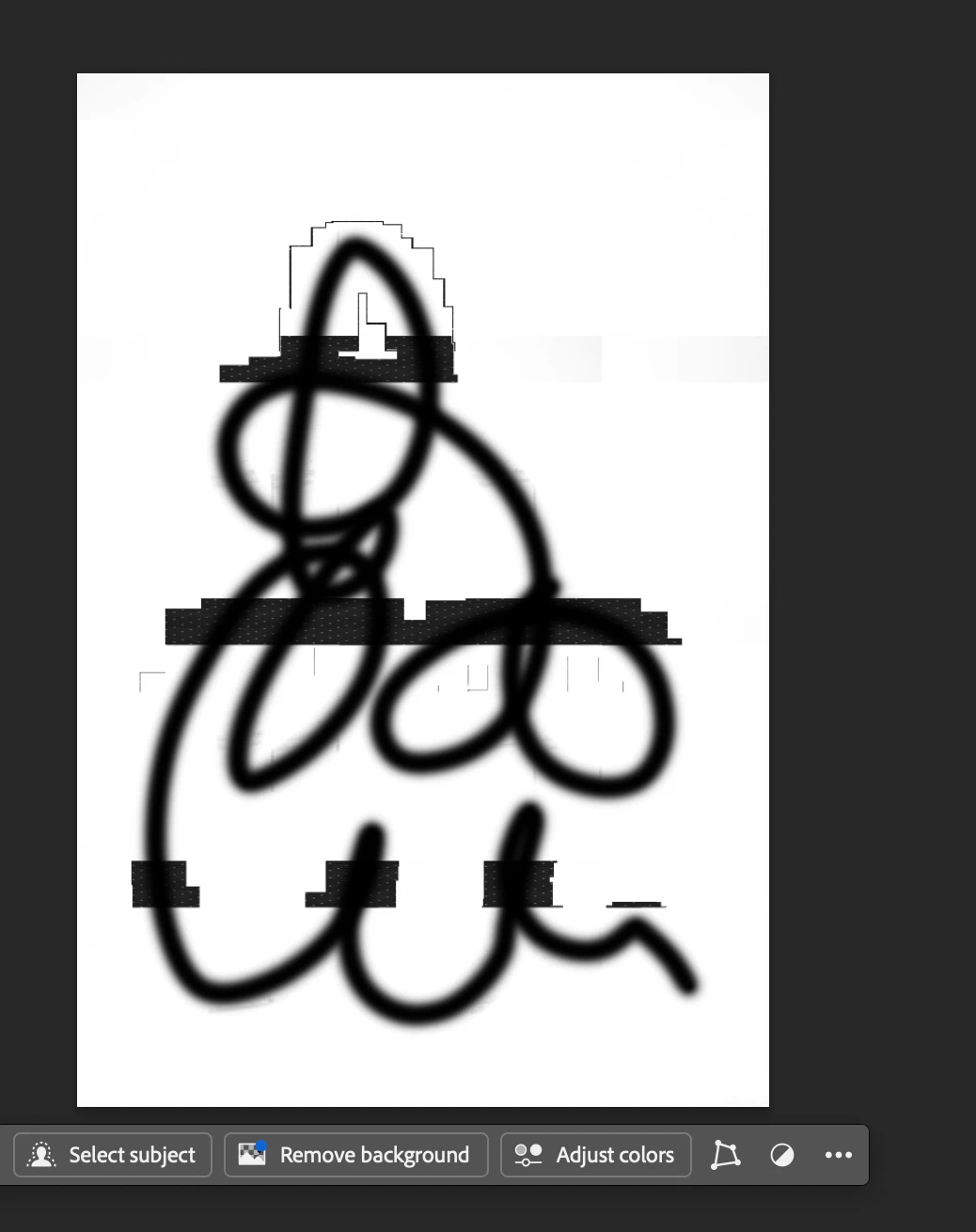
I'm using the brush and that is happening. Idk how can i solve it, it never happened when i was using the Photoshop on windows.

2 replies

Trevor.Dennis
Community Expert
Community Expert
September 26, 2025


Are you referring to the black blocks, that I have highlighted with red?

I'm guessing that is the case, in which case it looks very much like a display issue.

What hardware are you using (most importantly, the chipset)?

What operating system version?

What version of Photoshop?


Try disabling GPU acceleration in Preferences > Performance.  If that fixes it, then that tells that's where the problem is.  I don't know enough about Macs to advise you on drivers etc.

creative explorer
Community Expert
Community Expert
September 26, 2025

@italogdemorais That looks like an issue related to brush spacing. To fix this, open the Brush Settings panel by going to Window > Brush Settings (or pressing F5). Once the panel is open, click on Brush Tip Shape and locate the Spacing slider, which is likely set too high. Drag this slider down to a low value, typically between 1% and 10%, to ensure the brush stamps overlap and form a smooth, solid line. Additionally, check the Scattering and Shape Dynamics sections within the same panel to make sure no dynamic settings are active that might be breaking up your stroke.


m