

LuminousSky
Inspiring
Dec 25, 2021 7:45 PM UTC
Question

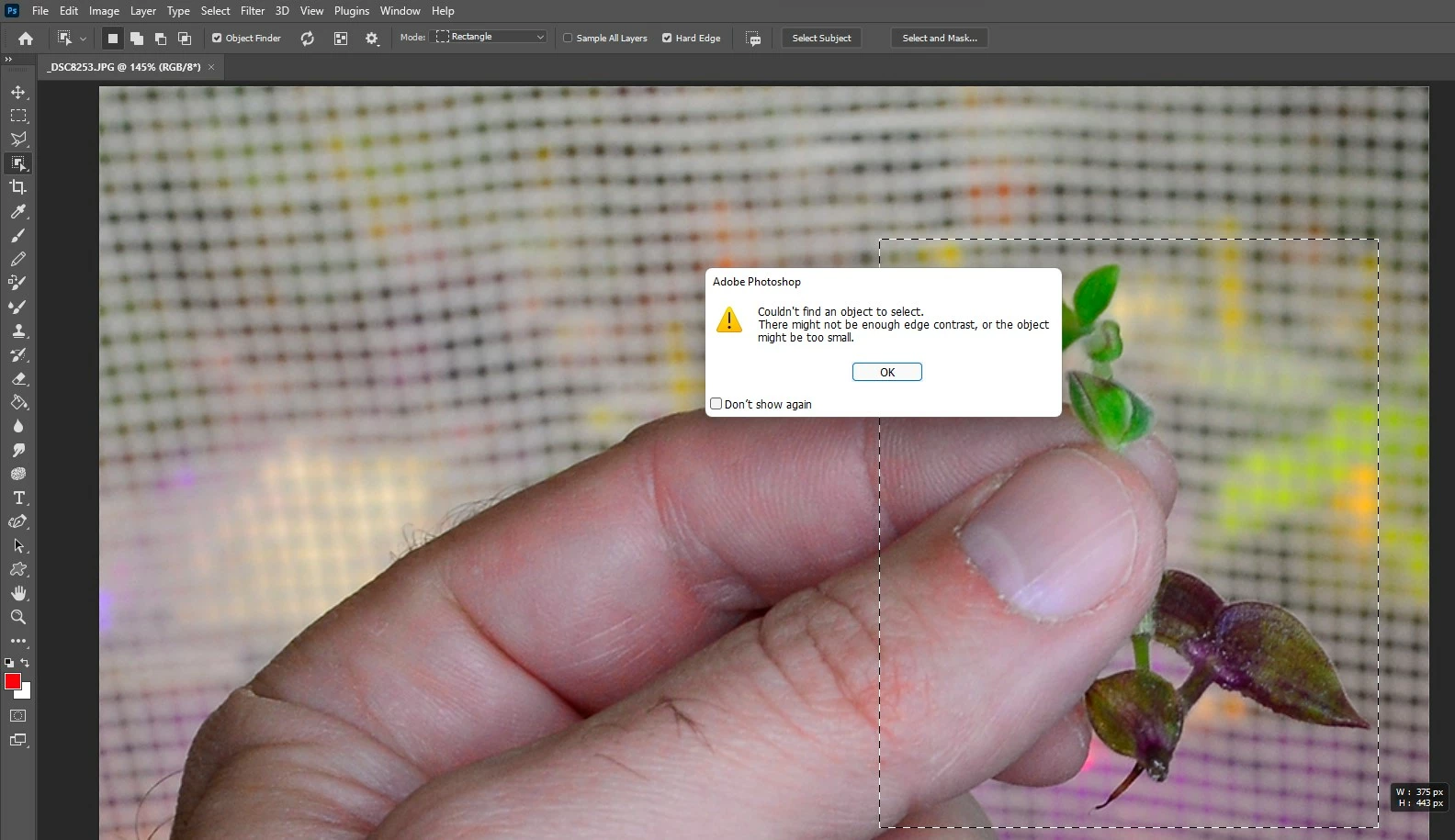
couldn't find an object to select (Object Selection Tool not working anymore)

Hello,


It's the second time today (different photo) that the Object Selection Tool (ObSeTo) stopped functioning.

I am getting the error message: "Couldn't find an object to select. There might not been enough edge contrast, or the object might be too small."


In general ObSsTo has still many issues. I am selecting something and it deselects the area that I had just selected! Even though it has a different color, which makes me to go back and re-select that area, again.
7 replies

Participant
Dec 31, 2022 9:08 PM UTC

didnt you find a solution for that ?
its making me crazy

Translate
Inspiring
Apr 25, 2025 7:45 PM UTC

Came here looking for something else based on the latest PS update, but as long as I'm here, make sure you're on the right layer. 

Translate
jane-e
Community Expert
Community Expert
Dec 26, 2021 6:15 PM UTC


@LuminousSky said:

There's no option for polygonal. Only 'Rectangle' and 'Lasso'.


My apologies, I meant "Lasso". I was on my iPad this morning. Sometimes this works when the Rectangle does not. Here I "lassoed one section of the leaf, then released and used the Shift key to add to the selection and lasso other section.


Jane


Translate
LuminousSky
Inspiring
Dec 26, 2021 6:06 PM UTC

@jane-e 

There's no option for polygonal. Only 'Rectangle' and 'Lasso'. Is that option to be found somewhere else?

Translate
LuminousSky
Inspiring
Dec 26, 2021 6:00 PM UTC

Not at all. I use the ObSeTo the past two years for all of my photos such as this one, and it works fine (even though the fan starts going crazy whenever I start cropping).

I guess that is either a bug from Photoshop, or I have accidentally changed something.

Translate
jane-e
Community Expert
Community Expert
Dec 26, 2021 10:47 AM UTC

@LuminousSky 


What happens if you change the Mode from "Rectangle" to Polygonal" in the options bar and draw a loose selection around the leaf?


Jane

Translate
JohanElzenga
Community Expert
Community Expert
Dec 26, 2021 10:31 AM UTC

Seems logical to me that this happens. First of all, the Object Selection Tool is a tool that is based on artificial intelligence. That means that it is trained with a number of objects to make it learn to recognise such objects. A small twig is probably not one of the objects the tool is trained with. Secondly, you are partly selecting a much bigger (and possibly known object): a hand. That will confuse the tool even further. And thirdly the object is split into two objects by the thumb. Maybe it does work if you select  the parts separately.


Translate
-- Johan W. Elzenga