Participant
April 3, 2019
Answered

Create mask from layer in script

  • April 3, 2019
  • 1 reply
  • 1713 views

Hello.

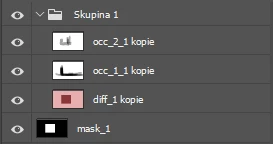
Is it possible to create LayerSet mask from another layer in script? I have tried to use ScriptListener but it generate code that causes error. Namely action "invokeCommand". It there any other way?

->

Thank you for you answer.

This topic has been closed for replies.
Correct answer JJMack

You coul foe example use scriptistener code to load a layers laye mast as  a selection the target the layer you want to add the layer mast too mak it the active layer the uset the slist listener cot to add a layet masy toe the cuuuent layer.  However you need to uset the cottect scriptlistener steps not any of its "invokeCommand" steps.  Add Layer Mask woul look somethin like this:

// =======linked layer Mask========================================

function linkedlayerMask() {

var idMk = charIDToTypeID( "Mk  " );

    var desc3 = new ActionDescriptor();

    var idNw = charIDToTypeID( "Nw  " );

    var idChnl = charIDToTypeID( "Chnl" );

    desc3.putClass( idNw, idChnl );

    var idAt = charIDToTypeID( "At  " );

        var ref3 = new ActionReference();

        var idChnl = charIDToTypeID( "Chnl" );

        var idChnl = charIDToTypeID( "Chnl" );

        var idMsk = charIDToTypeID( "Msk " );

        ref3.putEnumerated( idChnl, idChnl, idMsk );

    desc3.putReference( idAt, ref3 );

    var idUsng = charIDToTypeID( "Usng" );

    var idUsrM = charIDToTypeID( "UsrM" );

    var idRvlS = charIDToTypeID( "RvlS" );

    desc3.putEnumerated( idUsng, idUsrM, idRvlS );

executeAction( idMk, desc3, DialogModes.NO );

}

// =======Un linked layer Mask========================================

function layerMask() {

var idMk = charIDToTypeID( "Mk  " );

    var desc3 = new ActionDescriptor();

    var idNw = charIDToTypeID( "Nw  " );

    var idChnl = charIDToTypeID( "Chnl" );

    desc3.putClass( idNw, idChnl );

    var idAt = charIDToTypeID( "At  " );

        var ref3 = new ActionReference();

        var idChnl = charIDToTypeID( "Chnl" );

        var idChnl = charIDToTypeID( "Chnl" );

        var idMsk = charIDToTypeID( "Msk " );

        ref3.putEnumerated( idChnl, idChnl, idMsk );

    desc3.putReference( idAt, ref3 );

    var idUsng = charIDToTypeID( "Usng" );

    var idUsrM = charIDToTypeID( "UsrM" );

    var idRvlS = charIDToTypeID( "RvlS" );

    desc3.putEnumerated( idUsng, idUsrM, idRvlS );

executeAction( idMk, desc3, DialogModes.NO );

// =======================================================

var idsetd = charIDToTypeID( "setd" );

    var desc2 = new ActionDescriptor();

    var idnull = charIDToTypeID( "null" );

        var ref1 = new ActionReference();

        var idLyr = charIDToTypeID( "Lyr " );

        var idOrdn = charIDToTypeID( "Ordn" );

        var idTrgt = charIDToTypeID( "Trgt" );

        ref1.putEnumerated( idLyr, idOrdn, idTrgt );

    desc2.putReference( idnull, ref1 );

    var idT = charIDToTypeID( "T   " );

        var desc3 = new ActionDescriptor();

        var idUsrs = charIDToTypeID( "Usrs" );

        desc3.putBoolean( idUsrs, false );

    var idLyr = charIDToTypeID( "Lyr " );

    desc2.putObject( idT, idLyr, desc3 );

executeAction( idsetd, desc2, DialogModes.NO );

}

The invoke commands steps  are normally not useful in Photoshop scripts and will normally cause errors

1 reply

JJMack
Community Expert
JJMackCommunity ExpertCorrect answer
Community Expert
April 3, 2019

You coul foe example use scriptistener code to load a layers laye mast as  a selection the target the layer you want to add the layer mast too mak it the active layer the uset the slist listener cot to add a layet masy toe the cuuuent layer.  However you need to uset the cottect scriptlistener steps not any of its "invokeCommand" steps.  Add Layer Mask woul look somethin like this:

// =======linked layer Mask========================================

function linkedlayerMask() {

var idMk = charIDToTypeID( "Mk  " );

    var desc3 = new ActionDescriptor();

    var idNw = charIDToTypeID( "Nw  " );

    var idChnl = charIDToTypeID( "Chnl" );

    desc3.putClass( idNw, idChnl );

    var idAt = charIDToTypeID( "At  " );

        var ref3 = new ActionReference();

        var idChnl = charIDToTypeID( "Chnl" );

        var idChnl = charIDToTypeID( "Chnl" );

        var idMsk = charIDToTypeID( "Msk " );

        ref3.putEnumerated( idChnl, idChnl, idMsk );

    desc3.putReference( idAt, ref3 );

    var idUsng = charIDToTypeID( "Usng" );

    var idUsrM = charIDToTypeID( "UsrM" );

    var idRvlS = charIDToTypeID( "RvlS" );

    desc3.putEnumerated( idUsng, idUsrM, idRvlS );

executeAction( idMk, desc3, DialogModes.NO );

}

// =======Un linked layer Mask========================================

function layerMask() {

var idMk = charIDToTypeID( "Mk  " );

    var desc3 = new ActionDescriptor();

    var idNw = charIDToTypeID( "Nw  " );

    var idChnl = charIDToTypeID( "Chnl" );

    desc3.putClass( idNw, idChnl );

    var idAt = charIDToTypeID( "At  " );

        var ref3 = new ActionReference();

        var idChnl = charIDToTypeID( "Chnl" );

        var idChnl = charIDToTypeID( "Chnl" );

        var idMsk = charIDToTypeID( "Msk " );

        ref3.putEnumerated( idChnl, idChnl, idMsk );

    desc3.putReference( idAt, ref3 );

    var idUsng = charIDToTypeID( "Usng" );

    var idUsrM = charIDToTypeID( "UsrM" );

    var idRvlS = charIDToTypeID( "RvlS" );

    desc3.putEnumerated( idUsng, idUsrM, idRvlS );

executeAction( idMk, desc3, DialogModes.NO );

// =======================================================

var idsetd = charIDToTypeID( "setd" );

    var desc2 = new ActionDescriptor();

    var idnull = charIDToTypeID( "null" );

        var ref1 = new ActionReference();

        var idLyr = charIDToTypeID( "Lyr " );

        var idOrdn = charIDToTypeID( "Ordn" );

        var idTrgt = charIDToTypeID( "Trgt" );

        ref1.putEnumerated( idLyr, idOrdn, idTrgt );

    desc2.putReference( idnull, ref1 );

    var idT = charIDToTypeID( "T   " );

        var desc3 = new ActionDescriptor();

        var idUsrs = charIDToTypeID( "Usrs" );

        desc3.putBoolean( idUsrs, false );

    var idLyr = charIDToTypeID( "Lyr " );

    desc2.putObject( idT, idLyr, desc3 );

executeAction( idsetd, desc2, DialogModes.NO );

}

The invoke commands steps  are normally not useful in Photoshop scripts and will normally cause errors
JJMack
Participant
April 3, 2019

Thank you. After different approach how to create mask (in UI photoshop) and clearing the script listener result I was able to manage it.