Inspiring
February 17, 2024
Question

Creating a seamless pattern
  • February 17, 2024
  • 2 replies
  • 2016 views

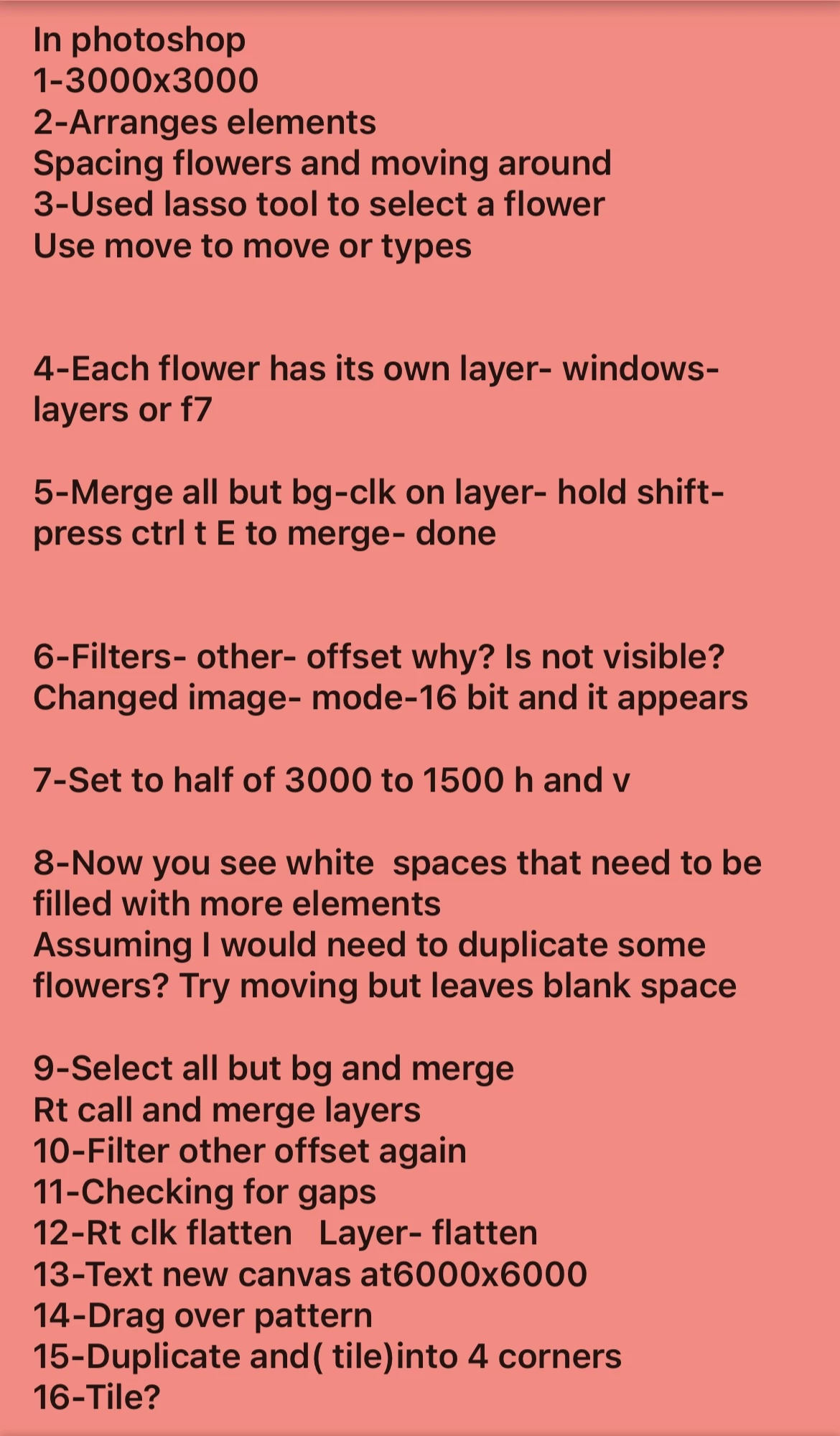
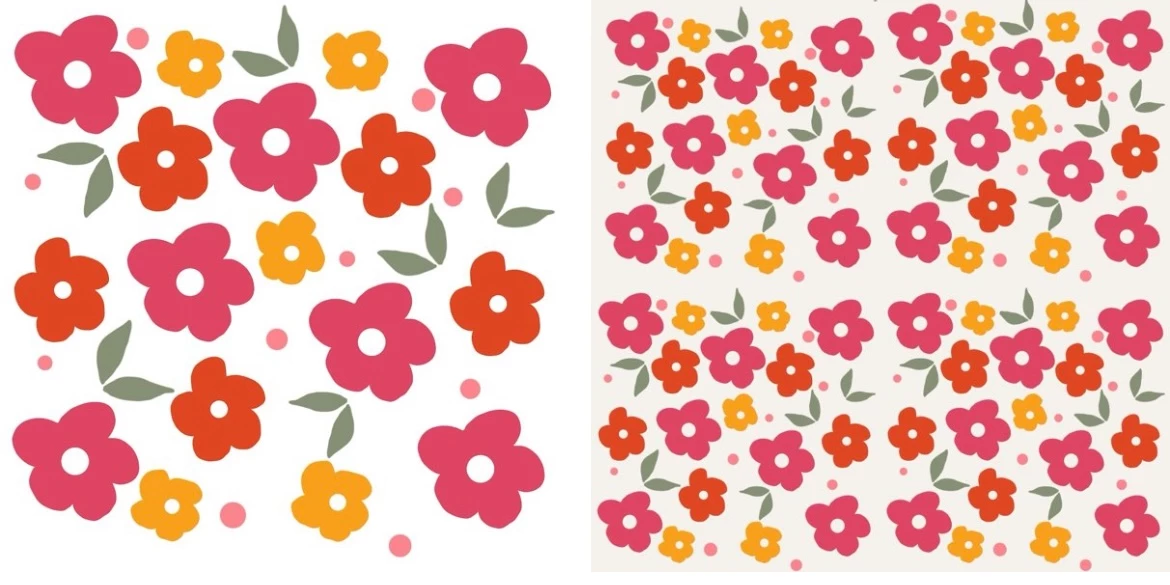
Here is my pattern that am trying to make seamless. I've add a photo of the steps I have tried.

Trying to figure how how to fill blank spaces in my pattern. I'm on step 8
This topic has been closed for replies.

2 replies

Myra Ferguson
Community Expert
Community Expert
February 17, 2024

Try viewing and editing your pattern using Pattern Preview (View > Pattern Preview).

Inspiring
February 17, 2024

Here is screenshoot of me trying to duplicate a flower and move to a blank space.

Not sure what im doing wrong here?

Myra Ferguson
Community Expert
Community Expert
February 17, 2024

Based on the instructions that you posted, this appears to be the merged version. You would want to adjust the placement of the flowers using Pattern Preview before merging.

kglad
Community Expert
Community Expert
February 17, 2024

in the future, to find the best place to post your message, use the list here, https://community.adobe.com/

p.s. i don't think the adobe website, and forums in particular, are easy to navigate, so don't spend a lot of time searching that forum list. do your best and we'll move the post (like this one has already been moved) if it helps you get responses.


<"moved from using the community">
Inspiring
February 17, 2024

Thank you for moving it.