Inspiring
March 22, 2024
Answered

Creating text with custom fill question

Hello,


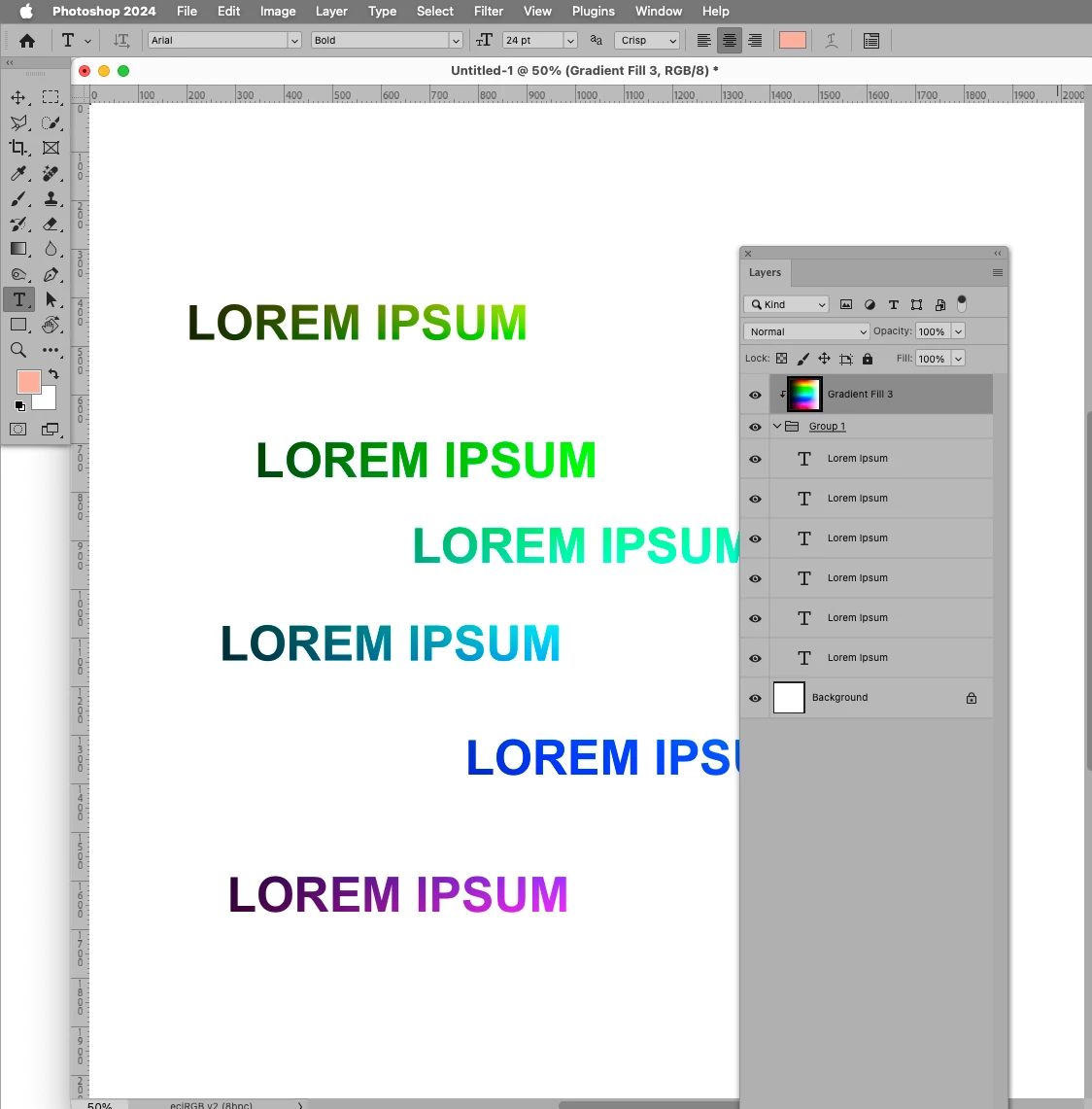
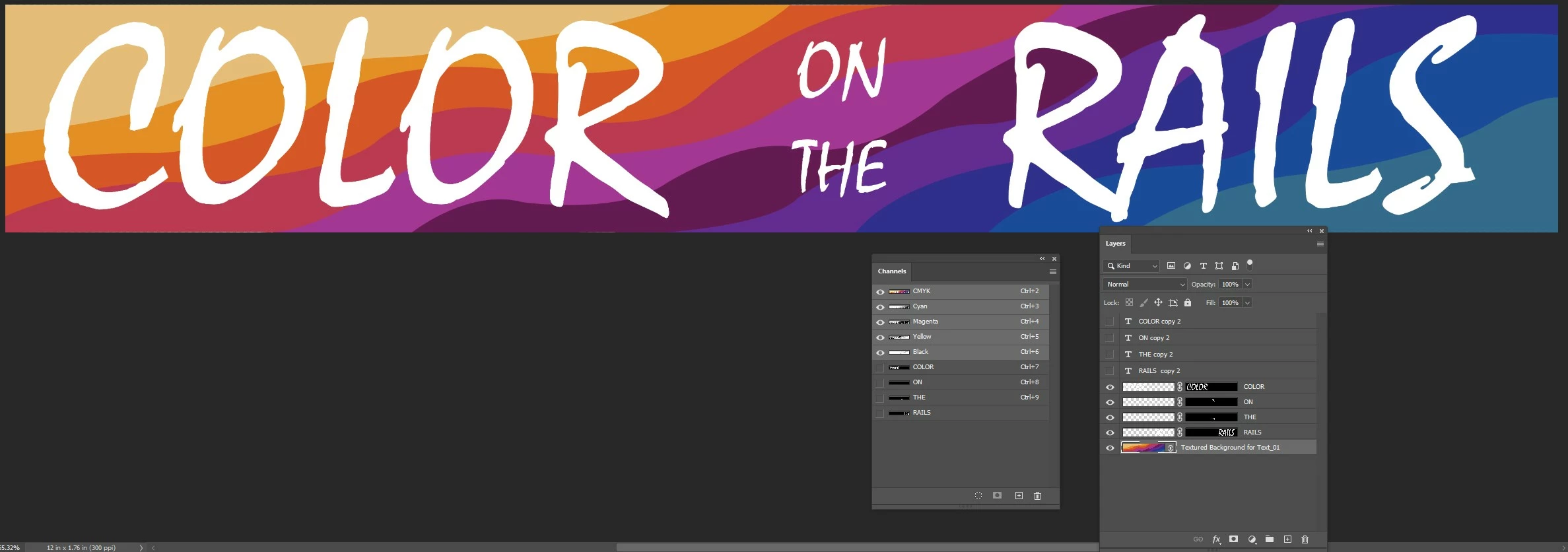
What is the best way to group multiple, restorized words portrayed, having the text replaced with the colorful fill and the negative space omitted? 


As of now, I've tried verious approaches, using channels and selections, with little luck. Any advice would be much appreciated.
 

Matthew

This topic is closed to new replies. Start a new post to keep the conversation going.
c.pfaffenbichler
c.pfaffenbichlerCorrect answer
Community Expert
March 23, 2024

Group the Layers and Clipping Mask the overlay to the Group. 

4 replies

c.pfaffenbichler
Community Expert
c.pfaffenbichlerCommunity ExpertCorrect answer
Community Expert
March 23, 2024

Group the Layers and Clipping Mask the overlay to the Group. 

Translate
Inspiring
March 23, 2024

Thanks so much for pointing me in the right direction! 


Interestingly, to get all of the text selected AND within the group, I needed to merge all four of the words, together. When I started this rather large task, I encountered dealing with all sorts of scenarios, involving the selections and channals, that I can't even begin to comprehend. Thanks, again.


Matthew

Translate
c.pfaffenbichler
Community Expert
Community Expert
March 24, 2024
quote

Interestingly, to get all of the text selected AND within the group, I needed to merge all four of the words, together.

You appear to be mistaken. 

Just select the Layers in the Layers Panel by cmd-clicking them and trigger Layer > Group Layers. 


Translate