saifudheent63699917
Participant
August 4, 2025
Answered

Crop tool resulting to just one pixel

  • August 4, 2025
  • 1 reply
  • 202 views

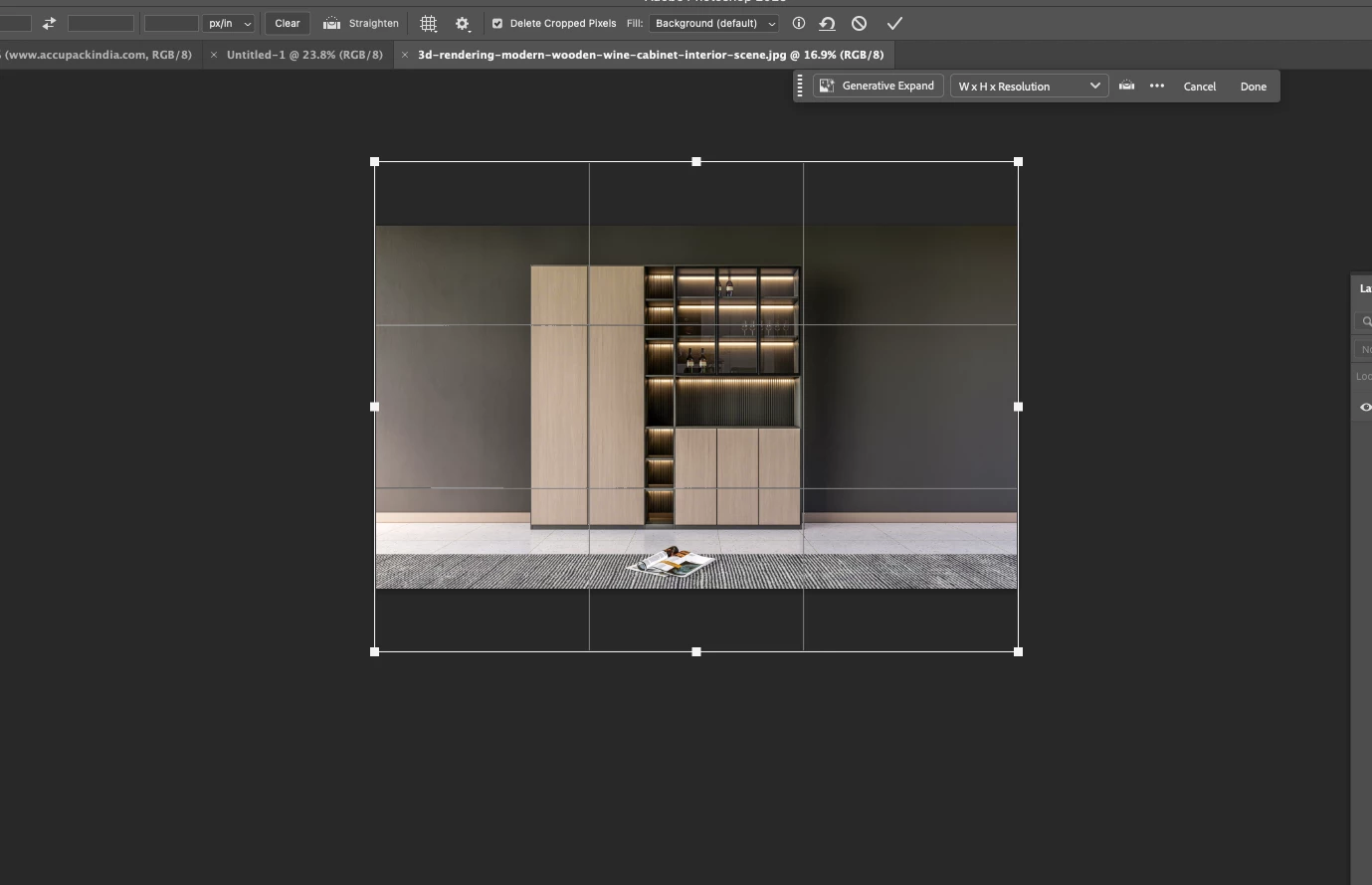
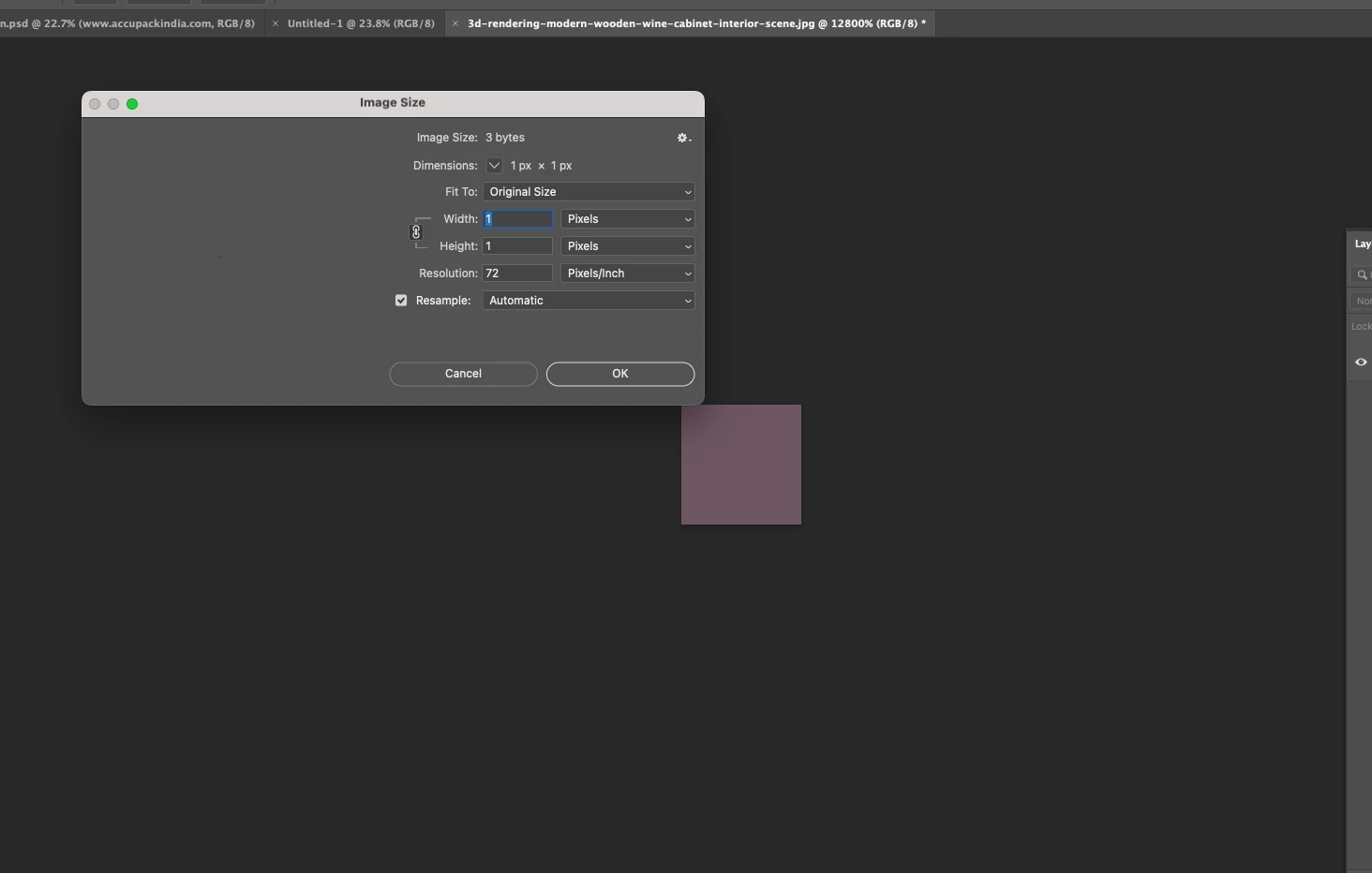
When crop tool is selected, no crop box appears. When i draw a box and press enter, Suddenly it crops to just one pixel. All other pixels are cropped out. 

Tried in Photoshop 26.9 and 26.8.1. Issue is there in both versions.
Correct answer jane-e
quote

When i draw a box and press enter, Suddenly it crops to just one pixel. All other pixels are cropped out. 

By @saifudheent63699917


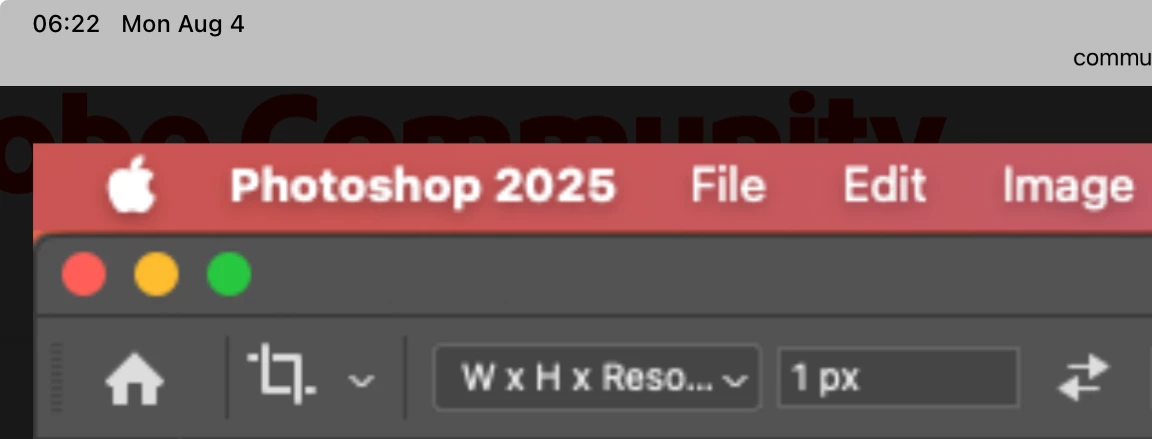
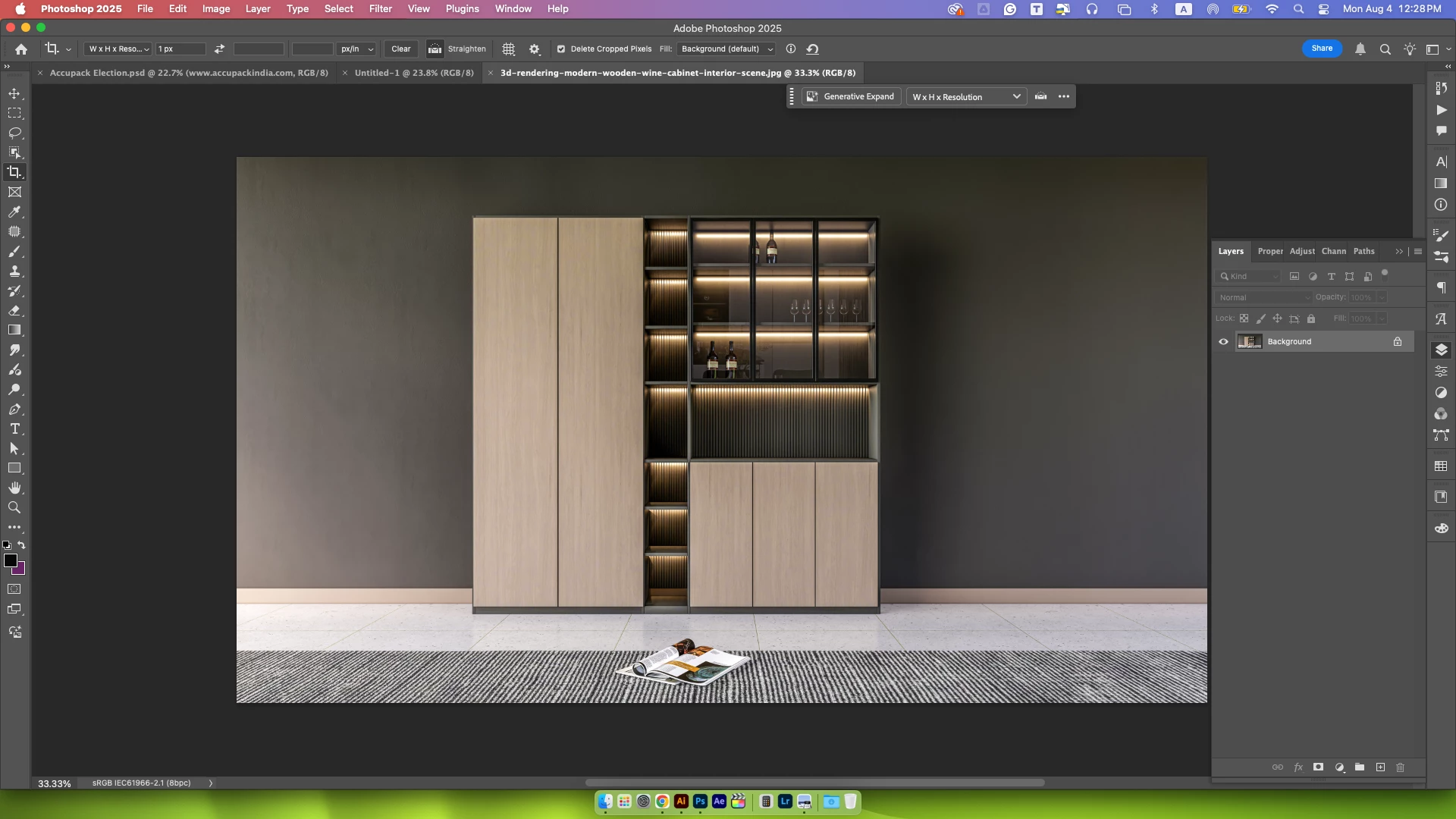
I noticed that your options for the Crop tool are: W x H x Resolution equals 1 pixel.


Please reset the options for the Crop tool to go back to the defaults. Right-click the tool in the options bar (not Toolbar) and choose Reset Tool (or Tools).


Does this work for you?


Jane


1 reply

jane-e
Community Expert
jane-eCommunity ExpertCorrect answer
Community Expert
August 4, 2025
quote

When i draw a box and press enter, Suddenly it crops to just one pixel. All other pixels are cropped out. 

By @saifudheent63699917


I noticed that your options for the Crop tool are: W x H x Resolution equals 1 pixel.


Please reset the options for the Crop tool to go back to the defaults. Right-click the tool in the options bar (not Toolbar) and choose Reset Tool (or Tools).


Does this work for you?


Jane


Claire H.
Community Manager
Community Manager
August 27, 2025

Hi @saifudheent63699917, I'm just checking in to see if the suggestion helped or if you are still running into this issue? Let us know how things are going. Happy to keep troubleshooting with you if needed. Thanks! ^CH