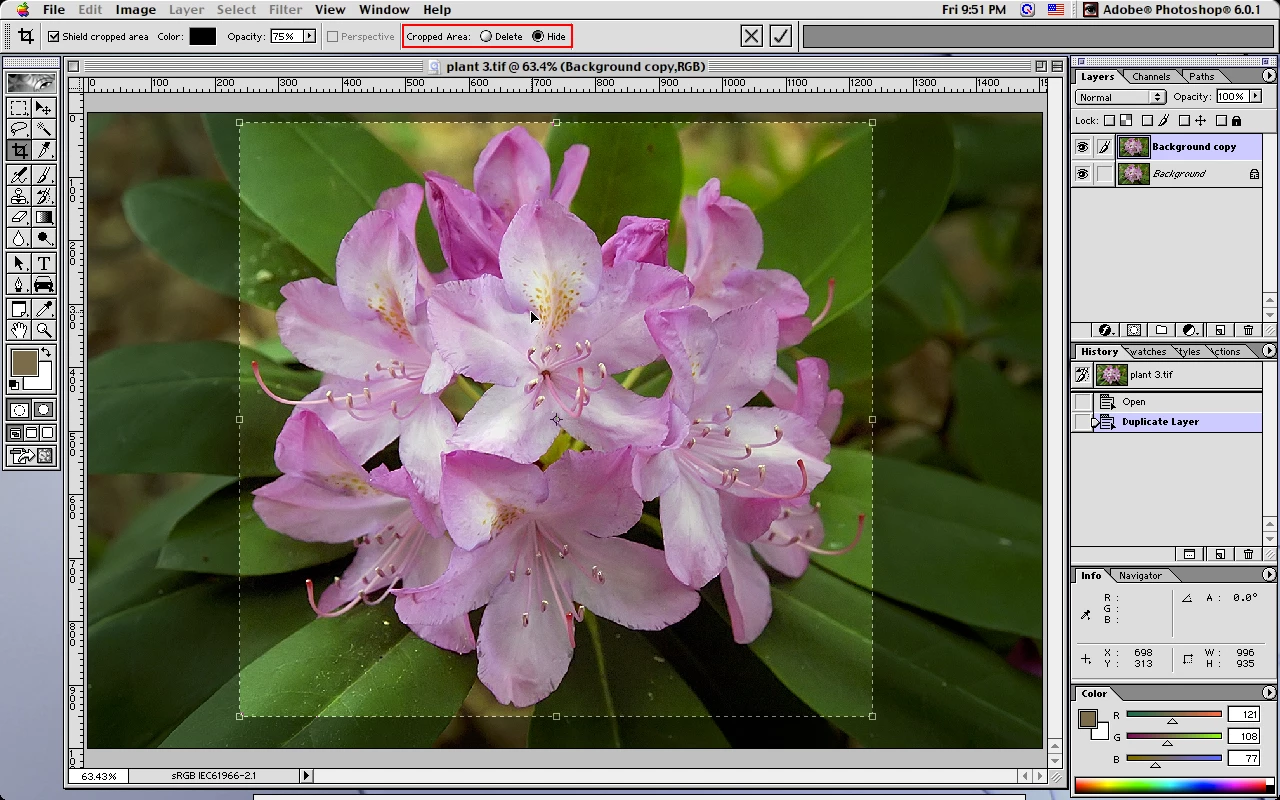
Since photoshop 6 (2001) non destructive cropping has been an option. The wording and the way you can recover the hidden cropped area has changed, but it's basically the same in new versions of photoshop when you have a layered document and save the image as a psd file.
photoshop 6
Hide/Delete options with Crop Tool
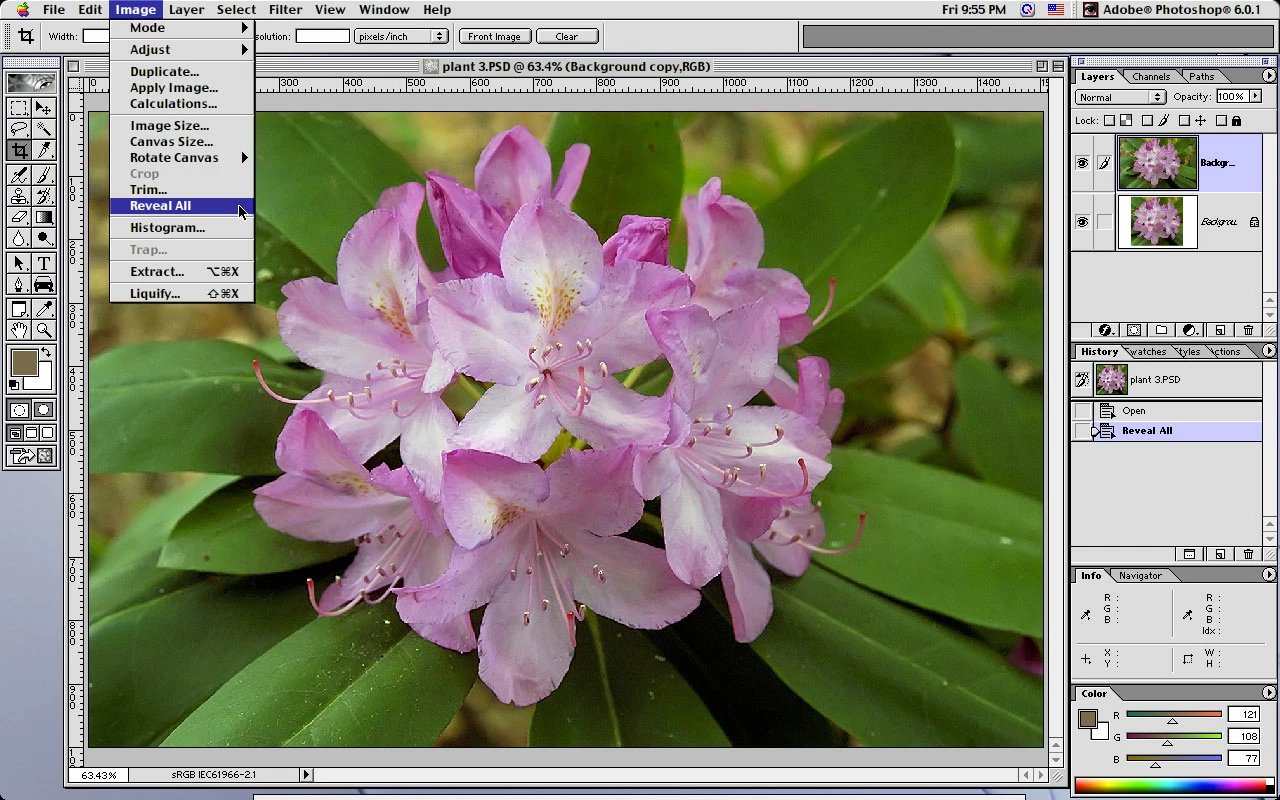
Hidden cropped area recovered from saved psd using Image>Reveal All
The Crop tool can also be used to recover the hidden areas.
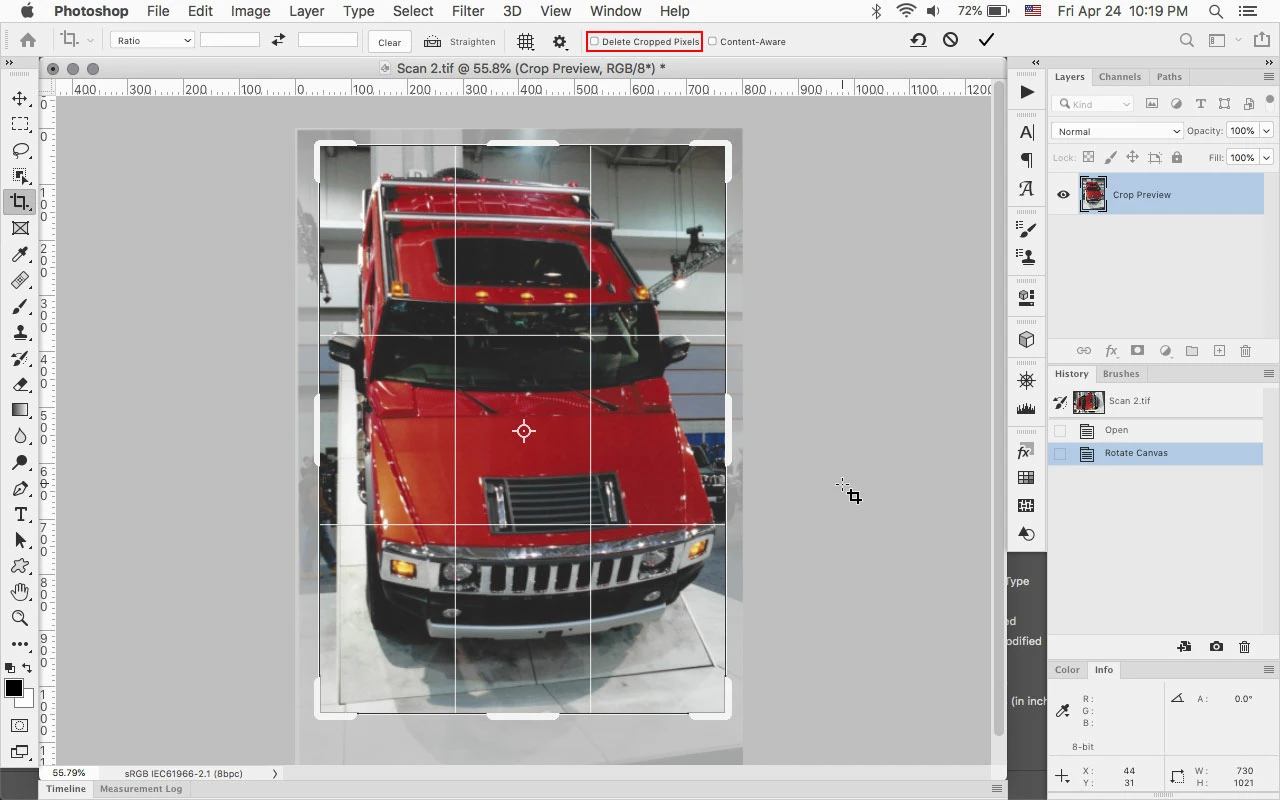
In photoshop 2020 you can just click on the Image with the crop tool to recover the hidden areas.
Cropped with Delete Cropped Pixels unchecked
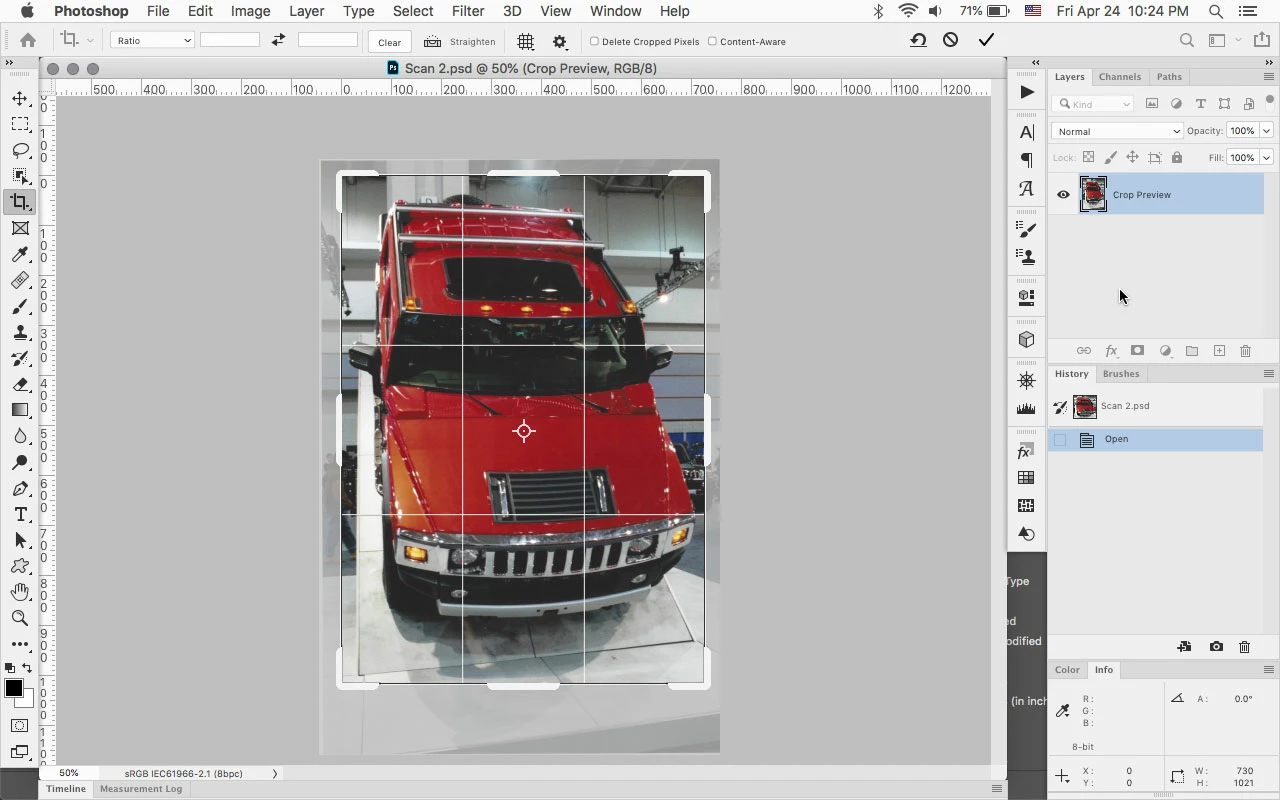
Clicking on saved layered psd with the Crop Tool to show the hidden cropped area.
As far as the difference your seeing in your files, you'll need to compare the files and see if there are any differences in the type of layers, etc.
If you not able to post an example psd file, could you show the Layers panel from a file that your having problems with?

 AdChoices