
MahaB82A
March 24, 2023
Question

Cursor Issue

  • March 24, 2023
  • 2 replies
  • 330 views

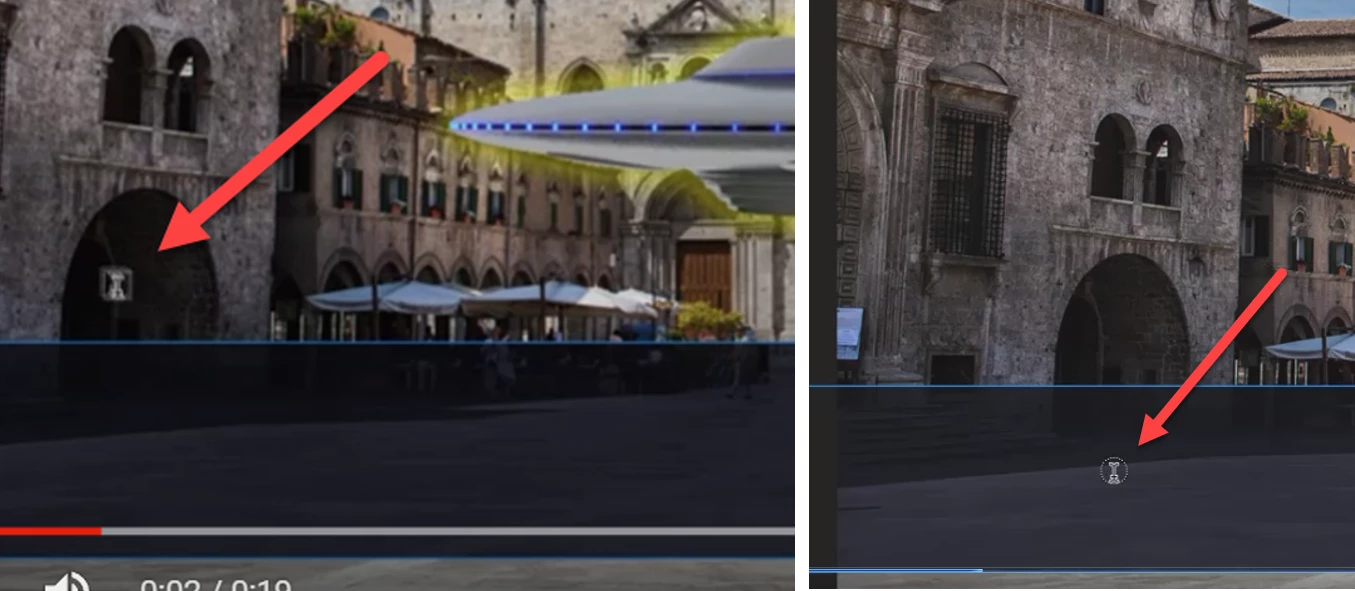
You can notice this cursor takes 'I' shape and around it a soft square. When cursor enters into the text box the soft square turns into soft circle. What is the reason for that? In the tutorial in both region soft square is retained. 


This topic has been closed for replies.

2 replies

jane-e
Community Expert
Community Expert
March 24, 2023

@MahaB82A 


I can't find an image from Photoshop. This is from Illustrator, which has a few more choices than Photoshop, but many are shared.

  • The iBeam by itself is for editing existing text
  • The dotted lines, whether in a circle or rectangle, mean you are about to create a new text object
  • The one you are asking about is an iBeam inside a dotted-line circle, meaning you are about to create Horizontal text inside a path.

This image was posted in the Illustrator forum here:

 https://community.adobe.com/t5/illustrator-discussions/what-do-the-illustrator-cursor-symbols-mean/m-p/10922861


Jane

Jeff Arola
Community Expert
Community Expert
March 24, 2023

If you hover the Type Tool inside a path then the I beam cursor displays a circle around it to signify you can type inside of the path without the type spilling out of the path boundaries.

https://helpx.adobe.com/photoshop/using/creating-type-effects.html#create_type_along_or_inside_a_path