artur_0832
Known Participant
September 7, 2026
Answered

Custom Action not listed in File > Automate > Batch; after workaround Batch fails with "command not currently available"

  • September 7, 2026
  • 8 replies
  • 68 views

A custom Action (created in the Actions panel) does not appear in the Action dropdown of the File > Automate > Batch dialog.

Workaround to make it appear: open a document, select the Action in the Actions panel, then close the document — after that the Action shows up in Batch.

However, when running Batch with this Action, Photoshop returns the error: "The command '[command name]' is not currently available" — i.e. Batch cannot find a command recorded inside the custom Action. The same Action runs without any issues when played manually from the Actions panel (Play).

Steps to reproduce:

  1. Create a new Set and Action in the Actions panel, record several steps.
  2. Open File > Automate > Batch — the Action is missing from the dropdown.
  3. Open a document, select the Action in the Actions panel, close the document.
  4. Open File > Automate > Batch again — the Action is now listed.
  5. Select a Source folder, run Batch.


Correct answer Jeff Arola

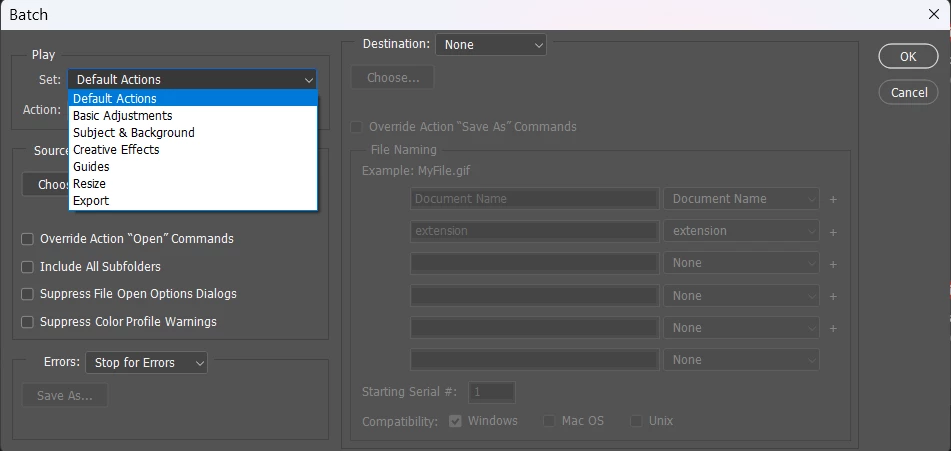
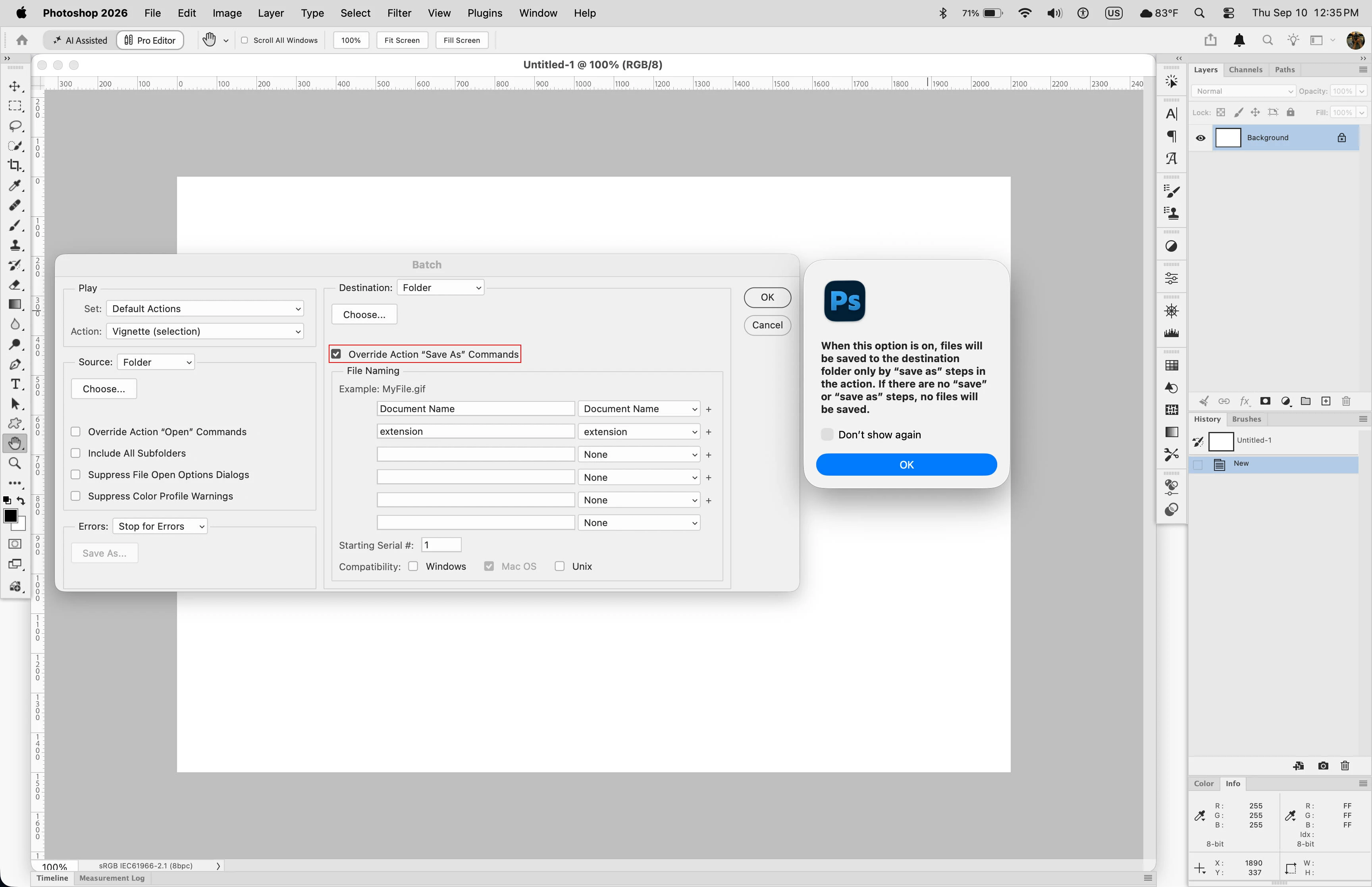
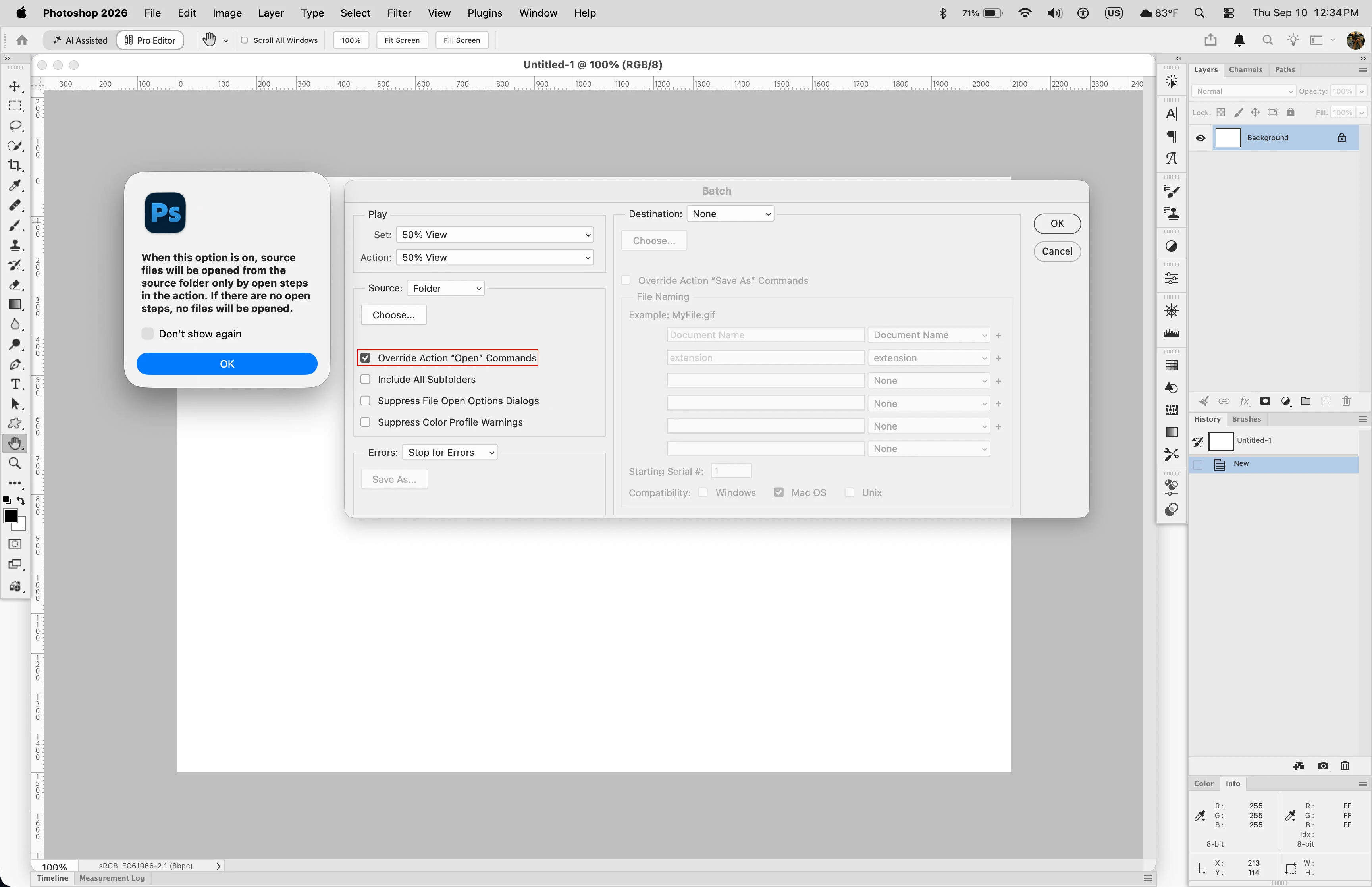
One thing i noticed in your video, is in the Batch dialog you have both Override Action “Open” Commands and Override Action “Save As” Commands enabled. Have either one or both of those commands checked when there are no open or save steps in action being run will either cause the action not to run because no files are opened and show errors about commands not available as in your video or just not save the processed files at all.


While that is not the cause of the action not initially showing in the Batch dialog, it will certainly cause actions to fail when run in the Batch dialog.


8 replies

Jeff Arola
Community Expert
Jeff ArolaCommunity ExpertCorrect answer
Community Expert
September 10, 2026

One thing i noticed in your video, is in the Batch dialog you have both Override Action “Open” Commands and Override Action “Save As” Commands enabled. Have either one or both of those commands checked when there are no open or save steps in action being run will either cause the action not to run because no files are opened and show errors about commands not available as in your video or just not save the processed files at all.


While that is not the cause of the action not initially showing in the Batch dialog, it will certainly cause actions to fail when run in the Batch dialog.


artur_0832
Known Participant
September 14, 2026

You nailed it. Unchecking Override Action "Open" Commands was all it took, the error is gone and the batch runs fine now. I left Save As checked, since my action does have a save step and I needed the output redirected to a different folder.

What surprises me is how non-obvious this behavior is. The checkbox says "override," which reads like "my setting wins," but what it actually does is silently break the run when the action has no matching step. No warning, no hint anywhere in the UI, just an error about an unavailable command that tells you nothing about the cause. You end up figuring it out on a forum instead of inside the product.

And this isn't a one-off. The Batch dialog looks about the same as it did twenty years ago, the relationship between actions and batch processing is documented nowhere, and error messages describe the symptom rather than the cause. ​@Srishti Bali Adobe would do well to spend some time on this layer, not just on new features.

Anyway, thanks for going through it in that much detail.

Srishti Bali
Community Manager
Community Manager
September 10, 2026

Thank you for sharing the video and the action file. I tested the action on Photoshop version 27.10 at my end, and it worked as expected without any errors. Could you please confirm whether you are also using Photoshop version 27.10? If you are already on version 27.10, please try resetting Photoshop preferences after backing up your presets and preferences. You can follow the steps provided here: https://helpx.adobe.com/photoshop/desktop/get-started/settings-and-preferences/backup-and-restore-preferences.html


Once done, please test the action again and let us know if the issue persists.

Thanks, Srishti Bali | Community & Engagement Strategist, Digital Imaging | Adobe
artur_0832
Known Participant
September 9, 2026

@Srishti Bali 

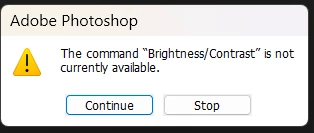
Sharing the .atn wouldn't tell you much, to be honest. Each action is a single recorded step — just Image Size, or Brightness/Contrast. There's nothing inside them that could be causing this.

I recorded a short video showing the behaviour: whatever command I record, Batch throws the same "command is not currently available" error. It isn't tied to one particular action.

Action file (.atn) 
https://mega.nz/file/wchmWDbY#9k62dSzAUo2xNmcyV_tDgCxpMs7JOKuK-Fm4RP0YxMY


Srishti Bali
Community Manager
Community Manager
September 8, 2026

Thank you for sharing these details, Arthur. Could you please share the Action file (.atn) with us? You can save/export the Action, upload it to a cloud storage service such as Dropbox or Google Drive, and share the link here.

Also, could you please confirm whether the issue is specific to this particular Action or if it occurs with all custom Actions? This will help us reproduce the issue and investigate it further.

Thanks, Srishti Bali | Community & Engagement Strategist, Digital Imaging | Adobe
Srishti Bali
Community Manager
Community Manager
September 7, 2026

Hi ​@artur_0832 


Thanks for reaching out. This happens when your newly created action is not part of any of the action sets (groups) shown in the screenshot above.

  • In the Actions panel, click the folder icon to create a new set. Once the set is created, add your action to it.


  • Then go to File > Automate > Batch. You should now see the newly created group listed under Set. Once you select the group, your action should appear under Action.


Hope this helps!

Thanks, Srishti Bali | Community & Engagement Strategist, Digital Imaging | Adobe
artur_0832
Known Participant
September 7, 2026

Hi Srishti,

Thanks for the reply — but it only addresses the first half of the report, and I had actually already described that part myself: the Action does show up in Batch once you select it in the Actions panel and close the document. So the listing issue has a workaround, even if a clunky one.

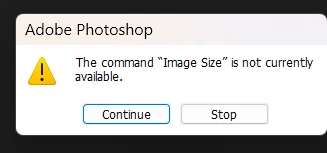
The core problem is the second half, which your answer doesn't touch: once the Action is listed and selected in Batch, it doesn't run. Photoshop stops with "The command 'Image Size' is not currently available" (screenshot attached). Image Size is a standard command, the Action is in a proper Set, and the very same Action plays fine manually from the Actions panel. This happens in both the current stable release and the Beta.

So there are really two issues here: a UX one — a custom Action that has to be "activated" by opening and closing a document before Batch will list it is hard to see as intended behavior — and a functional one, where Batch simply can't execute a recorded command. Could you please have someone look into the second part specifically? Happy to provide the .atn file, logs or a screen recording if that helps.

Thanks again for picking this up.