


January 21, 2026
Question

Dashed Lines with Pen

  • January 21, 2026
  • 2 replies
  • 71 views

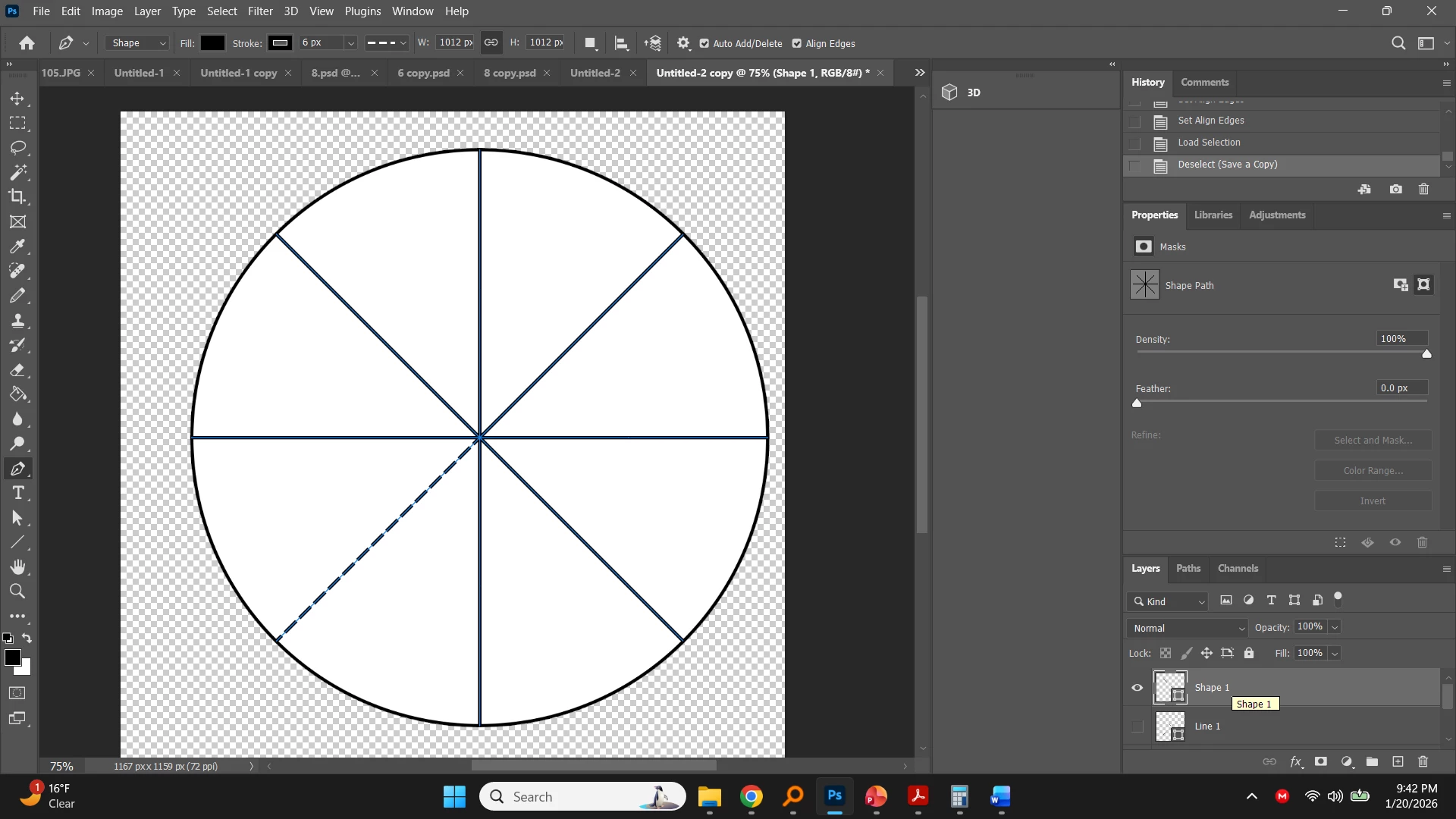
So I want to divide a circle into equal parts, and I want the lines to be dashed or dotted. So I drew it with the pen tool, used free transform and did 360/8 for the angle, and then control + alt + shift + T to go around the circle. The problem is, only the first line is dotted and I can't figure out how to make the rest of them match. Any ideas?help.jpg
2 replies

Trevor.Dennis
Community Expert
Community Expert
January 21, 2026

Hi Joanna.  It could as simple as the zoom ratio.  Possibly not in this case as you were viewing at 75%, but always view at 1:1 100% to be sure that what you see on the screen fully represents the image.


Kudos for using Free Transform Step & Repeat.  Unfortunately it can be flaky at times, and is only really reliable with raster layers.  Shape layers and Smart Objects both tend to play up, and usually just don't work.  There is a bizarre work-around for Smart Objects.   


Have a look at 100% zoom.  If it is still not right, rasterise the first layer, and use step & repeat again.

January 21, 2026

Thanks! The workaround did not work (all solid) and the rasterize step worked, but the quality of the line decreased each time.

Trevor.Dennis
Community Expert
Community Expert
January 22, 2026

Use the Smart Object workaround.  It's something I don't use regularly enough to remember, and it is not especially intuitive, so I usually have to look up the thread I linked to when I do need it.  SOs are definitely the way to go when you have multiple steps, because quality drops with every step, as you found, with raster layers.


I can't think why you couldn't make the SO S&R an action.  Then you wouldn't need to remember it.  You would need to do it in two steps though.

January 21, 2026

I increased the stroke size and the rest showed up, but you can see the bottom left diagonal line is still slightly different and the dashes are closer together. This continues as I increase or decrease the stroke size. They don't match.help2.jpg

creative explorer
Community Expert
Community Expert
January 21, 2026

Almost wantd to say this would so much easier in using Adobe Illustrator in creating these shaps with dashed lines!

m
January 21, 2026

I feel like every single thing I ever want to do, everyone says is easier in Illustrator lol. I guess I need to get it!