


Participant
October 27, 2020
Answered

Default Sky replacement files disappeared?

  • October 27, 2020
  • 6 replies
  • 5299 views

Hi,


This afternoon I was fiddling with the new sky replacement features, using the default skies. For whatever reason, I got a crash and now every time I come to use the feature I get "Could not complete your request because the file could not be found" every time I select a default sky. I've identified the folder I believe the files should be in, but they're not there. Is there any way that I can reinstall the files? I've already done a reinstall but kept my preferences - will I need to do a completely fresh install to get them back?


I'm able to add my own files and it works fine, but i'd like the default ones back!
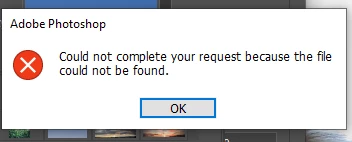
Is the error I get. Thanks!

This topic has been closed for replies.
Correct answer Guotong

Sorry for the inconvenience again. Please try the following to restore your default sky presets:

1) Open Sky Replacement, multi-select all the presets and folders, and then delete them. You should see an empty view on the preset panel now. Then close Sky Replacment by clicking "OK".

2) Reopen Sky Replacement. You should see all the default sky presets shown again.

3) If this still does not work, you might have to reset your preferences, and relaunch Photoshop. Then reopen Sky Replacement. You should see all the default sky presets shown again.


Please let us know if this works for you. Meanwhile, we are working on the fix for this issue, and it should be available very soon.

6 replies

Participant
April 22, 2021

same with me


Participant
April 8, 2021

Thank you so much . It worked 


kzaskey
Participant
February 2, 2021

This worked for me as well. Much appreciated. Thank you. 

Peru Bob
Community Expert
Community Expert
January 2, 2021
DavidMatos
Inspiring
January 2, 2021

Same here, out of thin air.

Selecting and deleting everything as suggested by @Guotong worked for me, thanks for the workaround.

Adobe Employee
October 27, 2020

Hi Dan,


Thank you for your feedback. First of all, could you please provide some more details on how the crash happened, e.g. did it happen when you were selecting a sky preset, or when you were adjusting a slider on the sky replacement dialog? We'd really appreciate if you could let us know more about it so we could fix the crash as soon as possible.


Regarding the error you get after the crash, I think it is likely that your default sky presets files got damaged due to the crash. Here is a way to recover all the default sky presets for you:

Open Sky Replacement, open the sky presets view, click the small icon on the top right corner, and select "Append Default Skies...". All the default sky presets should be appended at the end of your presets list. You can now delete all the old default sky presets folders in the list. 


Please let us know if there is any problem.


Thank you again.


Guotong

Participant
November 2, 2020

same problem, did what you daid, but it still gives the same message


GuotongCorrect answer
Adobe Employee
November 3, 2020

Sorry for the inconvenience again. Please try the following to restore your default sky presets:

1) Open Sky Replacement, multi-select all the presets and folders, and then delete them. You should see an empty view on the preset panel now. Then close Sky Replacment by clicking "OK".

2) Reopen Sky Replacement. You should see all the default sky presets shown again.

3) If this still does not work, you might have to reset your preferences, and relaunch Photoshop. Then reopen Sky Replacement. You should see all the default sky presets shown again.


Please let us know if this works for you. Meanwhile, we are working on the fix for this issue, and it should be available very soon.