

Answered
Deleting a Layer Mask Gets Me Into Trouble
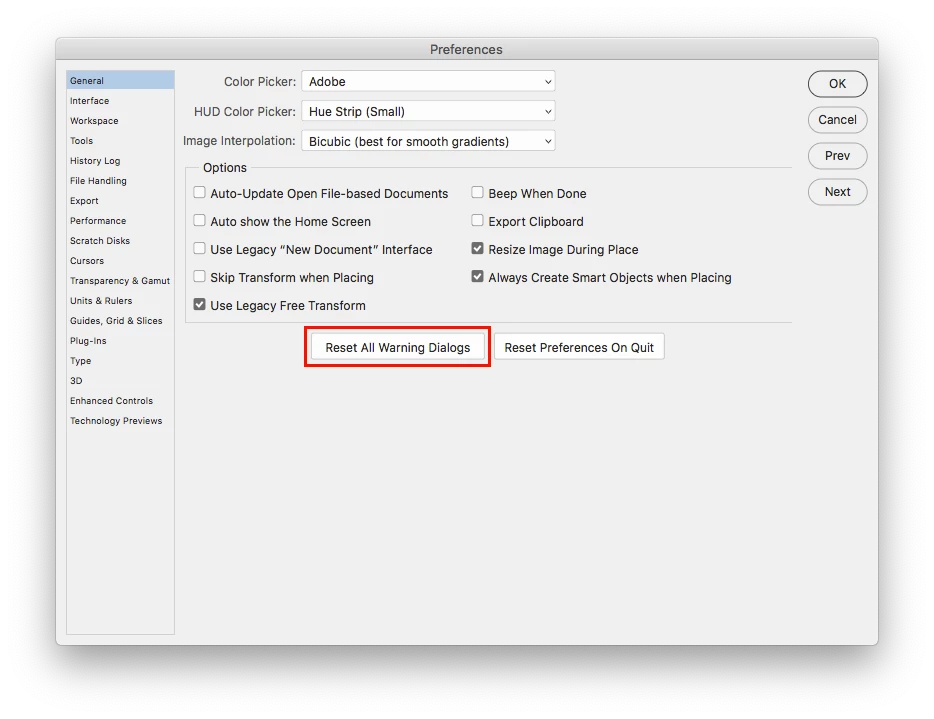
Ok I have a little problem. One day I was deleting a layer mask via the layers tab window. I dragged the mask to the trash symbol, then I got a pop-up, asking if I wanted to apply the mask before I deleted it. There was of course a little checkbox in this window for "Do not show this notice again." Well, I checked it. I shouldn't have, because now whenever I delete a mask, it automatically applies the mask to the layer.
How do I go back to unchecking the "Do not show this again" thing?
Thanks.


 AdChoices