Inspiring
September 20, 2025
Answered

Deleting obsolete Photoshop

  • September 20, 2025
  • 2 replies
  • 503 views

I have 2 copies on my PC, 2024 and 2025, and have tried a number of times to delete the 2024 copy.

But failed.

All the Unistall command seems to do is open Creative Cloud Desktop.  I do not want to create something. I want to destroy Photoshop 2024.

How can this be achieved?

Correct answer D Fosse

Ged

Thank you. But

I have run the CC cleaner tool and am now trying to re-install the various programs.

It seems stuck at
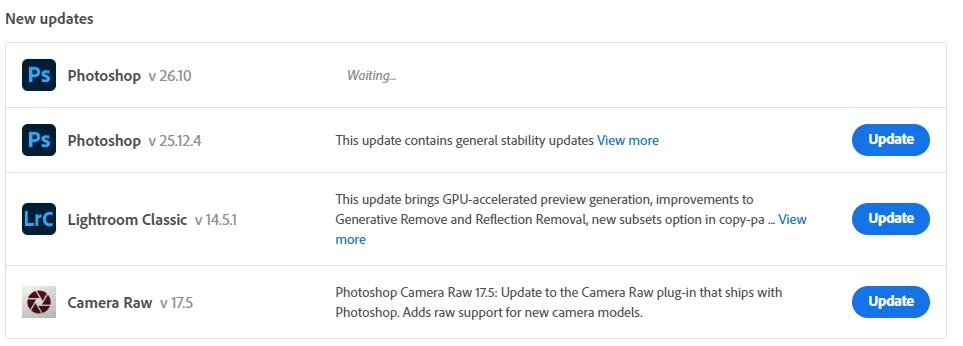
 

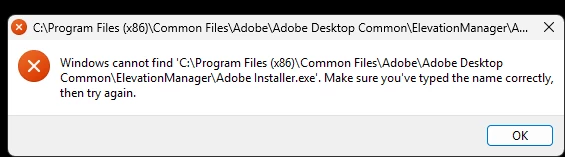
The error message I saw previously still pops up
 

And in AppData\Roaming\Adobe

I can see 3 instances of Photoshop present



The cleaner does not seem to have done a good cleaning job.

Velson


First of all, the folder AppData\Roaming\Adobe is not the installed program files. These are your preferences/settings/configuration, located in your user account. If these folders are deleted, which they can, the application is still installed, but it removes the settings and reverts the application to to clean factory state. The installed program files are not here, but in the main folder "Program Files".


Sign out of the CC desktop app and sign back in. This forces a rescan of all installed applications.


Then go here:
2 replies

D Fosse
Community Expert
Community Expert
September 20, 2025
quote

All the Unistall command seems to do is open Creative Cloud Desktop.


By @CVHManchester


Yes, that's what it's supposed to do.


The CC desktop app is the application manager for all applications. It handles all installs, uninstalls and updates. Do not attempt to do any of those outside the CC app.

Inspiring
September 20, 2025

Thank you but

I clicked on the ellipsis on Photoshop v 25.12.3 (which I assume is Photoshop2024).

The Uninstall button was greyed.

After a minute or 2, it went black, so I clicked it.

This came up with a Photoshop preferences box [why can I not copy and paste text from the box?]

I choose Remove .

The message below Photoshop v 25.12.3 was

Waiting and is now Update available

How do I presuade Adobe that I want it deleting?

I have been round this loop about 5 times

Inspiring
September 20, 2025

An error keeps coming up right in the middle of my work window (I am marking student scripts). Why does Adobe think it has the right to interfere so annoyingly with my work?:

But the directory (surprise) does not contain it:


Per Berntsen
Community Expert
Community Expert
September 20, 2025

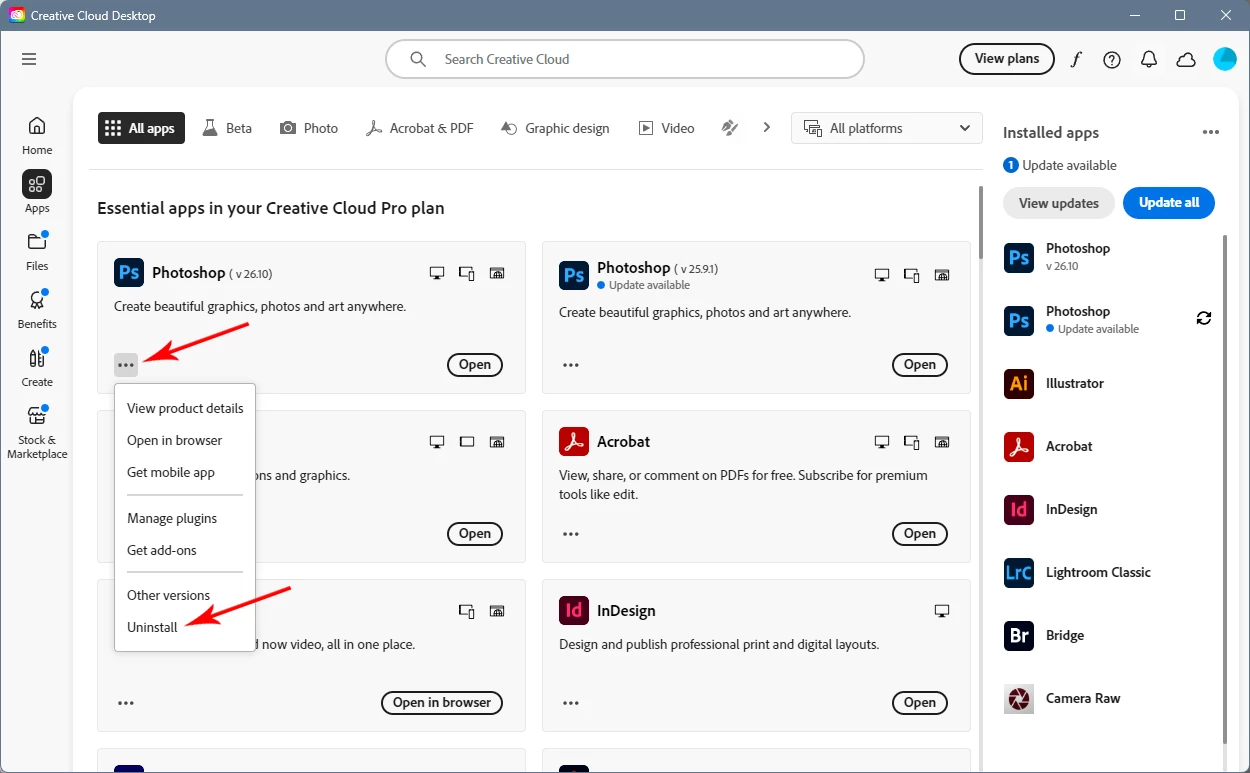
Uninstalling is done with the CC Desktop app.

Click the three dots and choose Uninstall from the menu.

