Answered
Depthmap feature for PHotoshop
Dear all. I see a feature like 'Depthmap' in Lightroom, so we can make someone focus and the other blur automatically. But i don't see that feature in photoshop. Where is it?
Thanks all.

Dear all. I see a feature like 'Depthmap' in Lightroom, so we can make someone focus and the other blur automatically. But i don't see that feature in photoshop. Where is it?
Thanks all.
It sounds like you are talking about the Lens Blur early-access feature in Lightroom. You might have noticed that the panels and menu commands in Lightroom and Photoshop are very different, because Lightroom is a parametric raw editor and Photoshop is a pixel level editor. For this reason, Lens Blur does not appear in the Photoshop menus or panels.
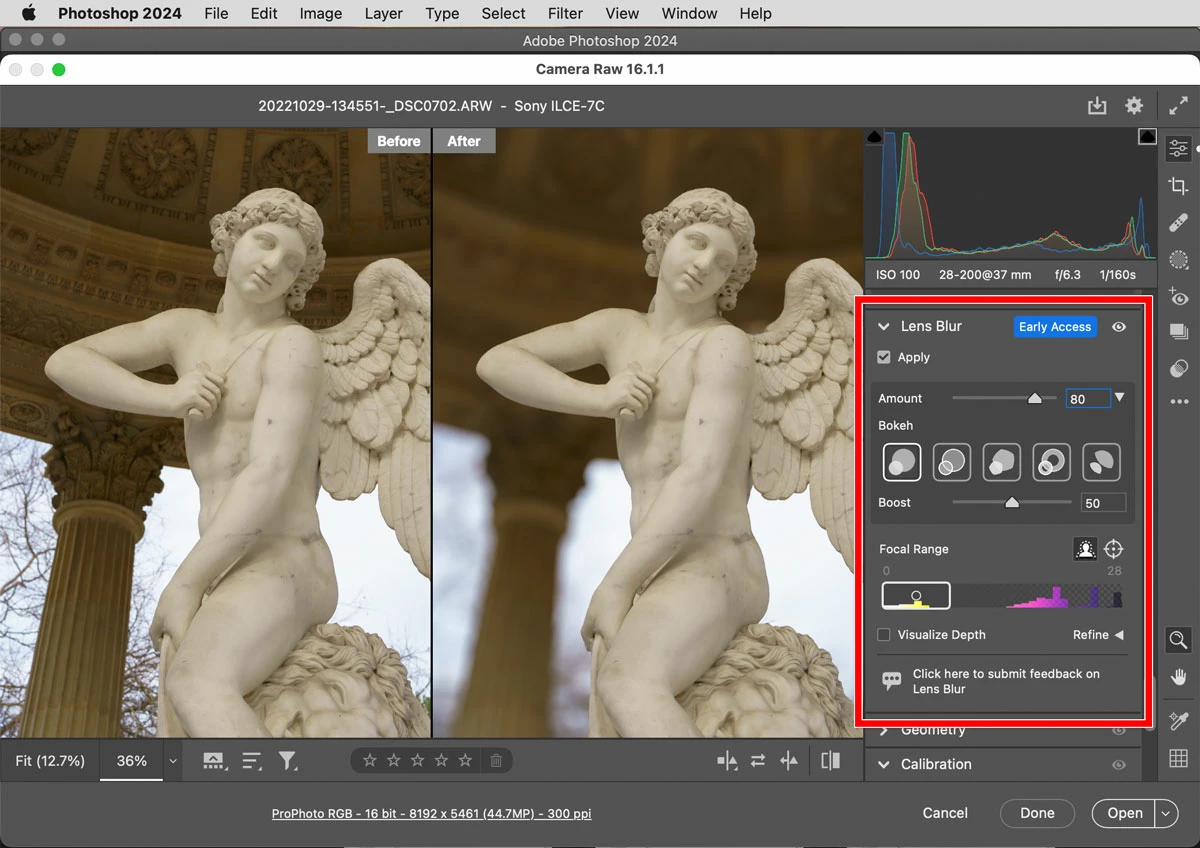
But, you do have two different ways to do it in Photoshop. One is by getting to the same Lens Blur feature inside Adobe Camera Raw, which comes with Photoshop. If the format of your original file can be opened into Photoshop through the Adobe Camera Raw plug-in, do that. If its format cannot be imported through Camera Raw, then instead open it in Photoshop and apply Camera Raw as a filter (choose Filter > Camera Raw Filter). Either way, you will find Lens Blur as an expandable panel on the right, similar to Lightroom Classic.
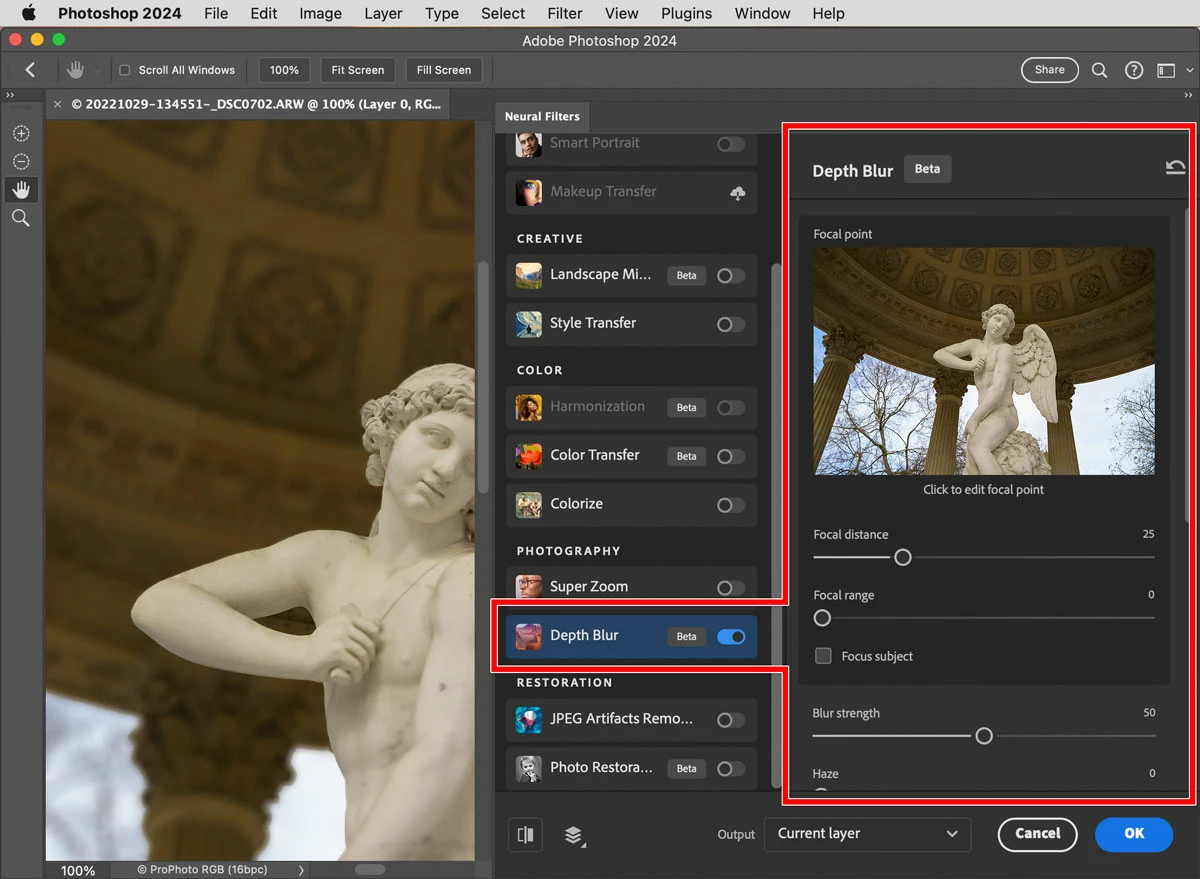
The other way, which is a little older, is to choose Filter > Neural Filter and then enable Depth Blur.
Already have an account? Login
No account yet? Create an account
Enter your E-mail address. We'll send you an e-mail with instructions to reset your password.


 AdChoices