


Participant
January 15, 2022
Answered

DETAILS ON THE FONT WONT SHOW

  • January 15, 2022
  • 3 replies
  • 475 views

I tried installing a font which has a brush effect on the font. But when I tried to use it in the photoshop it doesn't look exactly like that. 
This is how it looks like in word document
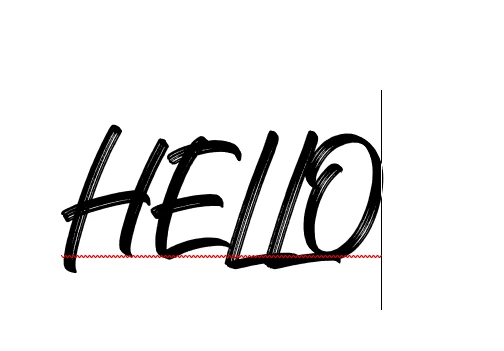
But this one is on photoshop 2022
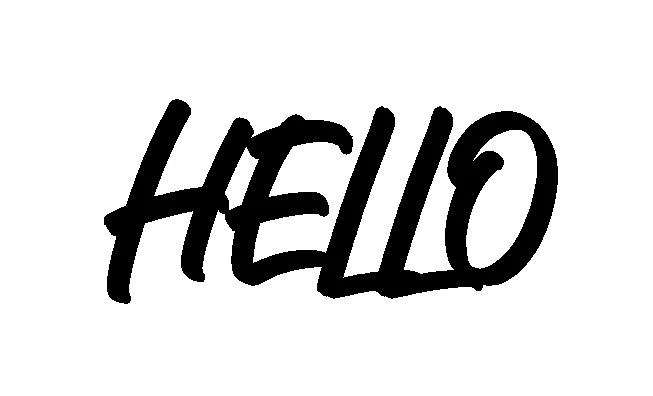
The font didn't retain the brush effect of the font and I tried installing and reinstalling still it doesn't match the font. Hope someone can help.
This topic has been closed for replies.
Correct answer Jemina226688729tqf

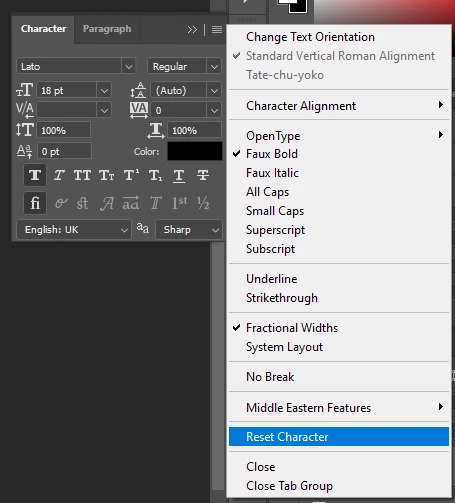
Thank you all for the help. But I did uninstall the photoshop and it works but after a few days the issue went back. The only solution I saw is reset character. I think this is temporary solution for this issue. 


3 replies

c.pfaffenbichler
Community Expert
Community Expert
January 17, 2022

What is the Anti-aliasing setting (see the Options Bar)? »None«? 

Jemina226688729tqfAuthorCorrect answer
Participant
January 24, 2022

Thank you all for the help. But I did uninstall the photoshop and it works but after a few days the issue went back. The only solution I saw is reset character. I think this is temporary solution for this issue. 


c.pfaffenbichler
Community Expert
Community Expert
January 25, 2022

What is the Anti-aliasing setting (see the Options Bar)? »None«? 

Could you please post a screenshot taken at View > 100% with the pertinent Panels (Toolbar, Layers, Character, Options Bar, …) visible? 


Likes

 
c.pfaffenbichler
Community Expert
Community Expert
January 17, 2022

Could you please post a screenshot taken at View > 100% with the pertinent Panels (Toolbar, Layers, Character, Options Bar, …) visible? 

Ranjisha Sengupta
Legend
January 17, 2022

Hi there,

Thanks for reaching out. We understand that you are seeing a different result for a font.

Since when are you seeing this issue? What is the document's pixel aspect ratio? Would you mind DMing us the font so that we can try and check it on our end? Please go to Photoshop, Help> System Info copy and share it with us.


Please check this article for troubleshooting font-related issues in Photoshop: https://helpx.adobe.com/photoshop/kb/troubleshoot-fonts-photoshop.html


Let us know if that helps.


Regards,

Ranjisha