


frankw78750162
Inspiring
Oct 21, 2026 10:11 AM UTC
Question

Different Colors in Photoshop and “Save for Web...”

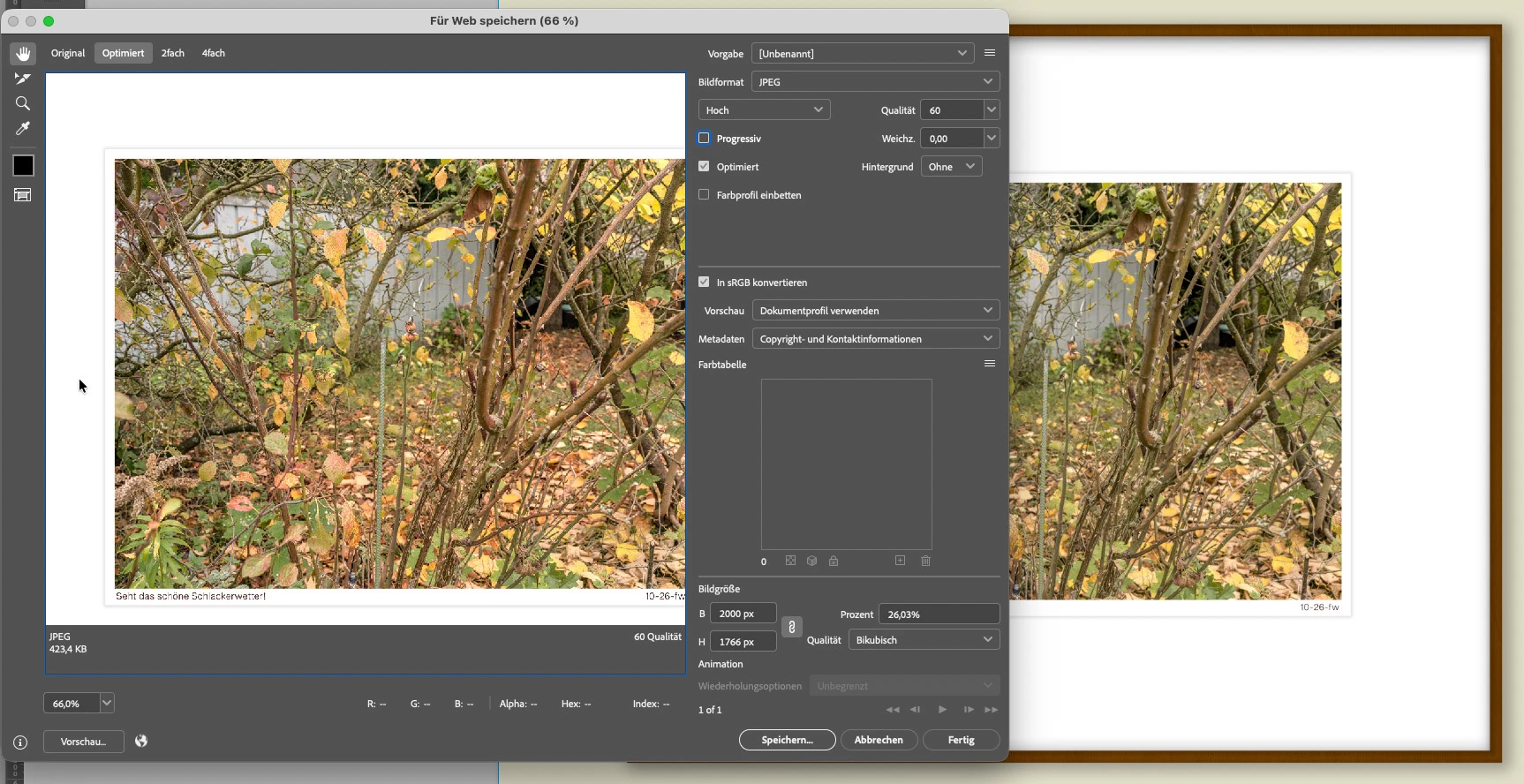
Although the color space is the same (sRGB IEC61966-2.1), the image in the web version—at least in the web settings window—is noticeably warmer (see screenshot).

Can this be adjusted for the preview window?

Photoshop 27.10.0

macOS 26.3.2 (25D2140)


    3 replies

    NB, colourmanagement
    Community Expert
    Community Expert
    Oct 21, 2026 3:08 PM UTC

    ​@D Fosse absolutekly, missing an embedded profile effectively disables colourmanagement 

    Translate
    D Fosse
    Community Expert
    Community Expert
    Oct 21, 2026 11:12 AM UTC

    You’re not embedding the sRGB profile. That’s the explanation.

    Converting to sRGB is no help if the sRGB profile isn’t there. Then the opening application doesn’t know it’s sRGB.

    By the looks of it, this is treated as Display P3, which is what you get when sending untagged numbers straight to a Display P3 screen.

    Translate
    NB, colourmanagement
    Community Expert
    Community Expert
    Oct 21, 2026 10:37 AM UTC

    Have you tried saving and opening the “saved for web” version in Photoshop and check appearance.

    The Save for Web dialog in Photoshop apparently disables color management by default to simulate how untagged images appear in non-color-managed web browsers. Which only aplies to your own particular display type,of course.

    ​@D Fosse  gave some useful tips here in a conversation a couple of years back: 

    I hope this helps

    neil barstow colourmanagement - adobe forum volunteer,
    colourmanagement consultant & co-author of 'getting colour right'

    See my free articles on colourmanagement online
    Help others by clicking "Correct Answer" if the question is answered.

    Found the answer elsewhere? Share it here. "Upvote" is for useful posts


    Translate