YiChen C
Participating Frequently
December 19, 2025
Answered

Difficult object to change background color from black to white & remove black reflection

  • December 19, 2025
  • 1 reply
  • 276 views

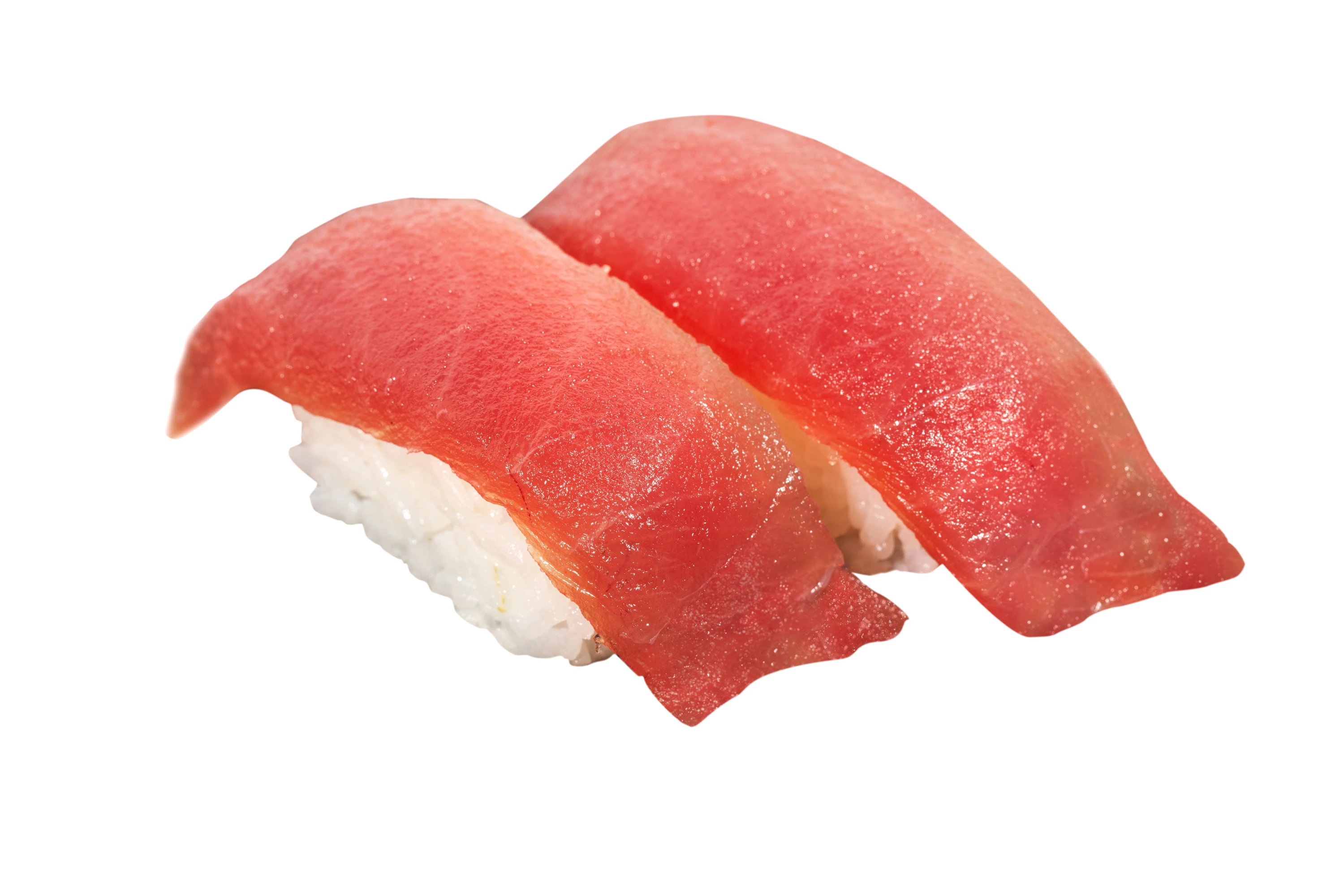
Hi, the task is to change a nigiri sushi plated on a black plate and change it to a white background. The issue I have is the ending of tuna nigiri is thin and transparent and it catches the dark reflection from the black plate, which making it difficult to retain that detail while changing background color to white.  I'm seeking help to see if there is a way to change background color of a nigiri sushi on a black plate to a white background while preserving the details?


I made a edit to remove the semi transparent part but the payor said it was not realistic. The photo is being used on website menu board and print menu. 


Concerns: 1. the dark reflection from the black plate (making the look not fresh) 2. ending flesh touching black plate requies preservation of details


😭Thank you so much! 
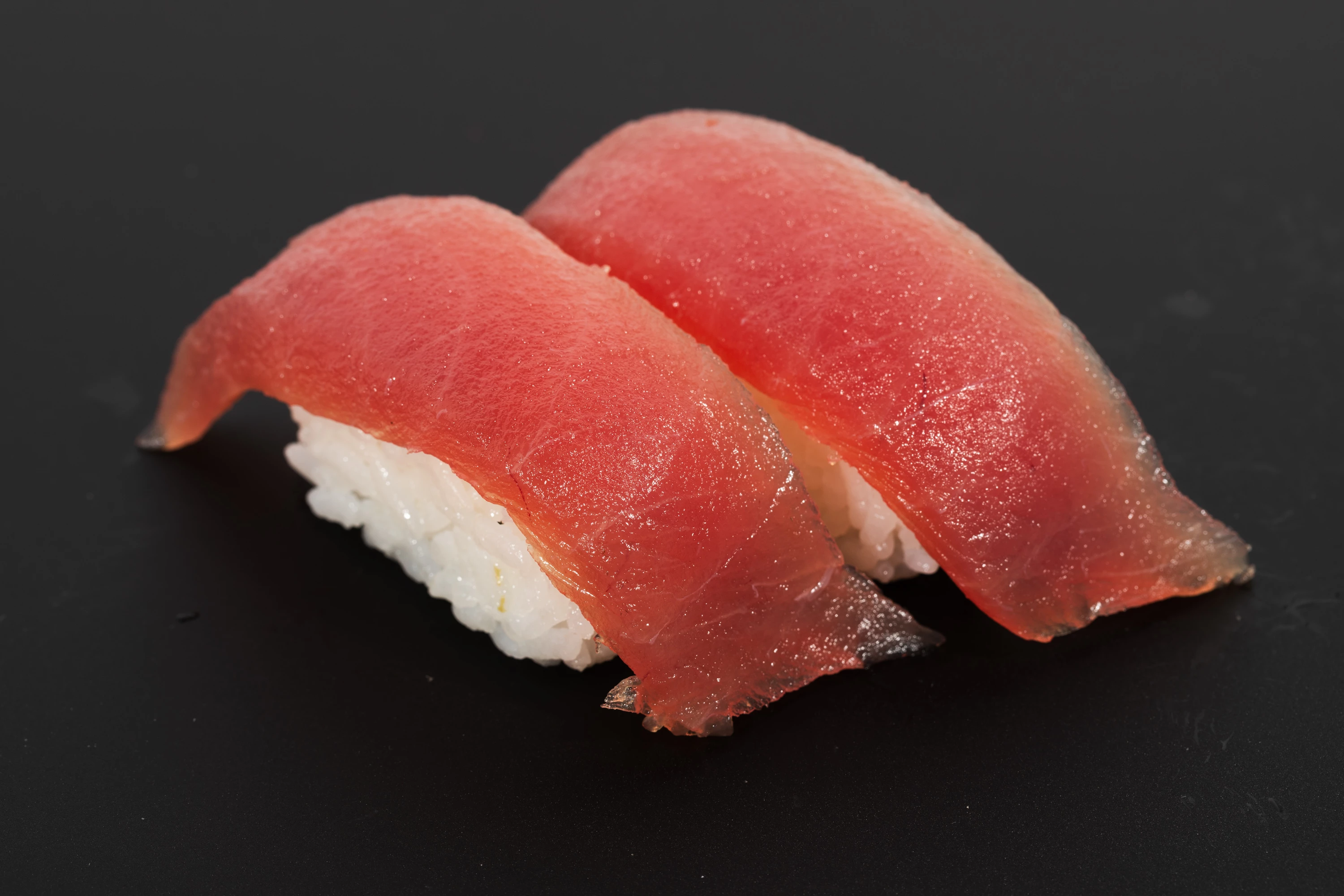
 

EOSR8800.jpgEOSR8800-Edit.jpg

Correct answer D Fosse

This is nowhere near as easy as you'd think. It's not so much "black" reflection as it is the absence of white reflections. And not just reflection, but general light spill, including around all contours. Lots of lightening still required here, especially at the base where you really need to crank it up.


And then you have the translucent bits of tuna on the plate. That's really tricky and you need to simulate this. Maybe even an inverted layer in Luminosity blend mode, brushed in, with manual recoloring afterwards.


Finally, a very slight thin shadow to make it "sit" on the plate.


In short, not undoable, but be prepared for a lot of work if you want it to be realistic.


And now I'm sure someone will rush along with AI suggestions, which I would never touch 😉 This could be a good opportunity to learn a bit about how light behaves.

1 reply

D Fosse
Community Expert
D FosseCommunity ExpertCorrect answer
Community Expert
December 20, 2025

This is nowhere near as easy as you'd think. It's not so much "black" reflection as it is the absence of white reflections. And not just reflection, but general light spill, including around all contours. Lots of lightening still required here, especially at the base where you really need to crank it up.


And then you have the translucent bits of tuna on the plate. That's really tricky and you need to simulate this. Maybe even an inverted layer in Luminosity blend mode, brushed in, with manual recoloring afterwards.


Finally, a very slight thin shadow to make it "sit" on the plate.


In short, not undoable, but be prepared for a lot of work if you want it to be realistic.


And now I'm sure someone will rush along with AI suggestions, which I would never touch 😉 This could be a good opportunity to learn a bit about how light behaves.

YiChen C
YiChen CAuthor
Participating Frequently
December 21, 2025

Hi, D Fosse,

Thank you very much for your prompt reply! I wasn't familiar with luminosity blend mode but managed to learn it and use it on this image. Luminosity and some clone stamp & color help the photo look closer to the original image, not 100% perfect but definitely better result.  Adding subtle shadow absolutely helps (though initially they want a clean cut out photo. I'm telling them how shadow enhance the look to be more realistic.

Again, thank you!