Caio33707139vzax
Participant
March 20, 2025
Answered

Displacement Map

  • March 20, 2025
  • 2 replies
  • 399 views

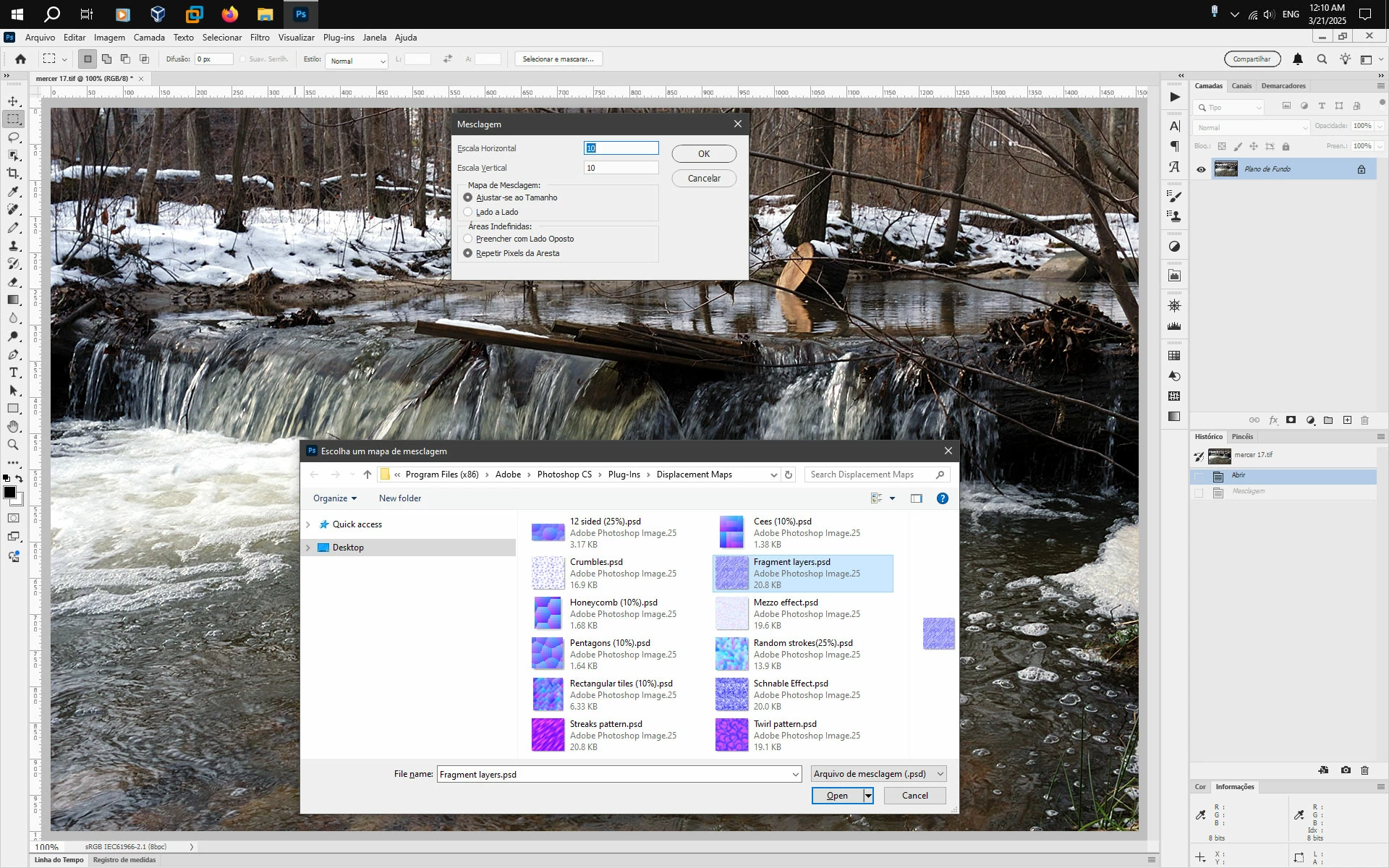
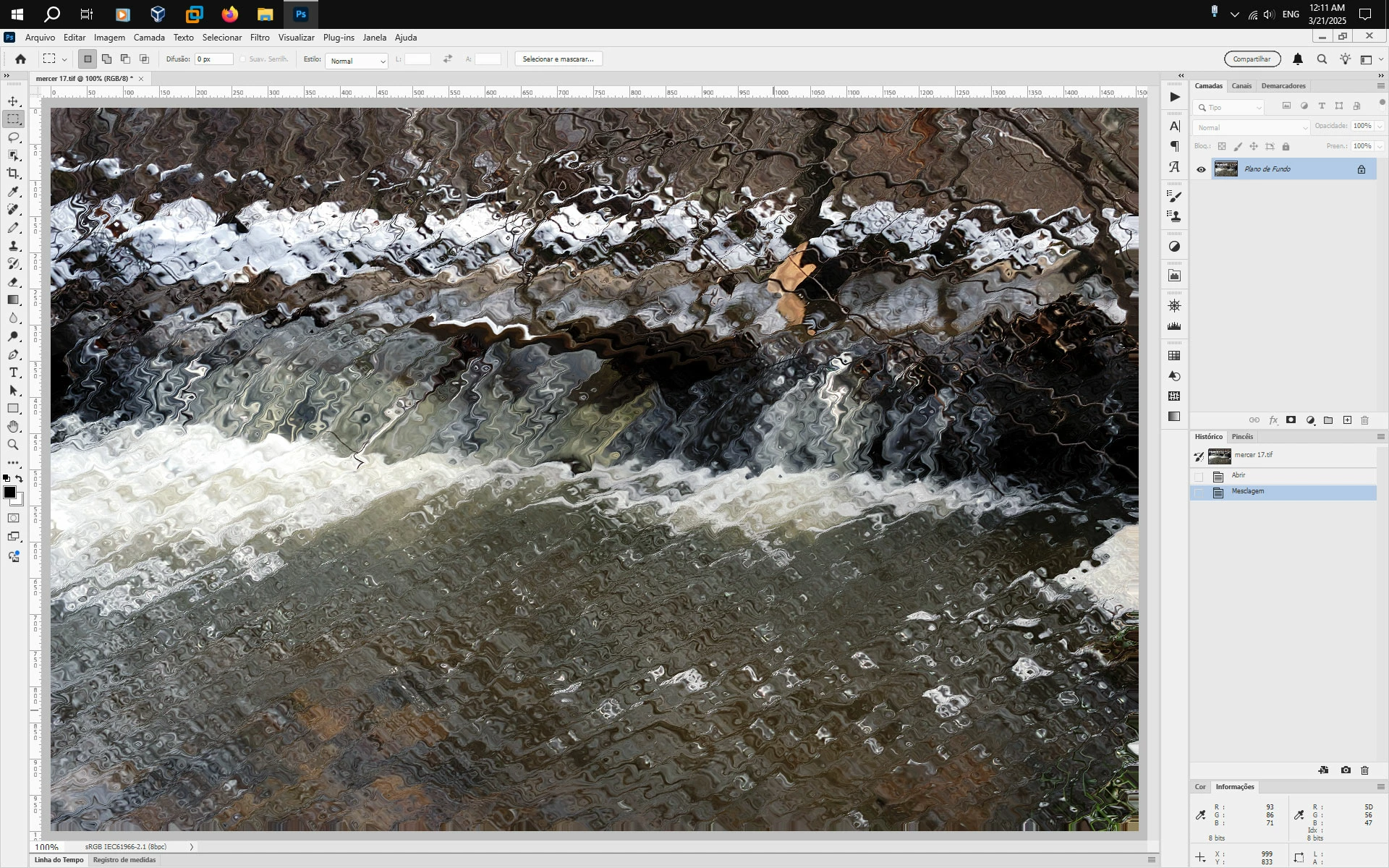
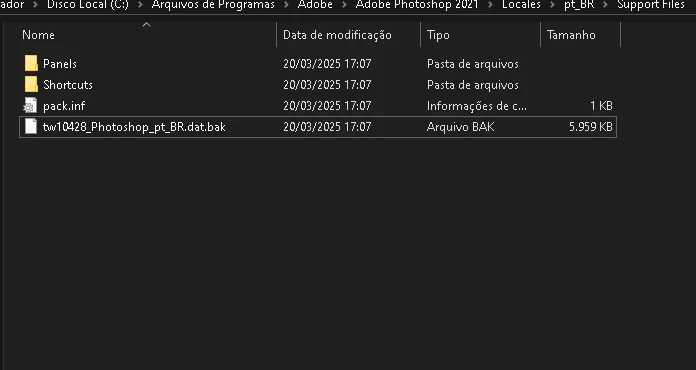
Hi guys, a discovered a bug in photoshop for those who use the Portuguese (Brazil) language system, if you are using that language, you cannot use the displacement map, i've tried use this in Photoshop 2024, 2025, and now on 2022, and any of those isn't working. The solution is rename the file .dat (inside the Adobe Photoshop > Locales > pt_BR > Support Files), adding .bak in the end, to change to English language, and it will work correctly, i find this solution by myself, so please share this to Adobe fix it immediatly. (Windows 10)
Correct answer Jeff Arola

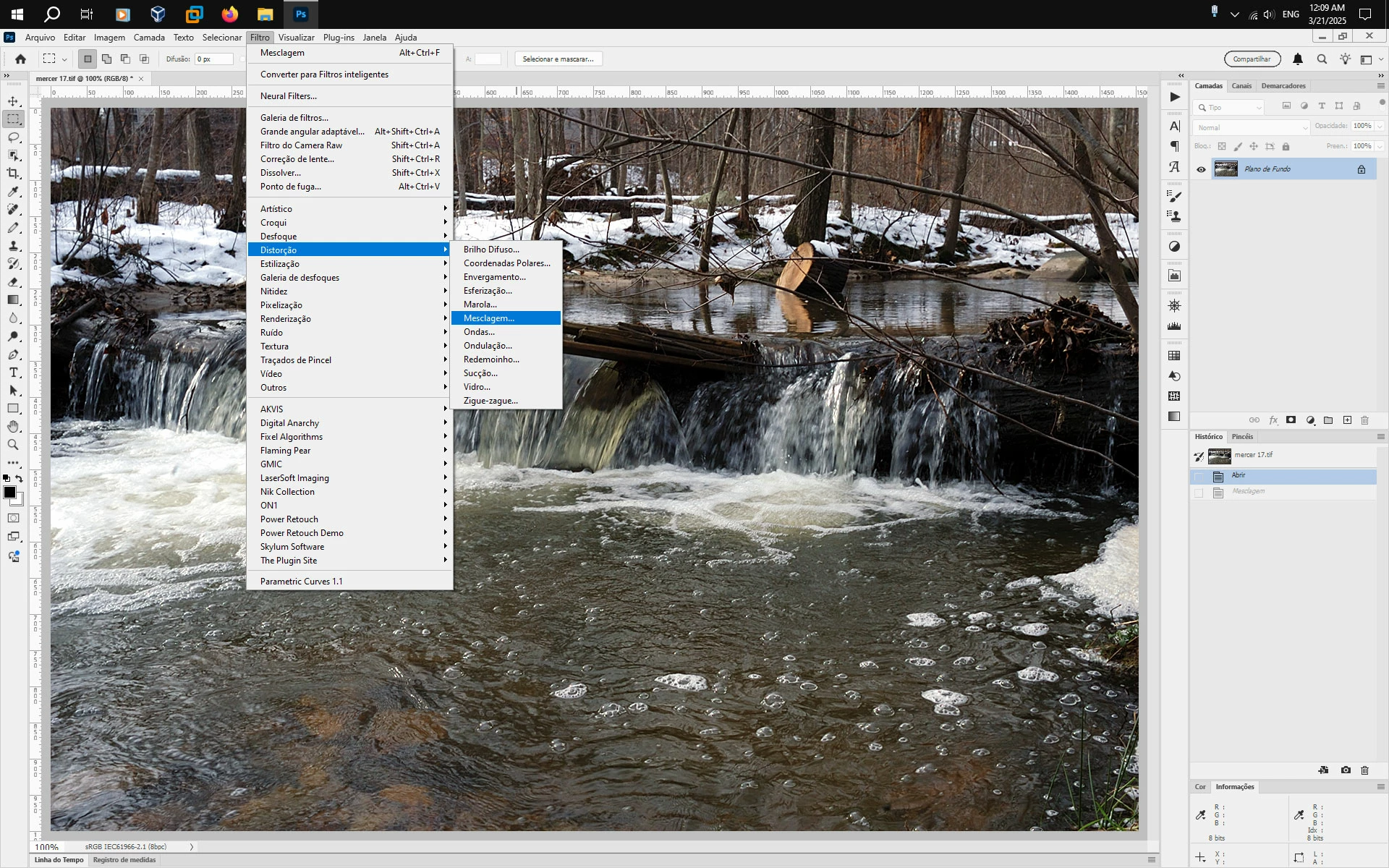
With the Photoshop language set to Portuguese (Brazil) what happens when you go to

Filtro>Distorção>Mesclagem?


On Windows 10 with Photoshop 2025 (ps ver 26.4.1) set to Portuguese (Brazil) language, the Displacement filter seems to work.


2 replies

Caio33707139vzax
Participant
March 21, 2025

Yeah, it works, thanks, i guess, is maybe a translate error ? Because displacement would fit better with "Deslocamento", than "Mesclagem" in Portuguese (Brazil) , but anyways, thanks a lot for the help Jeff.

Jeff Arola
Community Expert
Jeff ArolaCommunity ExpertCorrect answer
Community Expert
March 21, 2025

With the Photoshop language set to Portuguese (Brazil) what happens when you go to

Filtro>Distorção>Mesclagem?


On Windows 10 with Photoshop 2025 (ps ver 26.4.1) set to Portuguese (Brazil) language, the Displacement filter seems to work.