
Participant
July 11, 2024
Answered

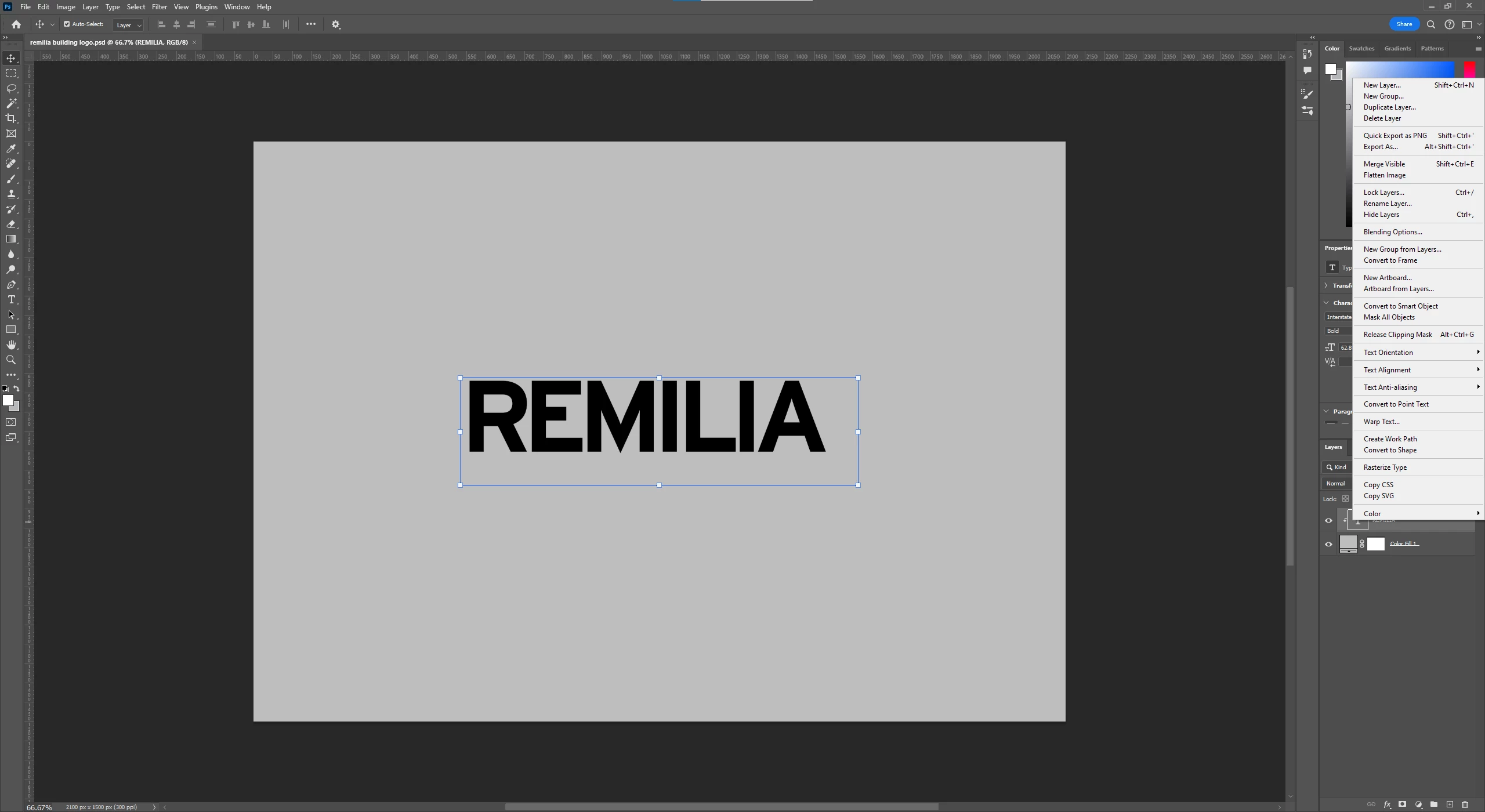
Do not have the option to make a 3D extrusion of my text
  • July 11, 2024
  • 2 replies
  • 3267 views

Hey guys,


I just got photoshop last week and I started trying to make some 3D text but I do not even have the option to do so in the menu that comes up when I right click the text layer. The mode is set to RGB color and from what I've found online this is what usually solves the issue but it has done nothing for me.


Does anyone have any tips for fixing this issue? I really appreciate the help.

This topic has been closed for replies.
Correct answer Bojan Živković11378569

3D in Photoshop has been discontinued. Here is more information on the official page https://helpx.adobe.com/photoshop/kb/3d-faq.html

2 replies

c.pfaffenbichler
Community Expert
Community Expert
July 11, 2024

edited

Bojan Živković11378569
Community Expert
Community Expert
July 11, 2024

3D in Photoshop has been discontinued. Here is more information on the official page https://helpx.adobe.com/photoshop/kb/3d-faq.html

Participant
July 11, 2024

Dang, I did not know that! Is there a way you recommend to do simple extrusions of text now that this is not an option?

Ged_Traynor
Community Expert
Community Expert
July 11, 2024

@Asa38540683syjk you can install version 22.2 which is available from the Creative Cloud app, this can be installed alongside the current version