


Double assignment of shortcut Shift + F5 in German version
In the German version of Photoshop 26.7 I see a double assignment of the short cut Shift+F5.
Normally Shift+F5 is the short cut for the "Fill..." (in German "Fläche füllen...") function. This is also how it is described in the appropriate documentation.
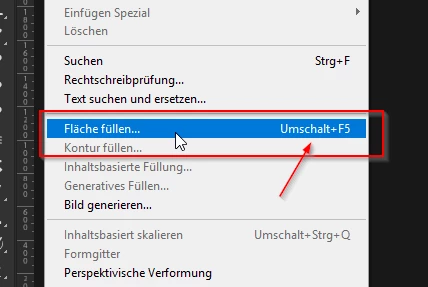
But if I press Shift+F5 the Expand... function from the Select - Modify menu will be executed. I take a look on it and found there's a appropriate action in the action set "Befehle".
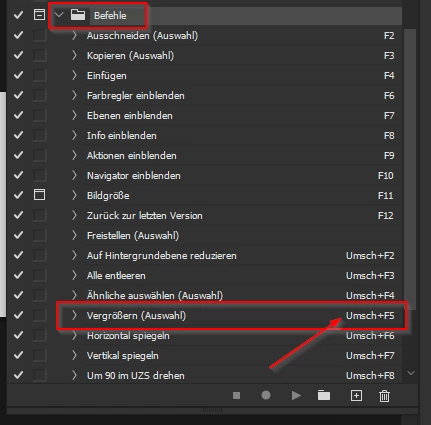
This should be a default action set because I don't import such a set.
My workaround it to delete the actions short cut and then configure in the Keyboard Shortcuts dialog the key for the Fill function.
But here I got the message "Shift+F5 can be assigned actions that override this keyboard command". I accepted the setting and it work for me.
But I think this can't be the normal behavior and should be fixed. It only affects the German version.


 AdChoices