Answered
dragging to crop does not snap to bounds
i'm using photoshop 25.3.1 and photoshop beta 25.5
when i try to crop an image by dragging the edges and the inside of the selection, it does not snap to the edges or centers of layers.

i'm using photoshop 25.3.1 and photoshop beta 25.5
when i try to crop an image by dragging the edges and the inside of the selection, it does not snap to the edges or centers of layers.
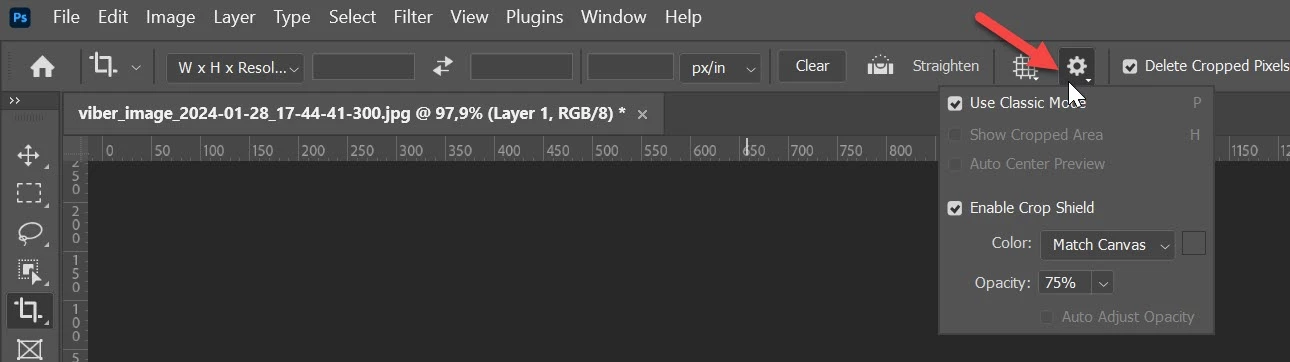
To use the classic mode, go to the Options bar and enable Use Classic Mode.
With the Crop tool, you can increase the size of the canvas. You can also go beyond the current canvas, but the tool will show and snap to the existing edges.
Already have an account? Login
No account yet? Create an account
Enter your E-mail address. We'll send you an e-mail with instructions to reset your password.


 AdChoices