
Dabatross
Known Participant
December 5, 2018
Answered

Dropdowns are backwards when using the main menu

  • December 5, 2018
  • 1 reply
  • 725 views

Out of nowhere the dropdown menus for when you're selecting something from the top bar are backwards now. I thought it might be a bug with my specific computer but then I tried to use photoshop at home and the same thing happened. I attached a screenshot.
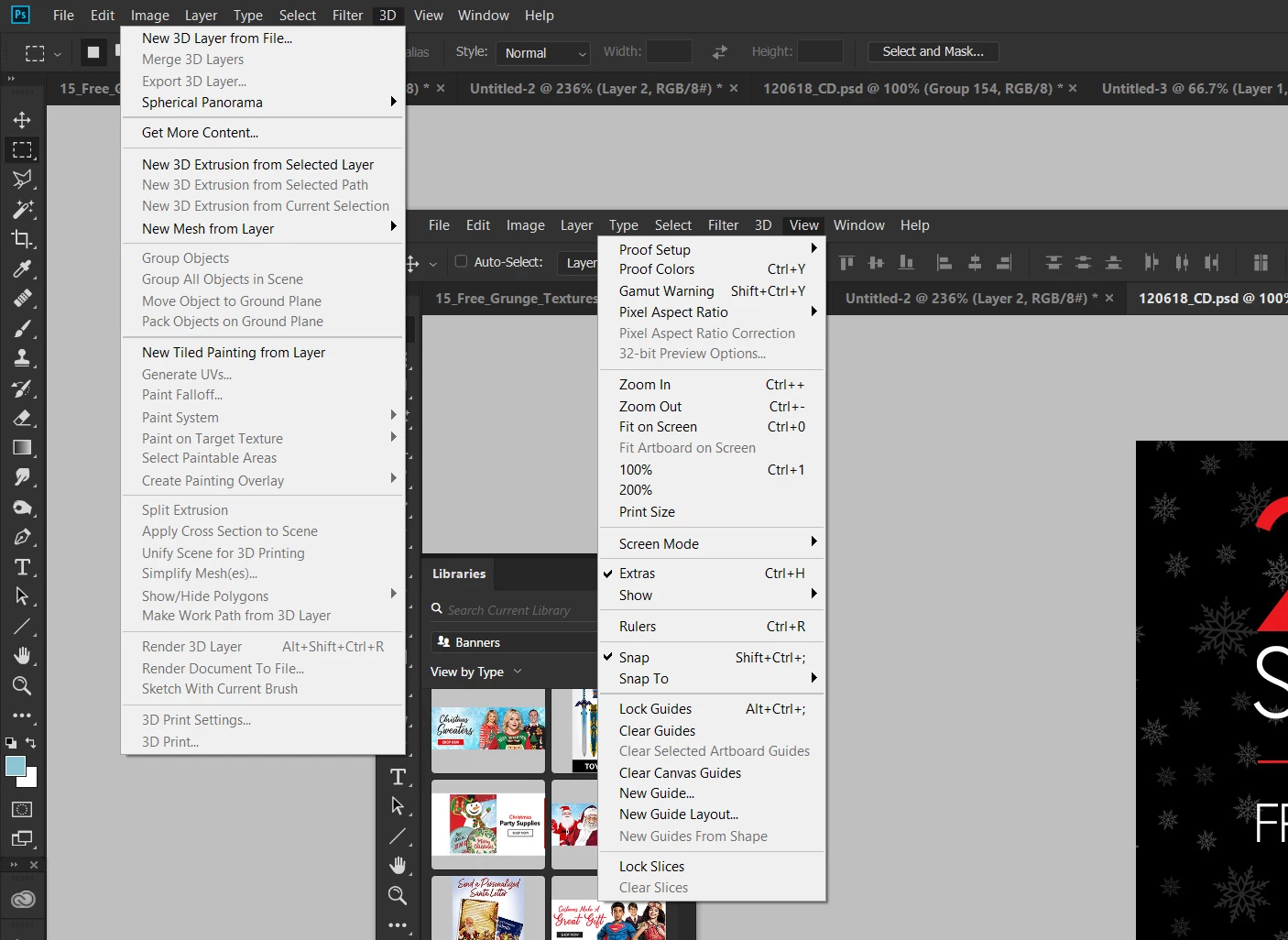
Anybody know why this is happening?
    This topic has been closed for replies.
    Correct answer

    Hi

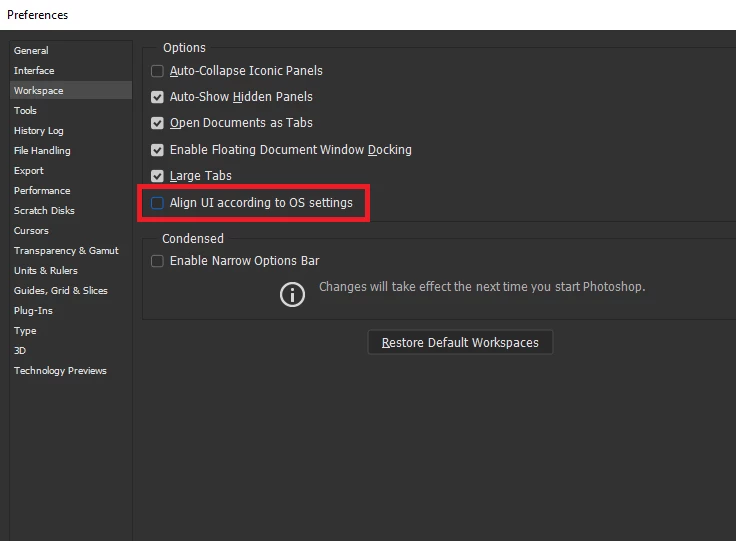
    Check to see if this option is enabled in preferences, if it is disable it

    1 reply

    Correct answer
    December 5, 2018

    Hi

    Check to see if this option is enabled in preferences, if it is disable it

    Dabatross
    DabatrossAuthor
    Known Participant
    December 5, 2018

    Thanks, that worked, why is it doing that? I turned on this option because I wanted the interface to scale with the operating system so it was larger but then it makes all the menus backwards.

    December 5, 2018

    Hi

    You haven't mentioned what OS or version of Photoshop you have

    In Windows 10 you can change that behavior, hit the Windows key + R to bring up the run command and copy and paste the below into Open box

    %windir%\explorer.exe shell:::{80F3F1D5-FECA-45F3-BC32-752C152E456E}

    Change the setting to Left-handed, then you can enable that option in Photoshop

    For the UI scaling you should check these options

    CC2018

    CC 2019