


bellevue scott
Inspiring
February 23, 2026
Answered

Droplet Couldn't communicate with Photoshop Windows 10

  • February 23, 2026
  • 1 reply
  • 72 views

I have had this problem before but now it’s cropped up again. I’m running PS 27.4.0 on Windows 10. 

I have done this before, because old droplets work. But now I can’t seem to get new droplets to work. 

my steps: 

  1. Create droplet and save it to a dir that’s executable (/documents/adobe/droplets)
  2. Right click, go to properties, click on “compatibility tab”. Click on Run program as administrator. Then click on “Change settings for all users”.

I used to be able to get the admin icon attached to the droplet icon, like this: 
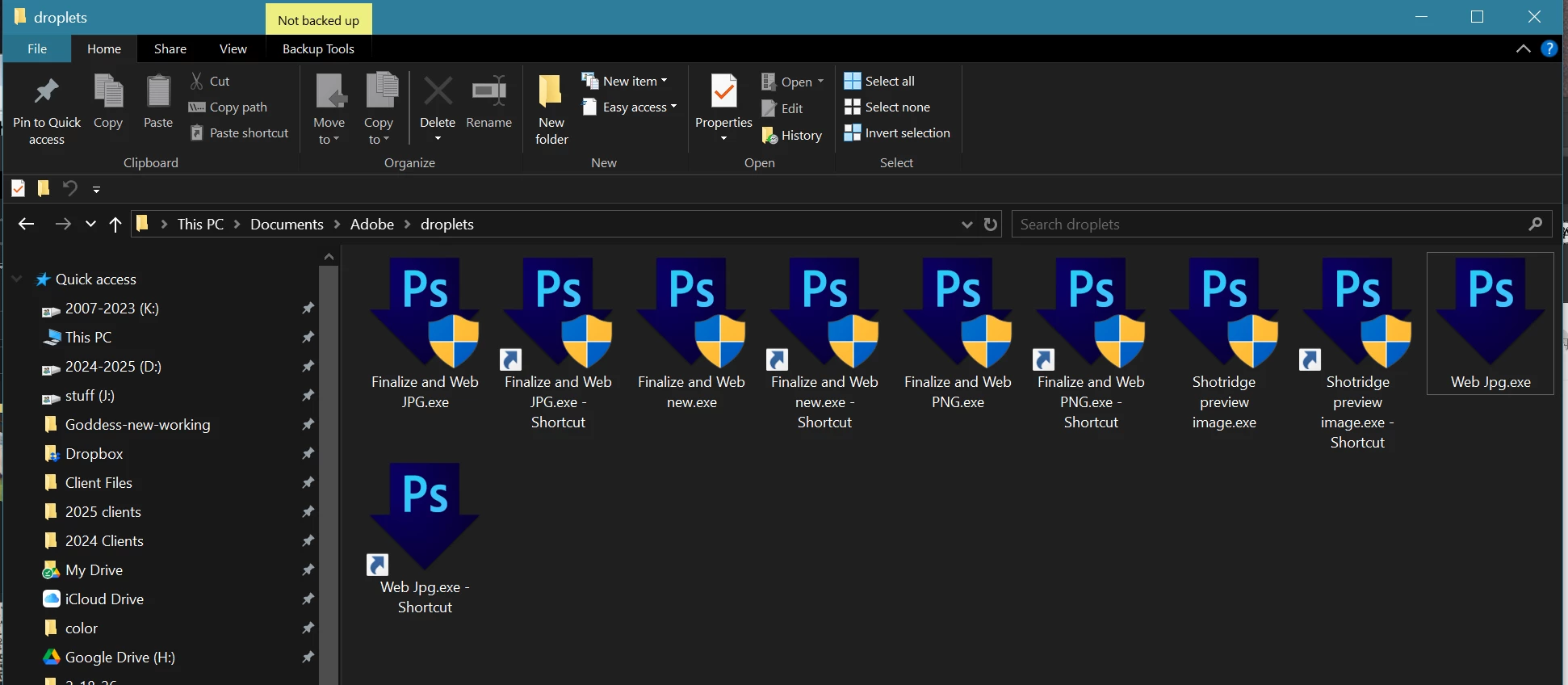
 

Now when I do this with a new droplet, it just never runs. I keep getting the error: 
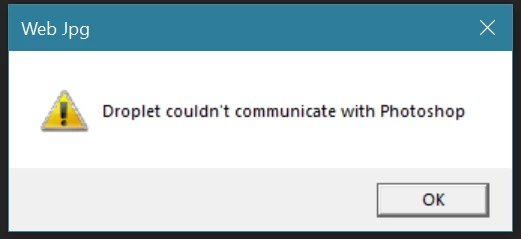


I can’t for the life of me get it to work anymore and can’t get any new droplets to run. 

    Correct answer Nancy OShea

    This could be due to a permissions mismatch at the UAC level.

    Run Both the Droplet & Photoshop as Administrator

    1. Right-click your Droplet, select Properties, go to the Compatibility tab, and check Run this program as an administrator.
    2. Do the same for the main Photoshop executable (Photoshop.exe).
    3. Restart Photoshop and try the droplet again.

    Hope that helps.


    1 reply

    Nancy OShea
    Community Expert
    Nancy OSheaCommunity ExpertCorrect answer
    Community Expert
    February 23, 2026

    This could be due to a permissions mismatch at the UAC level.

    Run Both the Droplet & Photoshop as Administrator

    1. Right-click your Droplet, select Properties, go to the Compatibility tab, and check Run this program as an administrator.
    2. Do the same for the main Photoshop executable (Photoshop.exe).
    3. Restart Photoshop and try the droplet again.

    Hope that helps.


    Nancy O'Shea— Product User & Community Expert
    bellevue scott
    Inspiring
    February 23, 2026

    Thank you so much. It turns out none of my droplets were working anymore. Before I had time to add that to this thread I saw your post. Yes, running PS as administrator as well as elevating the the droplet fixed the issue. 


    The new droplets work now too, although I’m no longer getting that admin badge attached to the icons. I’m not sure what Windows did to change, but they sure seem to be changing their security model on the fly.