Answered
Duotone options: "All ink colors must be specified."
Hello,
I keep getting this error message "All ink colors must be specified" while adjusting ink curves in Duotone options in Photoshop 2023. What am I missing?
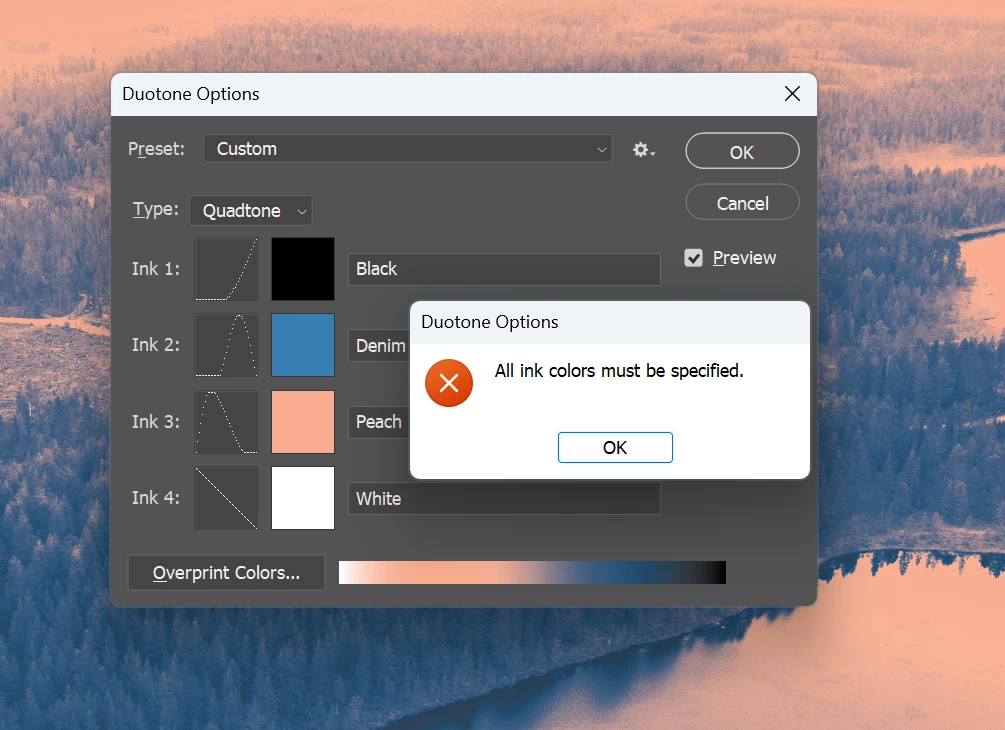

Hello,
I keep getting this error message "All ink colors must be specified" while adjusting ink curves in Duotone options in Photoshop 2023. What am I missing?
I'm having the same problem. Trying to duotone a greyscale image with a specific black (f191919) and white.
I'm having the same problem. Trying to duotone a greyscale image with a specific black (f191919) and white.
By @Howza71
You will first need to set the white as "non-pure", such as 255r255g254b (or 0h0s99b or 100L0a1b) then you will be able to OK the white colour without error. Afterwards, you can go back and edit the colour to pure white.
Already have an account? Login
No account yet? Create an account
Enter your E-mail address. We'll send you an e-mail with instructions to reset your password.


 AdChoices