Srishti_Bali
Legend
December 10, 2025
Question

Edit and finetune images with Adobe Photoshop for ChatGPT
  • December 10, 2025
  • 4 replies
  • 2641 views

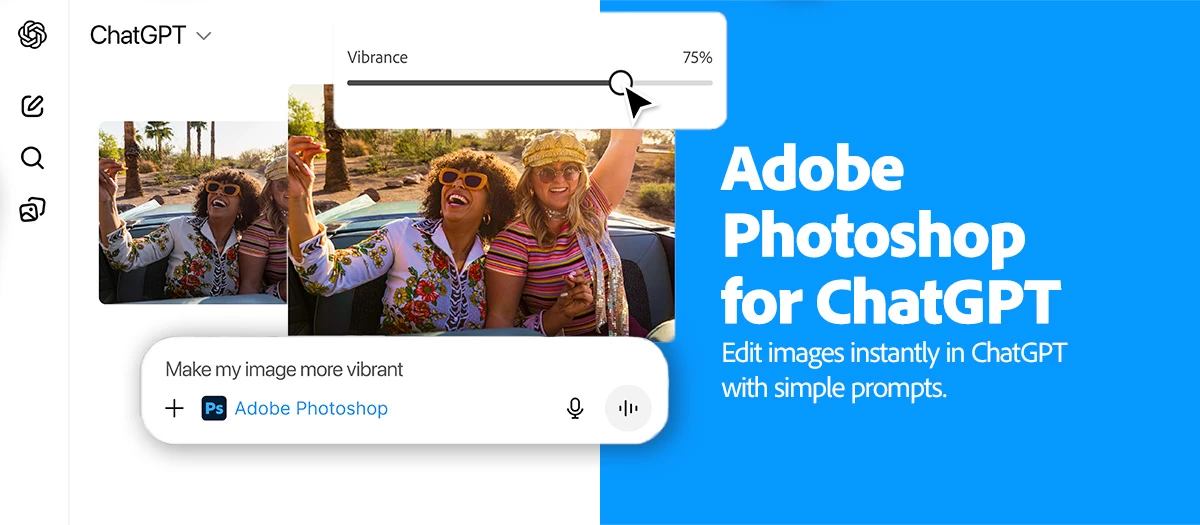
ChatGPT Banner_v2.jpg

What if I tell you that two of your favorite apps are joining forces to make image editing effortless?

Yes, you heard it right, with the new Adobe Photoshop for ChatGPT, you can enhance, adjust, and stylize images without any complicated setup. Simply describe what you want and use Photoshop's adjustments and effects in ChatGPT to bring your ideas to life. Then refine your images with intuitive sliders without leaving the conversation. Need more precision? Switch to full screen view anytime for detailed edits.  


ps_appicon_noshadow_256.png

Try Adobe Photoshop on Web

Edit, retouch, and transform photos with the industry-leading creative tools you know and love.

Feature Highlights:

Basic Image Adjustments

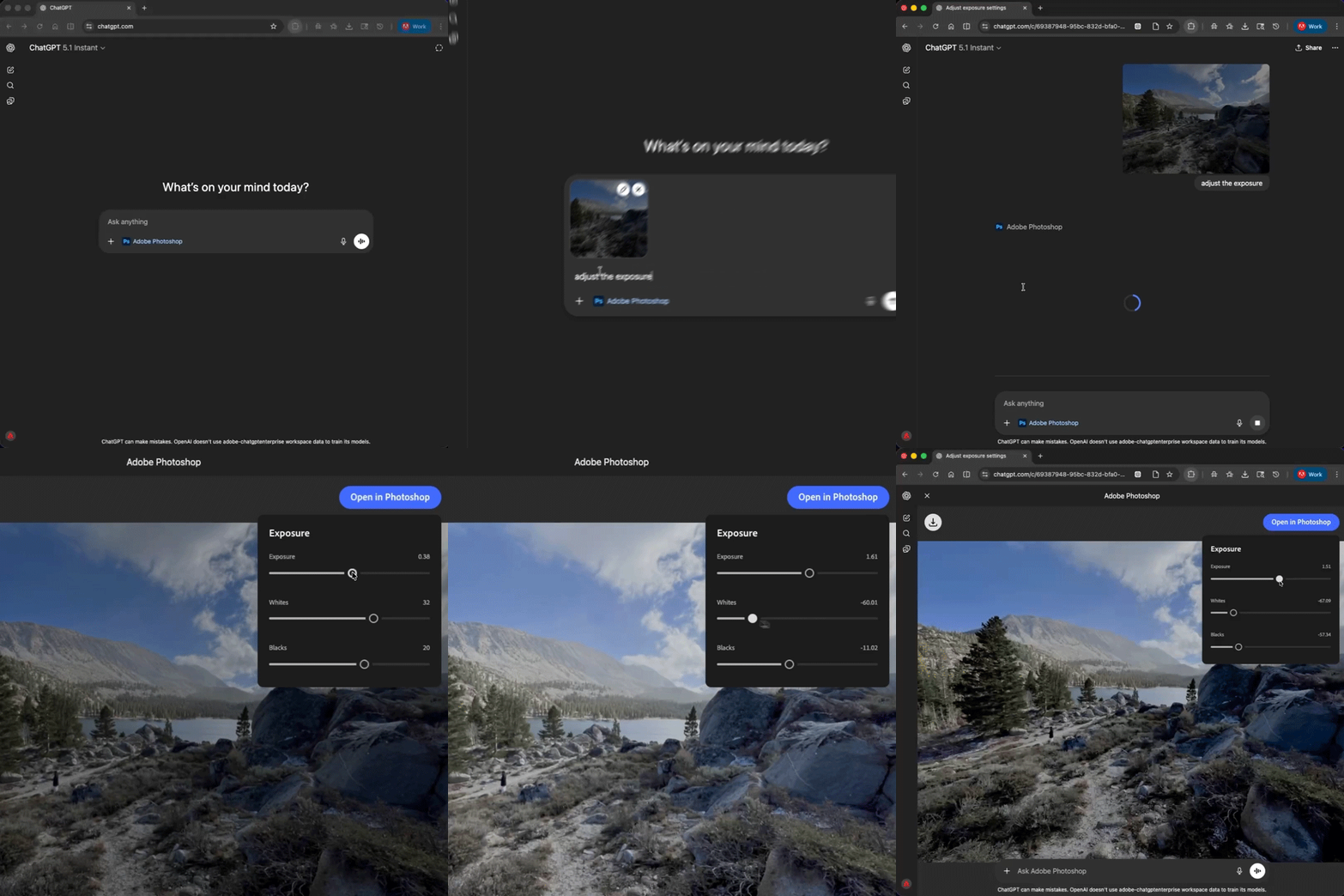
Make core image adjustments such as removing or blurring the background, lighting and color refinement, and precise control of vibrance, saturation, exposure, and contrast. 

MakeAdjustments)v2.gif


Creative Effects

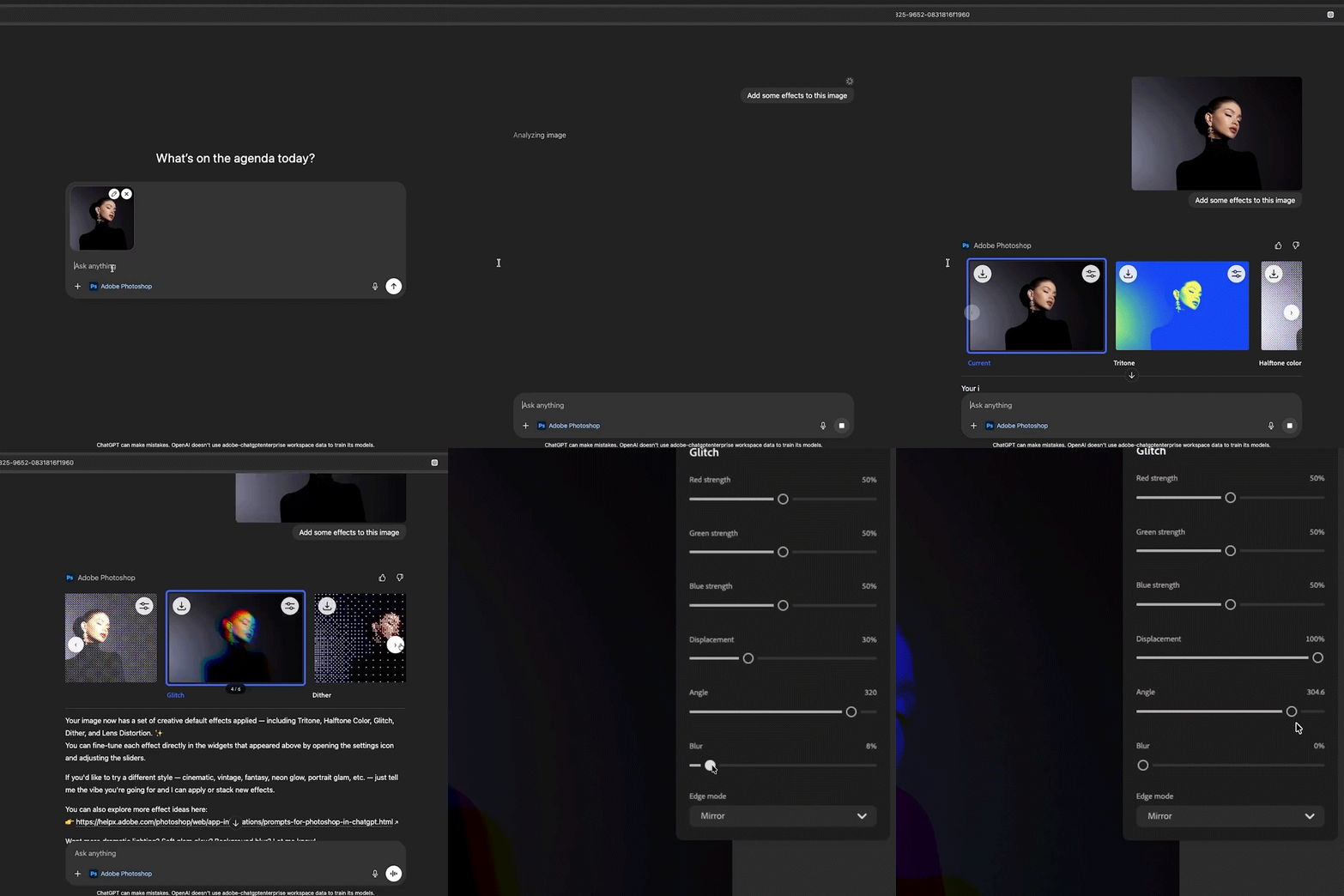
Apply creative effects like vintage and cinematic effects, motion blur, duotone, glitch, and more.  

AdditionalControl_v2.gif


Stack Adjustments & Effects

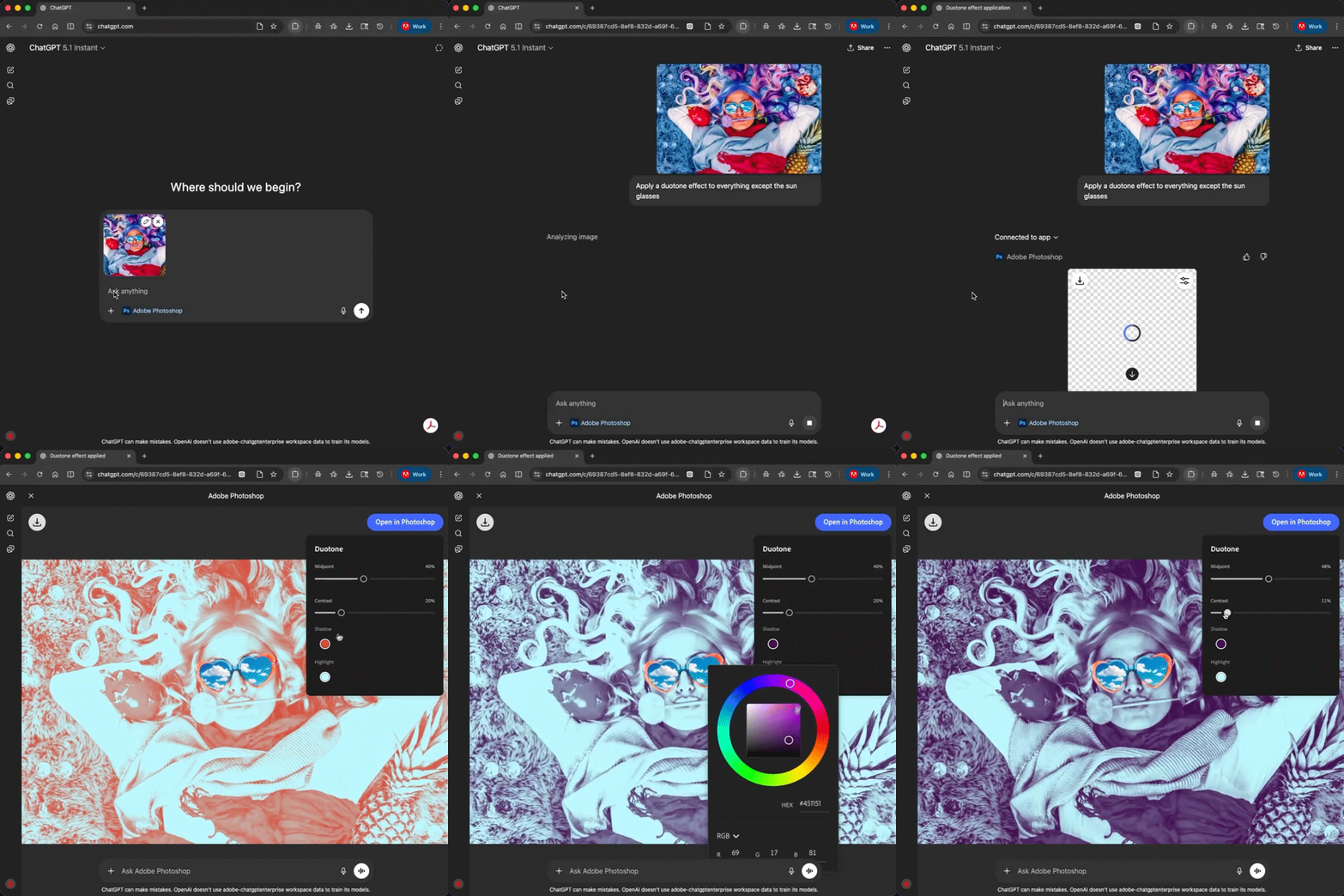
Continue prompting to layer additional adjustments and effects. 

MakeCreative_v2.gif


How to Get Started:


  • In ChatGPT, select Adobe Photoshop or start your prompt with “Adobe Photoshop …” 
    Examples: “Adobe Photoshop add creative effects to my image” or “Adobe Photoshop blurs the background.” 
  • Upload an image with your first prompt. 
  • Click on a thumbnail to enter full screen view and fine-tune adjustments and effects with sliders. 


Tips for Accurate Results:

  • Ideal for editing individual images including creative profile photos, social posts, or any image that needs quick, high-quality enhancement. 
  • Keep edits simple and sequential—apply one change at a time to see its impact while combining your edits.  
  • Use JPEG and PNG images up to 20 megabytes. 
  • Best on the latest web browsers including Chrome and Safari, and iOS 26 for iPhone.
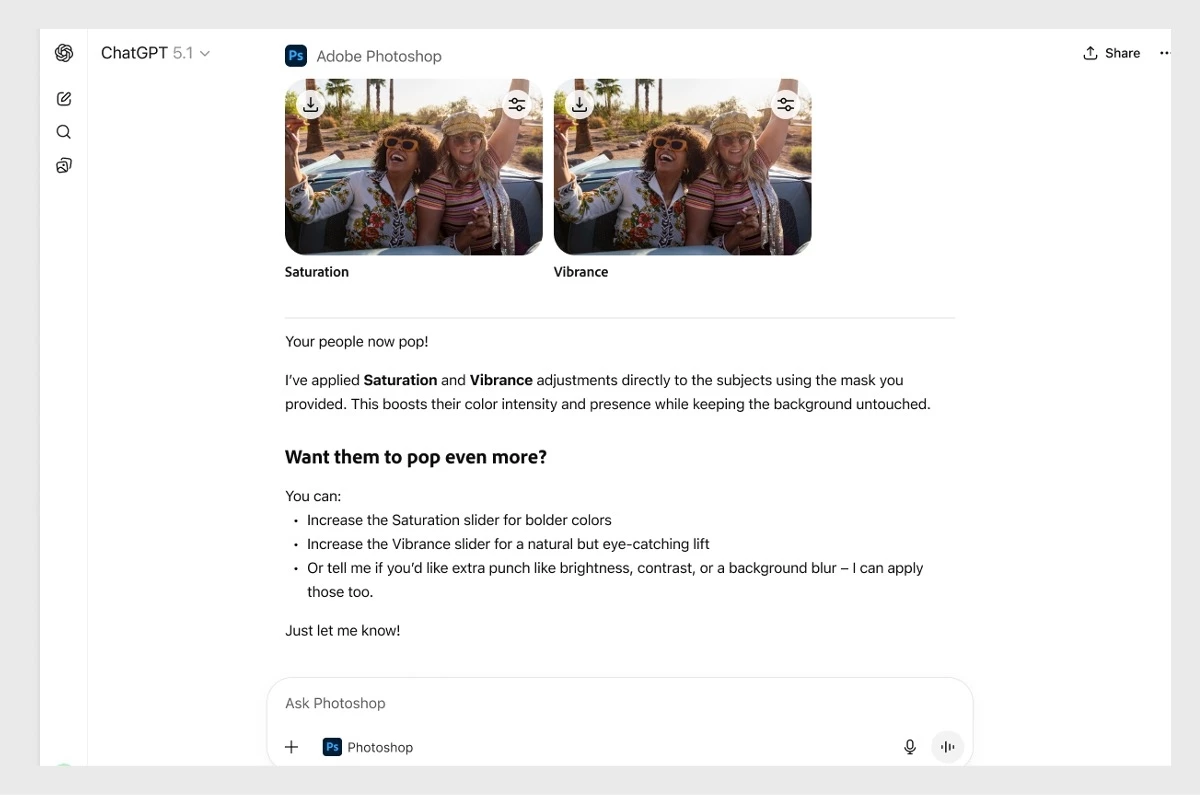
  • Ready to do more?  With one click you can continue your edits in Photoshop on the web or mobile for even more power and control including adding text, retouching, cropping or resizing, combining multiple images, advanced tools like Gen Fill, Expand, and Remove, and precise use of layers and masks. 
 

ps-chatgpt-web-3.jpg.img.jpg


Stay tuned as we plan to make frequent updates to Photoshop for ChatGPT. Try Adobe Photoshop for ChatGPT today and elevate your creativity!   


We’d love to hear from you!

Try out the new Adobe Photoshop for ChatGPT, and let us know your thoughts. Feel free to reach out if you have any questions or need more tips!

Picture 1.png

If this was helpful, please click the Upvote icon in the top left corner of this post. Your feedback helps us improve the experience. Thank you!


We’d love to see what you’ve created and hear about your experience or feedback! Click 'Reply' below.

Click 'Follow' below to bookmark this post for easy reference.

For other questions, feel free to start a new post in the community.

4 replies

January 3, 2026

This is a strong and genuinely useful integration. Bringing Photoshop’s core adjustments and creative effects directly into ChatGPT removes a lot of friction from quick image edits, especially for social posts, profile images, and rapid ideation workflows. The ability to stack edits conversationally and then switch to full-screen sliders for precision feels very natural and accessible for both beginners and power users. Looking forward to seeing how this evolves with future updates, particularly deeper layer and mask controls. Great work by the Adobe team.

Muhammad
rayek.elfin
Legend
January 24, 2026

I find it always fantastically ironic when a genAI / LLM topic is answered by 100% AI generated posts.

😛

Known Participant
December 14, 2025

Personally I hope this means chat gpt has better vibe coding for non coders (artist) who want to make their own simple plugins. This new UXP model photoshop uses seems likes its too hard/ doesnt understand UXP enough for the AI's to code simple scripts (tried to make a UXP plugin that selects a tool in photoshop as the first step but it couldnt do it, although old extend script it seems to do alittle better at). 

So yeah I'd like a future where we take action scripting to the next level and improve AI for coding photoshop plugins to let us make our own plugins easier as artist. 

Earth Oliver
Legend
December 16, 2025

you could always try, you know, learning the basics of UXP... it's not exactly rocket science. And there are other AI's that could probably do a better job than cGPT.

December 13, 2025

i'll defenitily try this feature in my future projects

Known Participant
December 11, 2025

Doesn't work.  ChatGPT itself finally told me this:

🧠 Why the marketing looks confusing

Adobe and OpenAI announced:

“Edit images from Photoshop using ChatGPT.”

But what they mean is:

➡️ Inside Photoshop, you can open a ChatGPT sidebar and tell ChatGPT to make Photoshop edits.
➡️ Not inside ChatGPT on the web.

That distinction was not communicated clearly.

Srishti_Bali
Legend
December 11, 2025

Hi @SpivR


GenAI tools are still a work in progress and continue to learn from the input we provide. This integration is new, so ChatGPT may appear a bit confused at times. Please click this link: https://adobe.ly/4ab1Ed0, select Photoshop, connect it, and you should be all set.


Regards,

Srishti

Known Participant
December 12, 2025

Thanks!


I'll try that out.

Since I've got your attention, I know it is a different group, but any chance you can get somebody, ANYBODY, at Adobe to give us some feedback on fixing the horrible tiny UI font problem in Premiere Pro that many of us have beeen asking for and waiting for years and years.

And, btw, Lightroom Classic and Photoshop could use the ability to have larger menu and sidebar fonts when used on modern large screen (27", 5K) displays too!

Just really sad that no one from Premiere Pro will even respond to the multi-year message thread on the Premiere Pro section since over a year ago when the PPro PM said "we are looking into it".