Participating Frequently
October 9, 2025
Answered

eingezoomtes Panorama

  • October 9, 2025
  • 1 reply
  • 343 views

Ich hab ein Panorama erstellt welches ich mit Einzoomen auf die Bildschirmhoehe angepasst habe, kann ich erreichen dass das Bild wie ein Film in ganzer Laenge angezeigt wird, falls ja wie? Danke im Voraus fuer eure Hilfe.

Correct answer davescm

I have now accomplished point 2 and point 3. For the next points I would be grateful if you could also describe them in a detailed manner (like you did it for point 2), so that I can follow the different steps. "Add a keyframe" or "transform the layer" etc are not familiar to me. I excuse for such silly questions but I am a Novice. Thank you for your help


Hi,
A couple of screenshots might help you with points 4 to 7

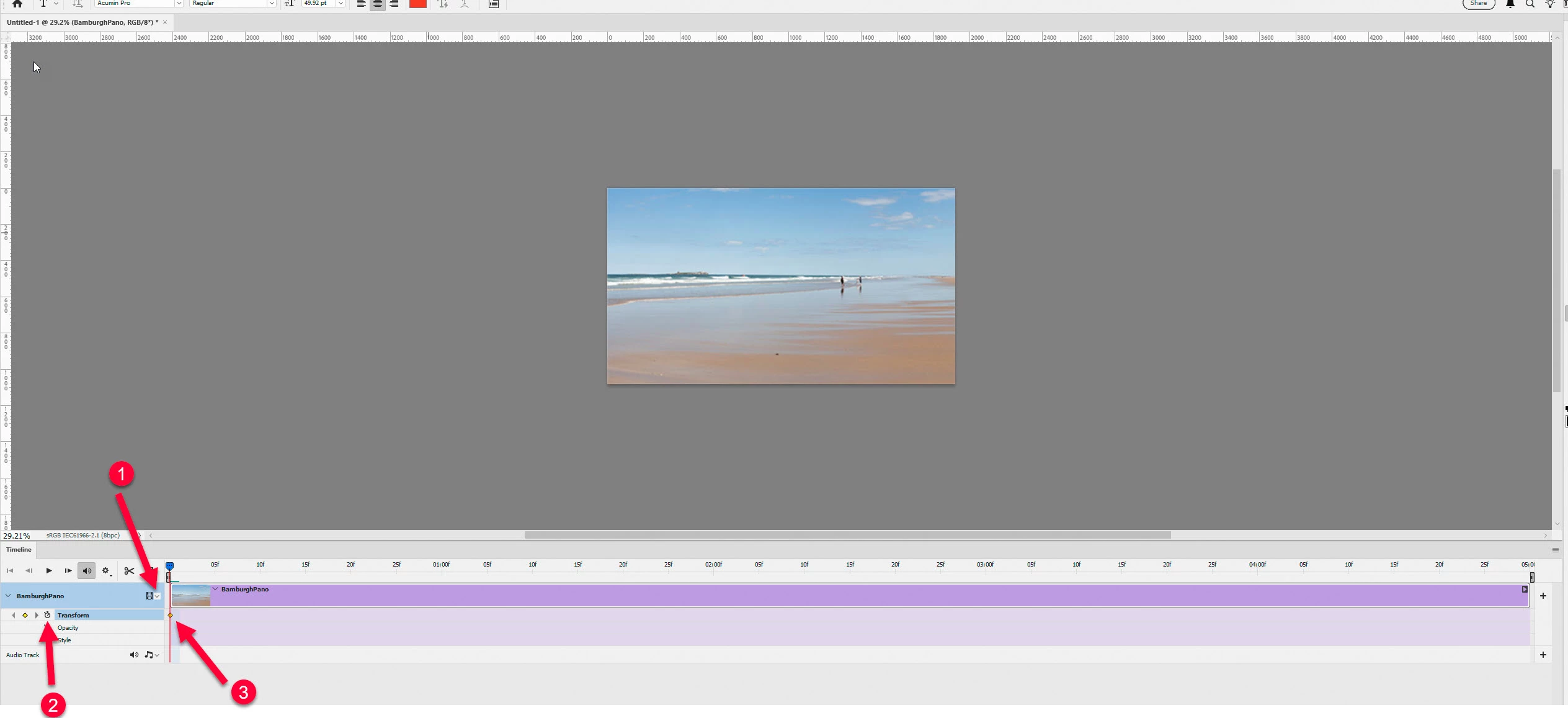
To see the transform properties in the timeline click where shown as (1) below then click on the clock icon (2). That will add a small diamond 'keyframe' mark (3) in the timeline.
 

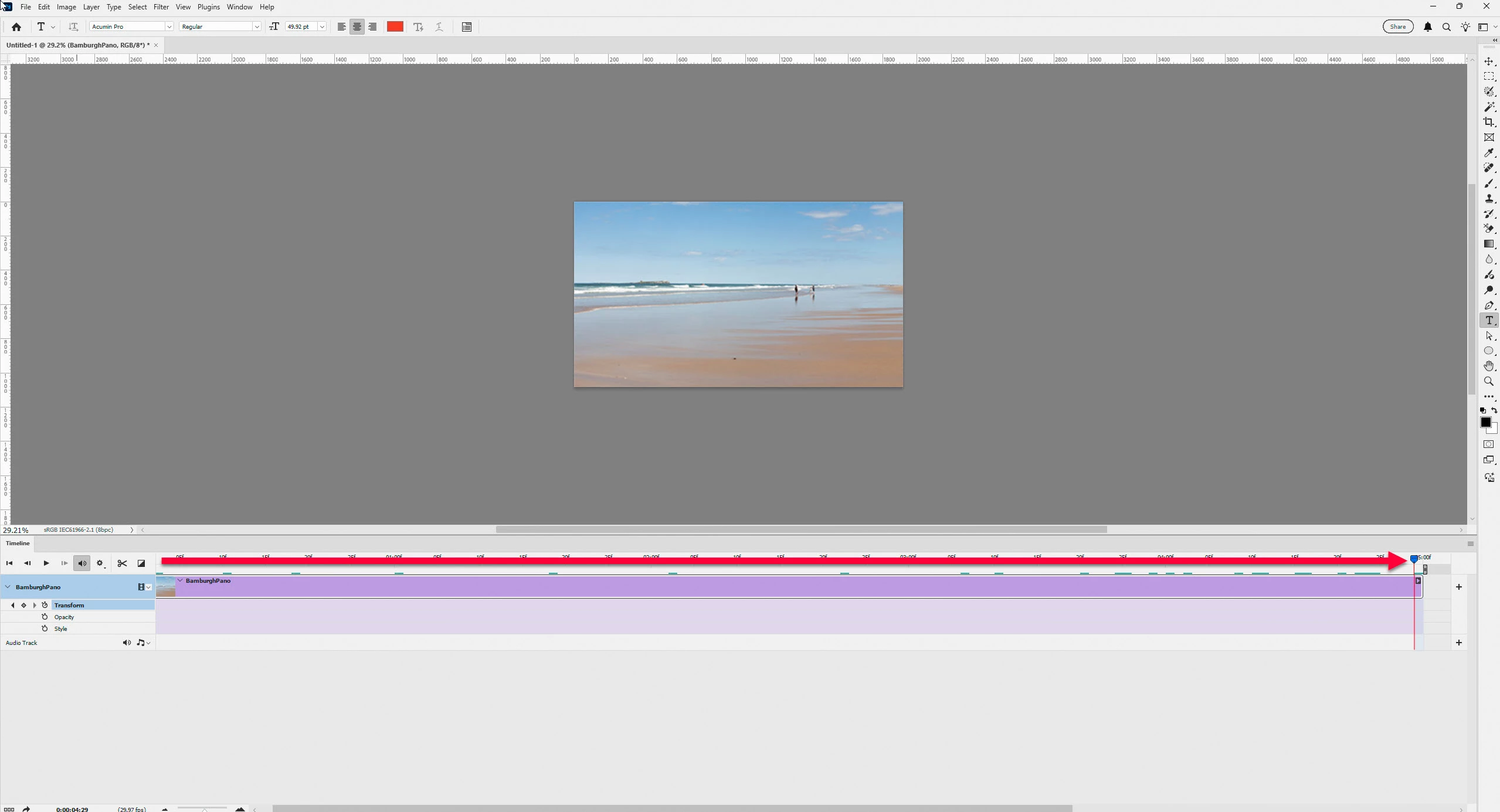
Next move the playback marker to the end of the clip.
 

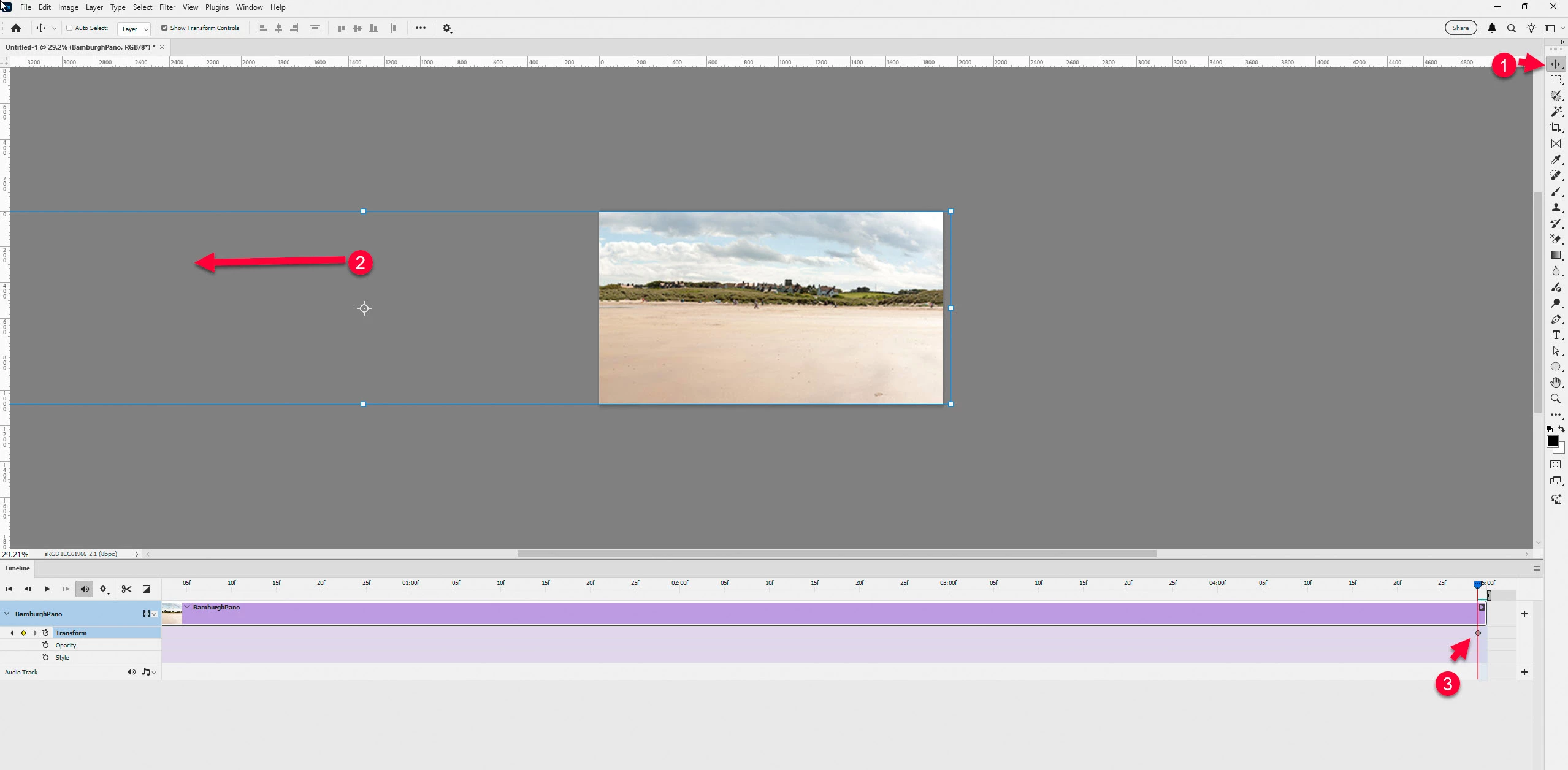
Now use Photoshop's move tool (1), don't worry that my toolbar is on the right I just prefer it that way,  to move the smart object so that the visible part is the right end of the panorama.(2) . That will add another keyframe in the timeline (3)
 

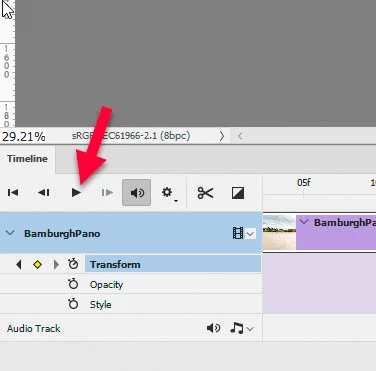
You can now check the effect by pressing the play icon in the timeline. Your panorama should scan across the screen.

Dave



1 reply

Community Manager
October 9, 2025

Hi @jopa@pt.lu, welcome to the community!
Could you share a bit more about the issue you're running into? I might have misunderstood, but if you're trying to make your image fill the whole screen, you can use the Zoom tool and then tap Fit to Screen.
Does that help with what you're trying to do?
Thanks again!
Alek


*(If you mention me with an @, like @Aleke, I’ll get a notification and can respond faster.)*
Participating Frequently
October 10, 2025

@Aleke 

Initially I have composed a Panorama with 6 photos. When I open the panorama it is completely shown on the screen but it is very small (height). When I zoom in the panorama the lenght is only shown partially (very normal). What I want to do is, show the panorama automatically from the left to the right like in a film. Thanks for your help

davescm
Community Expert
Community Expert
October 10, 2025

Hi,
You will need to create a video.

1. Create a new document in the pixel size that you want to use for the final output e.g. 1920x1080 8 bit

2. Use place embedded to add your panorama to that document as a smart object. Position it to the start point e.g. the left part of your panorama.
3. Use Window > Timeline and the Create Video Timeline
4. Add a key-frame at the start for the 'Transform' property (use the down reveal arrow at the left of the clip in the timeline, if you do not see it. To add the keyframe click on the 'diamond shape' to the left of the clock icon next to 'Transform'

5. Move the video playback point to the end of the video, by dragging the control.
6. Transform the layer where you want it for the last frame e.g. the right end of your panorama.
7 A key-frame should have been added automatically, if not add it manually

8. Test the playback
9. From the menu bar at the top right of the timeline choose render video to export a video with the settings of your choice.

Dave
