
Known Participant
November 4, 2020
Answered
ellipsis (...) icon missing from toolbar?
- November 4, 2020
- 1 reply
- 5609 views
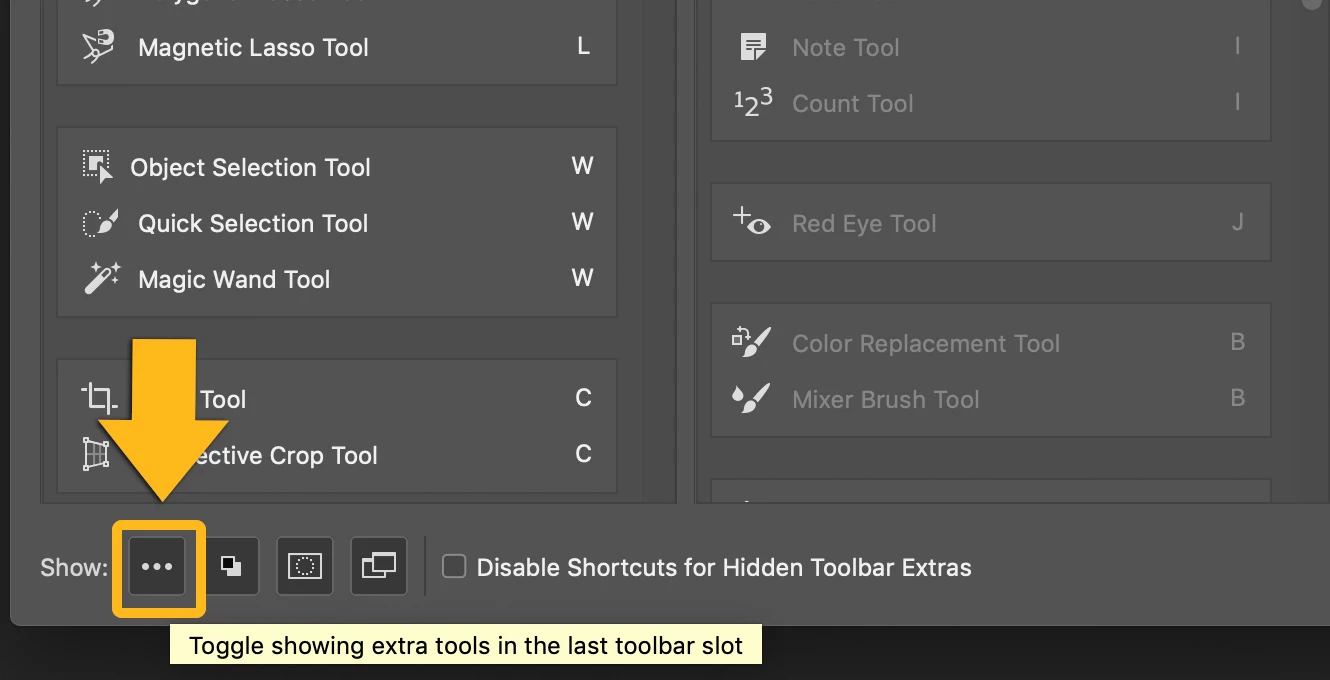
I don't know what I did, but I click the 3 dots and then accidentally clicked somethign else and now the 3 dots icon is gone. I've tried resetting my toolbar and all my settings, it's not coming back. I don't really want to unistall photoshop just to get a tool back, but will if that's the only solution. Can anyone help? Screenshots attached of what I've got (light grey) vs what I'm missing (dark grey).


 AdChoices