
Question
Empty Layer isn't empty
How can a layer in a Photoshop file have nothing in it, (no pixels, nothing, not even 1 pixel with 1% opacity) and still have layer bounds of the full canvas?
In that there is an inconsistancy - when I Select All and try to Transform it I get the error
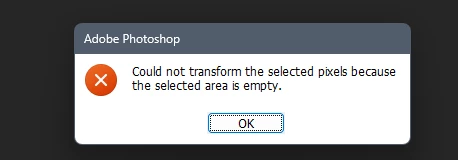
Could not transform the selected pixels because the slected area is empty.
Yet doing the doing the same - just a transform (without Select All first) - will select the whole image for a transform?
Duplicating said layer and merging down, and transforming will result in the error.
Nauturally, i can't attach said PSD as proof.
Further to the above I've not yet been able to detect this "empty layer " LayerBounds or selecting pixels, or try/catch copy pixels..
What is going on?


 AdChoices