
Answered
Enable HDR in Camera Raw
Hi Adobe Groupies,
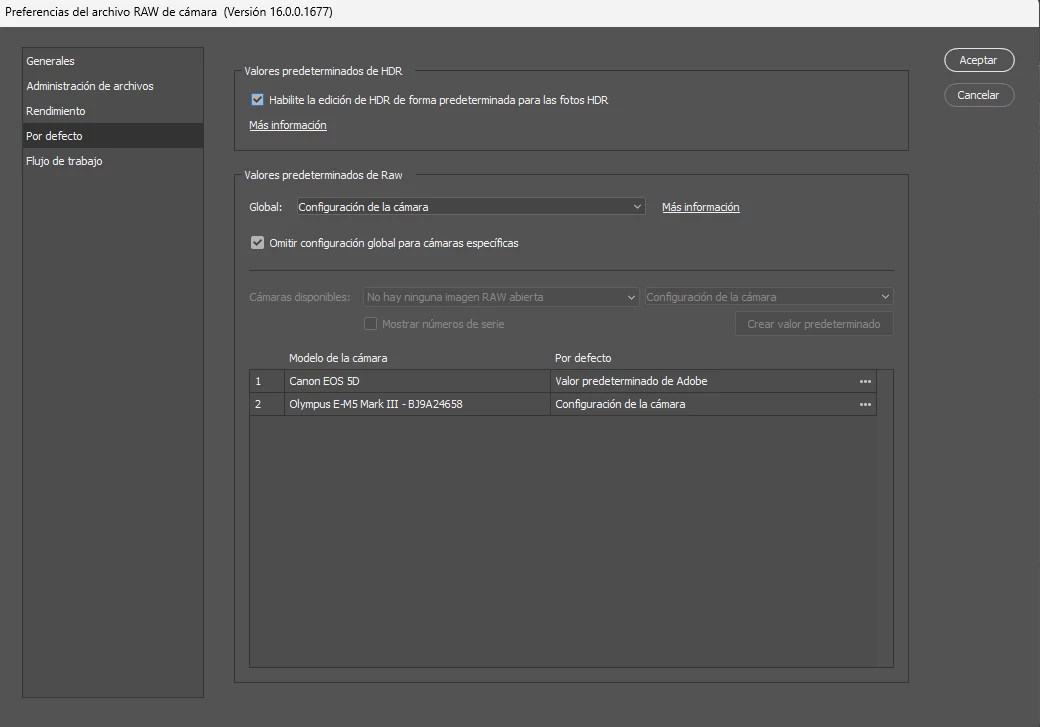
In Photoshop, I do not understand how to enable the NEW HDR in Camera Raw per these instrucions:
HDR Defaults
The HDR button is turned off by default. To enable it by default for supported HDR photos, navigate to Camera Raw Preferences > Raw Defaults > select Enable HDR editing by default for HDR photos.
tnx for help!


 AdChoices