Participant
October 6, 2025
Answered

Error 404: Asset not found. Using Share For Review function

  • October 6, 2025
  • 3 replies
  • 196 views

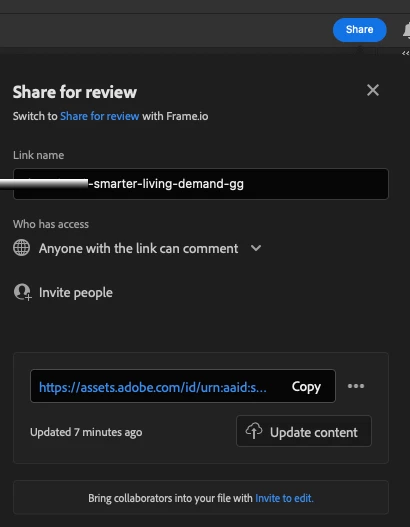
Since last week my Design team began having issues with links they send using the Share For Review function in Photoshop.  Everyone who has selected these links get a Error 404 message. We have tried clearing browser cookie cache and history with no success. I've seen other posts in Adobe Community about Illustrator users experiencing the same problem the past several days with no fix.

Thank you

Correct answer Kevin Stohlmeyer

@active_Coconut1748 try going through the CC desktop app and see if you can view there. I've seen similar even with sharing library assets - the emailed link gives a 404 but the bell icon or shared with you folder in the CC desktop app still works. 

3 replies

Participant
October 7, 2025

Thank you @Kevin Stohlmeyer for an alternative solution. The bug seems to have been fixed overall, so far. We've also made sure that everyone has the most up to date version of Photoshop.

Participant
October 7, 2025

 I am using photoshop share for review link,  The file is uploaded but opening link showing this error. 

Kevin Stohlmeyer
Community Expert
Community Expert
October 7, 2025

Hi @hardik_8623 its a known issue with Adobe links - go to your CC Desktop app and try accessing through the bell icon(notifications) or Shared files section. 

Kevin Stohlmeyer
Community Expert
Kevin StohlmeyerCommunity ExpertCorrect answer
Community Expert
October 6, 2025

@active_Coconut1748 try going through the CC desktop app and see if you can view there. I've seen similar even with sharing library assets - the emailed link gives a 404 but the bell icon or shared with you folder in the CC desktop app still works.