
Participant
April 28, 2020
Answered

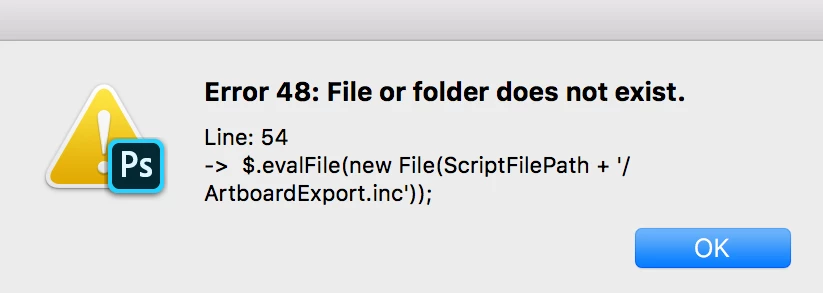
Error 48: File or folder does not exist

  • April 28, 2020
  • 1 reply
  • 6538 views

Hello! I'm trying to export some artboards to a PDF or pngs, but when I click export this appears.

I restarted photoshop, my laptop, I tried copying the artboards to a new file, but no luck. I'm still getting the same error.

I'm using a MAC, if that's important to know.


Is there a way I could I fix this?


Thank you!
 

This topic has been closed for replies.
Correct answer Akash Sharma

Hi there,


Sorry that you're getting an error "Error 48: file or folder does not exist" while trying to export an artboard to PDF.


It sounds like a required .jsx file is missing. Have you tried running the Photoshop installer to replace any missing files?

Try this: install Photoshop  over the top of itself (without removing it). To do this, in the Creative Cloud desktop app, go to the Apps tab. In the lower half, labeled Find New Apps, there is a filter drop-down to the right. By default it says All Apps or Filters & Versions, click it and choose Previous Version. Find Photoshop on the list and the button will say “Install” but it will also be a drop-down menu. Choose to install the current version you're using. This will do a “repair” install over the top of your existing files.


Let us know how it goes.


Thanks,

Akash

1 reply

Akash Sharma
Akash SharmaCorrect answer
Legend
April 28, 2020

Hi there,


Sorry that you're getting an error "Error 48: file or folder does not exist" while trying to export an artboard to PDF.


It sounds like a required .jsx file is missing. Have you tried running the Photoshop installer to replace any missing files?

Try this: install Photoshop  over the top of itself (without removing it). To do this, in the Creative Cloud desktop app, go to the Apps tab. In the lower half, labeled Find New Apps, there is a filter drop-down to the right. By default it says All Apps or Filters & Versions, click it and choose Previous Version. Find Photoshop on the list and the button will say “Install” but it will also be a drop-down menu. Choose to install the current version you're using. This will do a “repair” install over the top of your existing files.


Let us know how it goes.


Thanks,

Akash

WilMM2Author
Participant
April 28, 2020

Thank you so much! Problem solved!!!

Akash Sharma
Legend
April 28, 2020

Thanks for the heads up. Glad that the issue is resolved. 🙂


~Akash