

Participant
September 11, 2025
Question

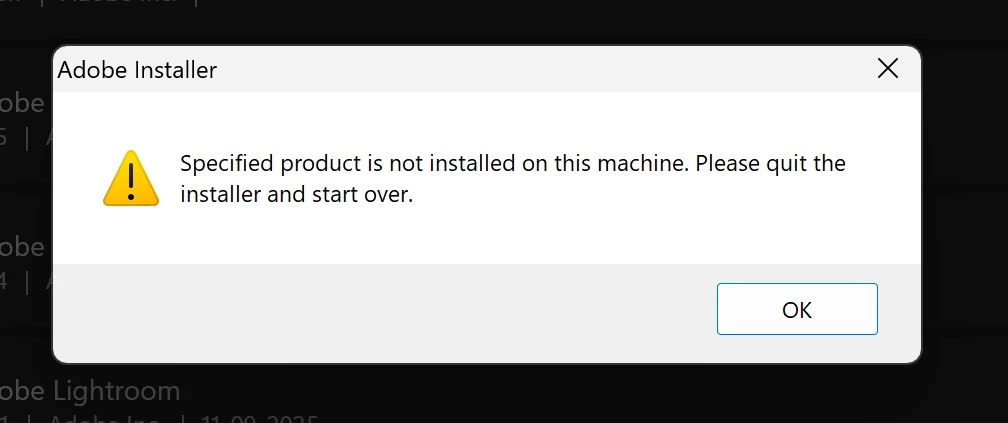
Error for uninstalling old version
  • September 11, 2025
  • 2 replies
  • 109 views


Ways to remove the old version completely,
while having the latest version of Photoshop.

2 replies

Kevin Stohlmeyer
Community Expert
Community Expert
September 11, 2025

@LostInPeace there are no longer individual installers or unisntallers for Adobe Applications including Photoshop. You should be using the CC Desktop app to remove and manage current installs. 

If you are not able to uninstall using the CC desktop app - use the CC Cleaner tool to remove all traces of Adobe CC installs,

https://helpx.adobe.com/ca/creative-cloud/kb/cc-cleaner-tool-installation-problems.html

then reinstall the CC desktop app to reinstall a clean copy of Photoshop current. 

https://helpx.adobe.com/download-install/apps/download-install-apps/creative-cloud-apps/download-creative-cloud-desktop-app-from-web.html


Noel Orridge
Community Manager
Community Manager
September 11, 2025

Hi @LostInPeace! Thank you for reaching out! Sorry to hear about your trouble. Could you please explain your issue in detail? Also, please share which version/s of Photoshop are you trying to install or reinstall, the version of your Creative Cloud Application and, the version of windows you're working with. 


Thanks a bunch!

Noel